
GPS Coordinates from Video vs FFprobe
GPS Coordinates from Video is the baseline in this comparison: Read GPS and location metadata from MOV, MP4, M4V, 3GP, AVI, MKV, WebM, MPEG, TS, and related videos in the browser, then copy coordinates and map links.
FFmpeg companion utility for probing multimedia files and printing stream, format, and metadata information.
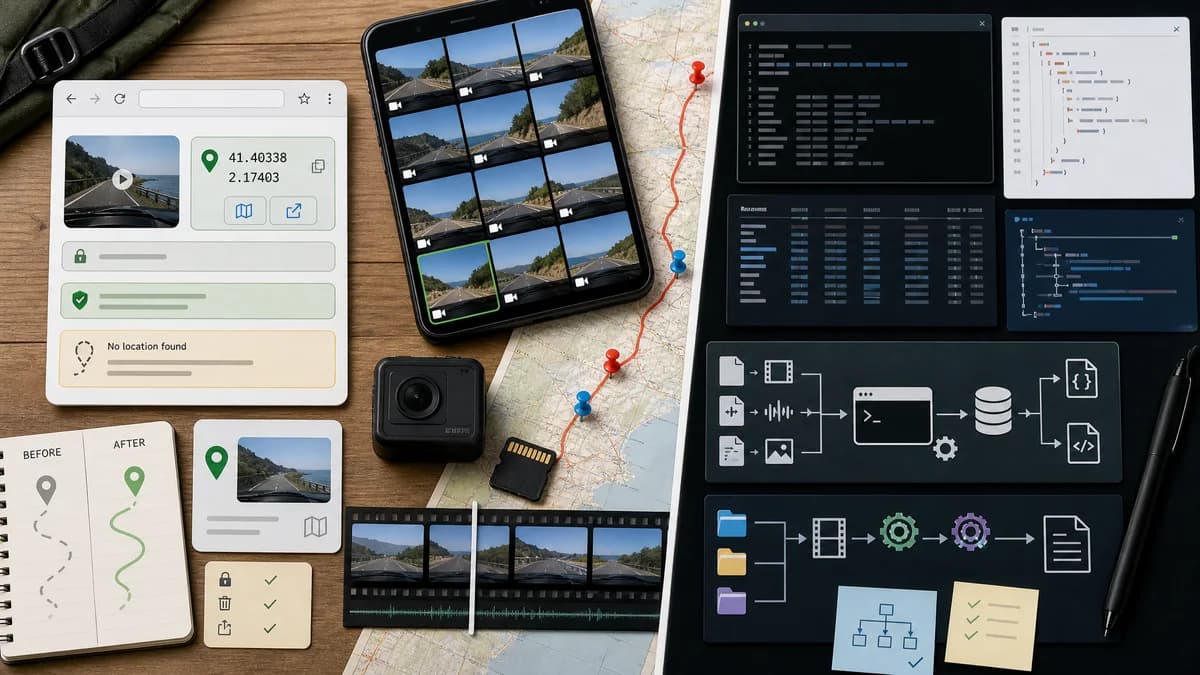
Quick verdict
FFprobe is best for developers and automated media pipelines. TextFaker is better for users who want a local browser answer to a GPS privacy question without learning FFmpeg commands.
How GPS Coordinates from Video fits
GPS Coordinates from Video translates video location metadata into a browser UI with coordinates, map links, and missing-location guidance.
How FFprobe fits
FFprobe gathers information from multimedia streams and prints it in human-readable and machine-readable formats. Official documentation says metadata tags in containers and streams are recognized and printed in format or stream sections, with output writers including JSON and XML.
Side-by-side comparison
| Decision point | GPS Coordinates from Video | FFprobe | Takeaway |
|---|---|---|---|
| User interface | Our workflowBrowser UI designed around coordinates and maps. | Competitor workflowCommand-line utility with text and structured output writers. | TextFaker is more approachable for non-developers. |
| Metadata model | Our workflowLooks for location-bearing video metadata and presents normalized GPS output. | Competitor workflowPrints available container and stream metadata tags, including format and stream sections. | FFprobe exposes data; TextFaker interprets it for GPS. |
| Automation | Our workflowManual single-file browser workflow. | Competitor workflowStrong scriptability with JSON, XML, CSV, INI, flat, and text output modes. | FFprobe is better for pipelines. |
| Privacy model | Our workflowLocal browser processing with no upload. | Competitor workflowLocal command-line probing after installation. | Both can keep files local, but TextFaker avoids install and shell usage. |
| GPS depth | Our workflowFocused on common camera video location fields and user-facing map links. | Competitor workflowCan print metadata tags that FFmpeg recognizes, but is not a GPS-specific parser or map viewer. | TextFaker can be clearer for location even if FFprobe is more general. |
| Missing metadata | Our workflowExplains why no coordinates were found. | Competitor workflowTypically returns only the fields present or recognized by the probe command. | TextFaker can add user guidance that FFprobe leaves to the operator. |
| Best workflow | Our workflowPersonal video privacy check in a browser. | Competitor workflowDeveloper media inspection and automated metadata extraction. | The tools serve different skill levels. |
Use GPS Coordinates from Video when
- No-command video GPS lookup.
- Coordinate normalization and map-link output.
- Explaining absent location metadata to ordinary users.
Use FFprobe when
- Developer scripts and CI media checks.
- Machine-readable probing of stream and container metadata.
- Users already working inside an FFmpeg workflow.
Detailed comparison
Workflow Fit
FFprobe is a low-level probing tool. It is excellent when a user can write commands and parse output, but it does not provide a GPS-specific user experience.
Output
FFprobe can emit JSON and other machine-readable formats, which is ideal for scripts. TextFaker should emit a human-readable answer first, with raw fields available only when useful.
GPS Interpretation
A metadata tag printed by FFprobe may still require a user to know whether it is a location, how it is encoded, and how to open it on a map. TextFaker can handle that translation.
- Normalize coordinate strings.
- Label coordinate source.
- Open maps directly.
Audience
FFprobe belongs in developer, media engineering, and automation workflows. TextFaker should target users who have a file and a question, not a command line.
Research notes
- FFprobe documentation says it gathers information from multimedia streams.
- FFprobe documentation says container and stream metadata tags are printed in corresponding sections.
- FFprobe supports JSON and XML writers, making it strong for automation but not a map-oriented GPS viewer.
Official source
The only outbound competitor link on this page is placed here for source checking after the comparison.
Official FFprobe source