
GPS Coordinates from Video vs GroupDocs.Metadata Video App
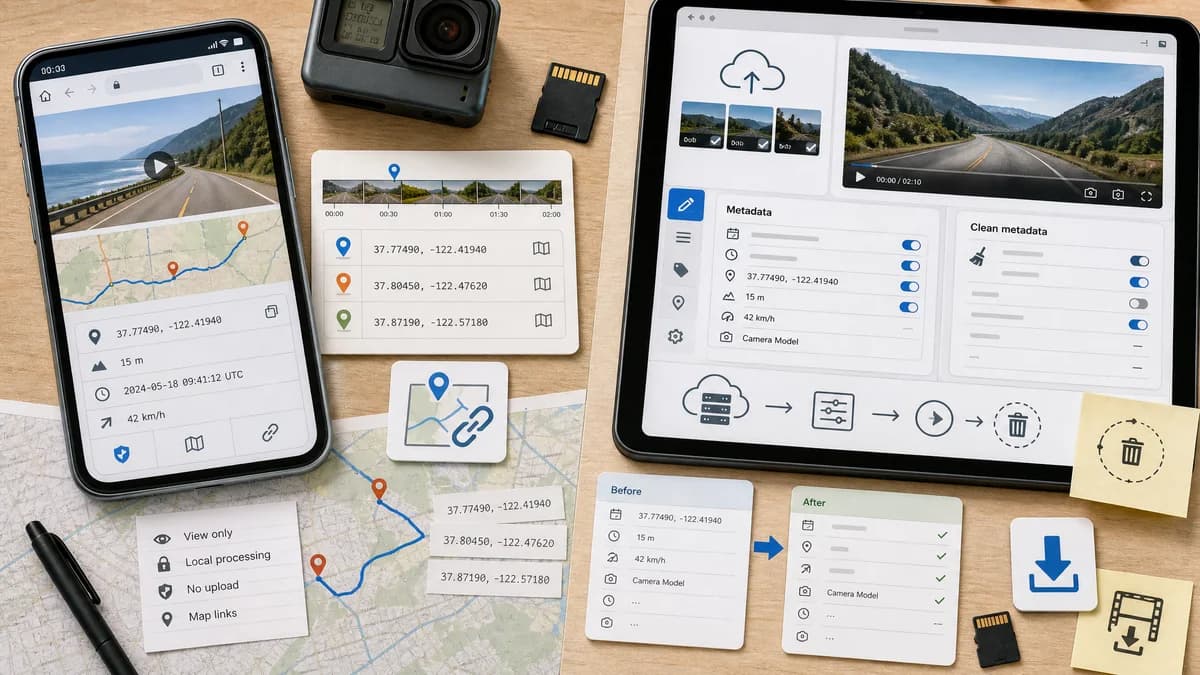
GPS Coordinates from Video is the baseline in this comparison: Read GPS and location metadata from MOV, MP4, M4V, 3GP, AVI, MKV, WebM, MPEG, TS, and related videos in the browser, then copy coordinates and map links.
Online app for viewing, editing, cleaning, and exporting video metadata properties.
Quick verdict
Use TextFaker for private read-only GPS checks. Use GroupDocs.Metadata when the workflow requires online metadata editing, saving a modified file, or exporting metadata from a server-side app.
How GPS Coordinates from Video fits
GPS Coordinates from Video is a read-focused local browser tool for extracting video GPS coordinates and map links without modifying files.
How GroupDocs.Metadata Video App fits
GroupDocs.Metadata Video App lets users upload a video, view and update metadata properties, save changes, download the resulting file, clean metadata, and export metadata. Its page states files are processed on servers and uploaded preview files are deleted after 24 hours.
Side-by-side comparison
| Decision point | GPS Coordinates from Video | GroupDocs.Metadata Video App | Takeaway |
|---|---|---|---|
| Privacy model | Our workflowBrowser-local reading without upload. | Competitor workflowServer-side processing after upload, with deletion of preview files after 24 hours according to the official FAQ. | TextFaker is safer for users who do not want to transmit location-bearing videos. |
| Read versus edit | Our workflowRead-only GPS coordinate viewer. | Competitor workflowViewer and editor with save and download steps. | GroupDocs is better when modification is required. |
| Primary focus | Our workflowVideo GPS coordinates, maps, and missing metadata explanation. | Competitor workflowGeneral video metadata properties plus cleaning, removing, and exporting metadata. | TextFaker is simpler for GPS lookup. |
| File size | Our workflowCan be designed around browser limits and partial parsing for common videos. | Competitor workflowOfficial upload area states a 40 MB limit. | TextFaker may be able to avoid full upload limits, depending on implementation. |
| GPS output | Our workflowNormalizes latitude and longitude and provides map links. | Competitor workflowShows editable metadata fields; GPS-specific map output is not the core promise. | TextFaker is more location-oriented. |
| Platform needs | Our workflowAny modern browser with local file access. | Competitor workflowAny modern browser, with files processed on remote servers. | Both are cross-platform; processing location differs. |
| Best workflow | Our workflowCheck a private video before sharing. | Competitor workflowEdit, clean, or export metadata online. | The tools serve different points in the metadata workflow. |
Use GPS Coordinates from Video when
- Read-only video location checks.
- Avoiding upload for sensitive GPS data.
- Simple map-link output for non-technical users.
Use GroupDocs.Metadata Video App when
- Editing video metadata properties online.
- Cleaning or removing metadata from a video file.
- Exporting video metadata through an app tied to a broader metadata API ecosystem.
Detailed comparison
Workflow Fit
GroupDocs.Metadata is adjacent rather than a pure GPS competitor because it supports editing and cleaning metadata. TextFaker should stay read-only unless future product scope includes removal or rewriting.
Privacy
The official page clearly says server-side processing is used. For location data, that gives TextFaker a meaningful privacy distinction if it keeps all parsing in the browser.
Editing Tradeoff
Editing is useful when a user wants to clean a file, but it also adds risk and complexity. A coordinate viewer can remain safer and more transparent by not writing any output file.
- No accidental metadata changes.
- No re-encoded video.
- No save or download step needed.
User Outcome
GroupDocs answers what metadata fields exist and lets users change them. TextFaker should answer where the video says it was recorded and whether that location should be removed elsewhere before sharing.
Research notes
- GroupDocs.Metadata Video App supports viewing and editing video metadata online.
- The official page states files are processed on servers.
- The official FAQ states uploaded preview files are deleted after 24 hours.
Official source
The only outbound competitor link on this page is placed here for source checking after the comparison.
Official GroupDocs.Metadata Video App source