
HEIC to JPG Converter vs Canva HEIC to JPG Converter
HEIC to JPG Converter is the baseline in this comparison: Convert HEIC and HEIF photos to JPG locally in your browser, then verify the image/jpeg MIME type, .jpg filename, dimensions, Blob output, quality setting, and transparency flattening behavior.
Canva converts HEIC uploads to JPG so users can share or use the result in Canva projects.
Quick verdict
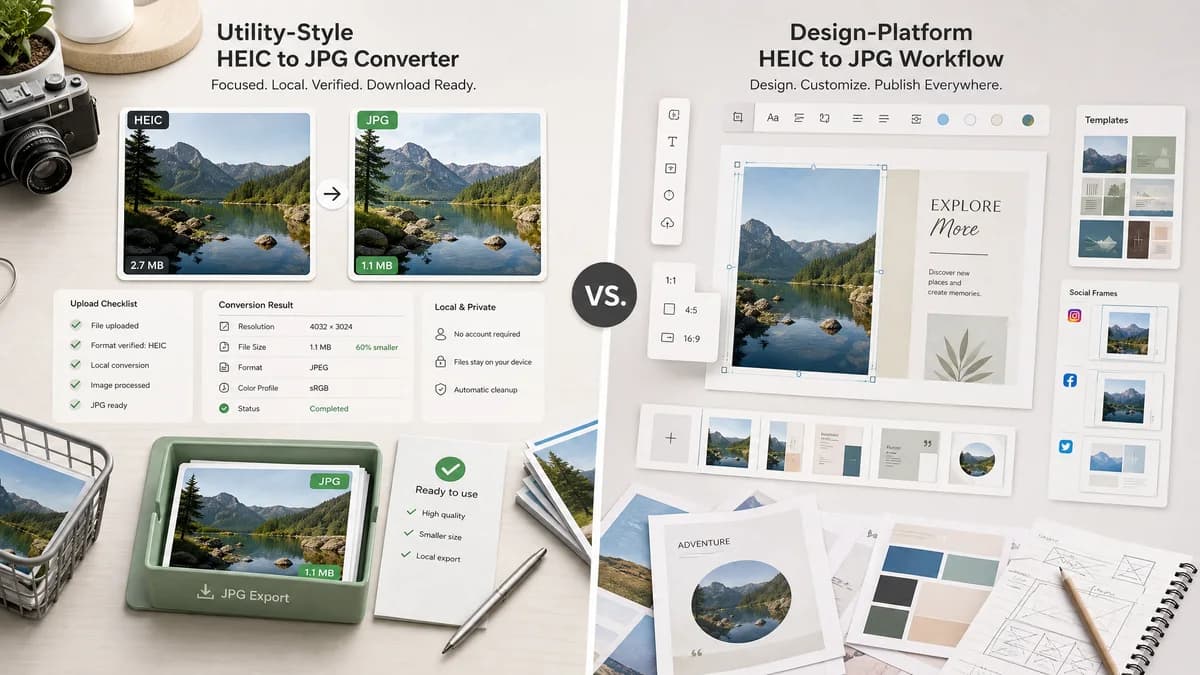
TextFaker should present a no-account, utility-style conversion result with visible file facts and no design-platform distractions.
How HEIC to JPG Converter fits
TextFaker should focus on local conversion and download-ready JPEG files rather than editability inside a design workspace.
How Canva HEIC to JPG Converter fits
Canva is best when conversion is part of a design, template, or social-media workflow. It is less specialized for users who just need a verified local JPG export.
Side-by-side comparison
| Decision point | HEIC to JPG Converter | Canva HEIC to JPG Converter | Takeaway |
|---|---|---|---|
| Workflow intent | Our workflowConvert and download a verified JPG | Competitor workflowConvert and use in Canva projects or downloads | Canva is design-led; TextFaker is file-led. |
| Locality | Our workflowLocal browser conversion when supported | Competitor workflowDesign-platform upload flow | TextFaker should own the privacy angle. |
| Output details | Our workflowMIME, filename, dimensions, size, and Blob status | Competitor workflowDownloadable JPG from a design platform | TextFaker can be stronger for technical confirmation. |
| Input handling | Our workflowAccept .heic/.heif and image/heic/image/heif | Competitor workflowHEIC upload converter page | TextFaker is explicit about HEIF as well as HEIC. |
| Quality messaging | Our workflowMeasurable JPEG quality control if supported | Competitor workflowVisible copy emphasizes high-quality accessible output | TextFaker avoids vague quality language. |
| Alpha behavior | Our workflowTransparent HEIC sources must be flattened for JPG | Competitor workflowNo prominent alpha conversion details in visible summary | TextFaker can answer an uncommon but important question. |
Use HEIC to JPG Converter when
- Straight HEIC/HEIF to JPG conversion
- Users who want to keep photos local
- Checking output MIME and extension
- Simple browser utility workflows
Use Canva HEIC to JPG Converter when
- Canva design users
- Converting before placing images in templates
- Social posts and marketing graphics
- Users who want editing after upload
Detailed comparison
HEIF Coverage
The TextFaker page includes HEIF in the title, description, accepted file text, and tests, because users may have .heif files even when search intent says HEIC.
Result First
The main result is a file conversion report, not an editing canvas. Preview is useful, but the primary action is downloading a verified JPG.
Copy Text
Add a copy summary button with deterministic wording such as filename, type, size, and dimensions. This supports both usability and test assertions.
Design Platform Contrast
Canva is compelling for creative workflows. TextFaker should compete by removing the creative workflow entirely and solving the conversion task directly.
Research notes
- Canva's page frames HEIC to JPG as making iOS photos shareable and usable in projects.
- Use this comparison for design-platform differentiation.
- Avoid implying Canva is local-only.
Official source
The only outbound competitor link on this page is placed here for source checking after the comparison.
Official Canva HEIC to JPG Converter source