
HEIC to JPG Converter vs FreeConvert HEIC to JPG
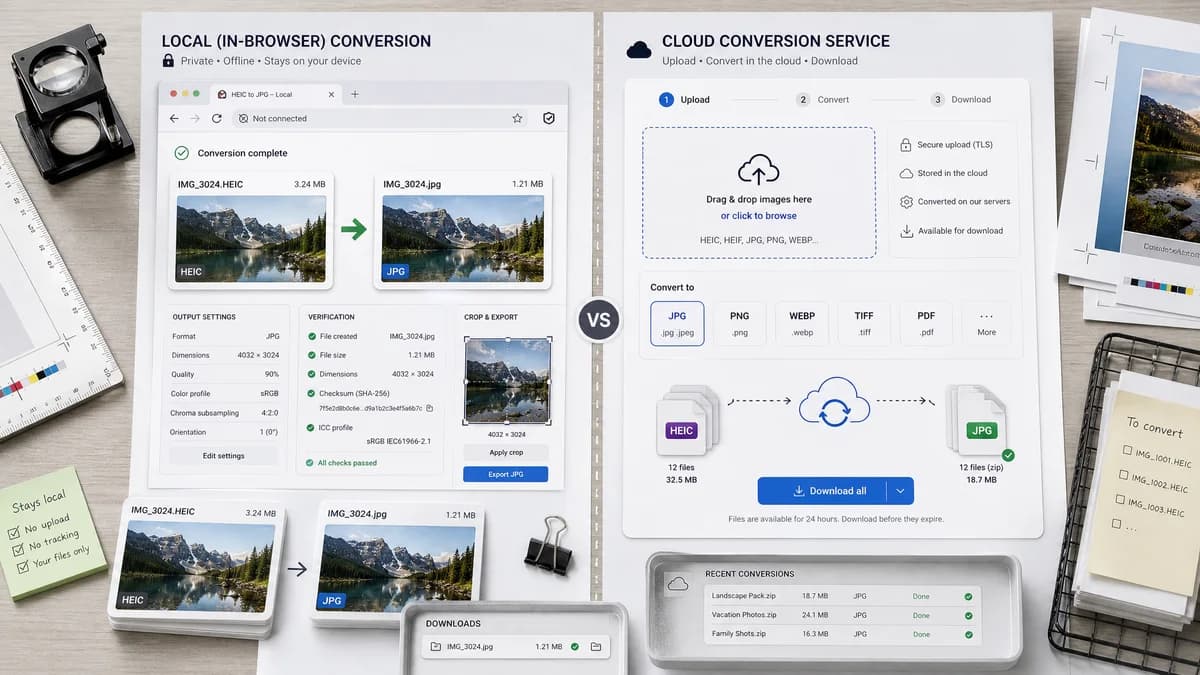
HEIC to JPG Converter is the baseline in this comparison: Convert HEIC and HEIF photos to JPG locally in your browser, then verify the image/jpeg MIME type, .jpg filename, dimensions, Blob output, quality setting, and transparency flattening behavior.
FreeConvert provides a drag-and-drop online HEIC to JPG converter with a simple choose, convert, download workflow.
Quick verdict
TextFaker is framed as the more inspection-friendly option for users who want to know exactly what file was generated without sending photos to a server.
How HEIC to JPG Converter fits
TextFaker offers the same simple conversion goal but keep the work local in the browser where possible and make the JPEG output contract visible.
How FreeConvert HEIC to JPG fits
FreeConvert is easy for casual users and supports a standard online upload-and-download conversion pattern. Its broader service model is less focused on local privacy or technical output verification.
Side-by-side comparison
| Decision point | HEIC to JPG Converter | FreeConvert HEIC to JPG | Takeaway |
|---|---|---|---|
| Workflow | Our workflowUpload locally, decode locally when supported, export a JPG Blob | Competitor workflowChoose files, convert online, download JPG | Both can be simple; TextFaker makes locality the distinction. |
| Accepted files | Our workflowExplicitly accept .heic/.heif and image/heic/image/heif | Competitor workflowHEIC-focused upload flow | TextFaker should validate extension and MIME instead of relying on page wording. |
| Output proof | Our workflowShow image/jpeg and .jpg output before download | Competitor workflowDownload button appears after conversion | TextFaker can serve users who need auditable browser output. |
| Privacy copy | Our workflowNo upload required when browser decoding succeeds | Competitor workflowHosted converter privacy/security claims are separate from the tool flow | Local conversion is cleaner for private photos. |
| Quality | Our workflowJPEG quality behavior is testable and documented | Competitor workflowClaims best-quality conversion in visible copy | TextFaker should prefer measurable controls over broad quality claims. |
| Transparency | Our workflowWarn and flatten alpha because JPG cannot keep transparency | Competitor workflowNo prominent alpha handling in visible page summary | TextFaker should handle a real edge case upfront. |
Use HEIC to JPG Converter when
- Browser-local conversion
- Visible MIME and extension checks
- Users converting sensitive iPhone photos
- Deterministic download filename and copy text
Use FreeConvert HEIC to JPG when
- Simple online conversion with minimal explanation
- Users already comfortable with uploaded converters
- Casual one-off HEIC to JPG tasks
- People using FreeConvert's broader conversion suite
Detailed comparison
Casual User Fit
FreeConvert is optimized for quick conversion. TextFaker should match that speed of understanding while adding local processing and output diagnostics.
Technical Differentiation
The tool shows concrete file facts: original file name, detected input type, output MIME, output extension, byte size, and generated Blob availability.
Testing Implications
Regression tests should upload representative HEIC and HEIF fixtures, assert image/jpeg output, and verify the download filename ends in .jpg.
Quality Copy
Avoid saying lossless or no quality loss for HEIC to JPG. JPEG is lossy, and the correct promise is controlled quality where supported.
Research notes
- FreeConvert documents a three-step choose, convert, download workflow.
- The visible page copy says HEIC files are converted to JPG.
- Use this comparison to sharpen simple UX and privacy positioning.
Official source
The only outbound competitor link on this page is placed here for source checking after the comparison.
Official FreeConvert HEIC to JPG source