
HEIC to JPG Converter vs XnConvert
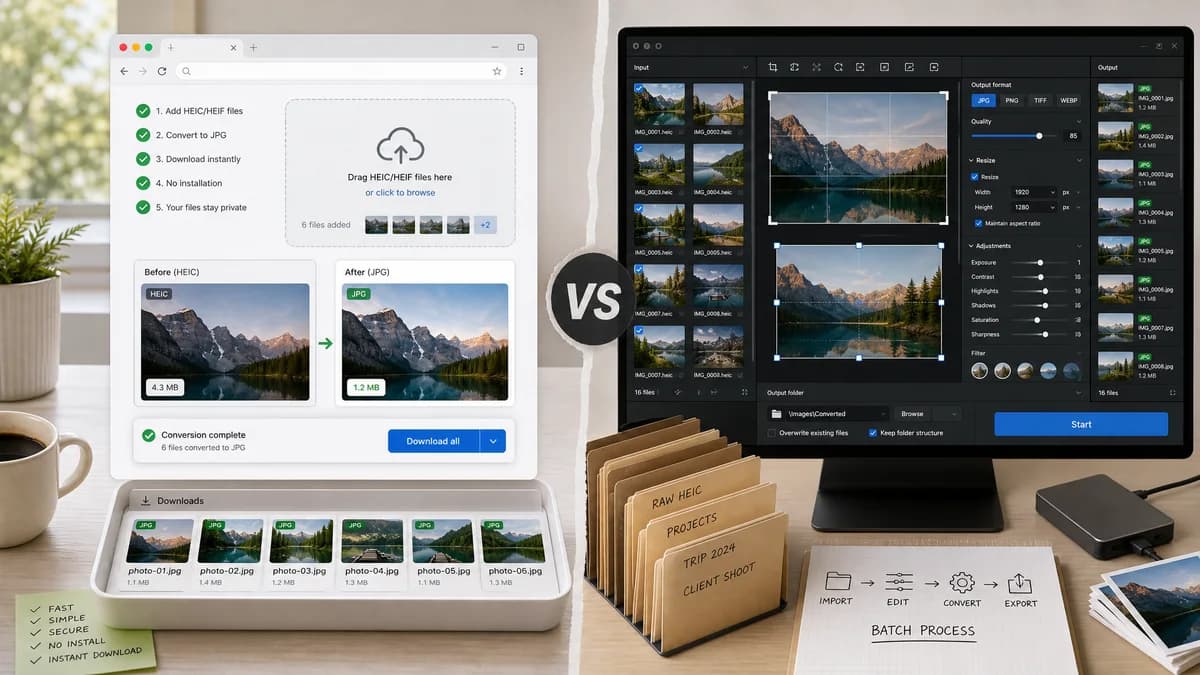
HEIC to JPG Converter is the baseline in this comparison: Convert HEIC and HEIF photos to JPG locally in your browser, then verify the image/jpeg MIME type, .jpg filename, dimensions, Blob output, quality setting, and transparency flattening behavior.
XnConvert is a cross-platform desktop batch image converter supporting HEIC, HEIF, JPEG, WebP, RAW, PDF, and many other formats.
Quick verdict
XnConvert is better for heavy offline batch processing; TextFaker is better for immediate browser-local conversion without installing desktop software.
How HEIC to JPG Converter fits
TextFaker should not try to match XnConvert's desktop batch-processing depth; it should provide a no-install browser page for quick HEIC/HEIF to JPG conversion.
How XnConvert fits
XnConvert is much more powerful for desktop batch workflows, format breadth, and image actions such as resizing, cropping, and adjustments. It requires installing a desktop application.
Side-by-side comparison
| Decision point | HEIC to JPG Converter | XnConvert | Takeaway |
|---|---|---|---|
| Installation | Our workflowRuns in the browser | Competitor workflowDesktop app download and install | TextFaker is faster to access; XnConvert is stronger for power users. |
| Format breadth | Our workflowDedicated HEIC/HEIF to JPG/JPEG only | Competitor workflowSupports many common and advanced image formats including HEIC and HEIF | XnConvert is much broader. |
| Batch power | Our workflowBrowser batch subject to memory and decoder limits | Competitor workflowBuilt for batch conversion and editing actions | XnConvert is better for folders and repeated workflows. |
| Privacy | Our workflowLocal in browser when decoded successfully | Competitor workflowLocal desktop processing | Both can avoid cloud upload, but TextFaker avoids installation. |
| Output validation | Our workflowCan show web-specific Blob, MIME, and filename checks | Competitor workflowDesktop file output workflow | TextFaker can be more transparent in-browser. |
| Alpha handling | Our workflowShould explicitly flatten alpha for JPEG | Competitor workflowDesktop converters may expose format settings, but visible summary does not focus on this exact HEIC-to-JPG edge case | TextFaker documents the JPEG transparency tradeoff. |
Use HEIC to JPG Converter when
- No-install browser conversion
- Single or small batches of iPhone HEIC photos
- Users who want a web utility with visible output checks
- Sharing a simple URL-based tool
Use XnConvert when
- Large folder batch processing
- Desktop automation and many image actions
- Users converting across hundreds of formats
- Offline workflows that require installed software
Detailed comparison
Desktop Benchmark
XnConvert is a serious desktop benchmark. TextFaker should not claim to replace it for batch editing, folder actions, or advanced image processing.
No Install Value
The web page wins when a user has one or a few HEIC photos and wants a JPG immediately without installing a native app.
Local Comparison
XnConvert is also local, so TextFaker's differentiator is browser availability and explicit web output checks rather than privacy alone.
Feature Boundary
Do not add resize, crop, filters, or multi-format output to this dedicated tool unless those are established in the shared image conversion family pattern.
Research notes
- XnConvert officially supports HEIC and HEIF among many image formats.
- It offers many actions beyond conversion.
- Use XnConvert as the desktop power-user comparison.
Official source
The only outbound competitor link on this page is placed here for source checking after the comparison.
Official XnConvert source