
Open Source Alternatives to Adobe Express
HEIC to JPG Converter is a browser-based alternative for users who need this focused result without installing a proprietary desktop app or entering a larger hosted workflow.
This research compares that workflow with Adobe Express while keeping the outbound source link at the bottom after the analysis.
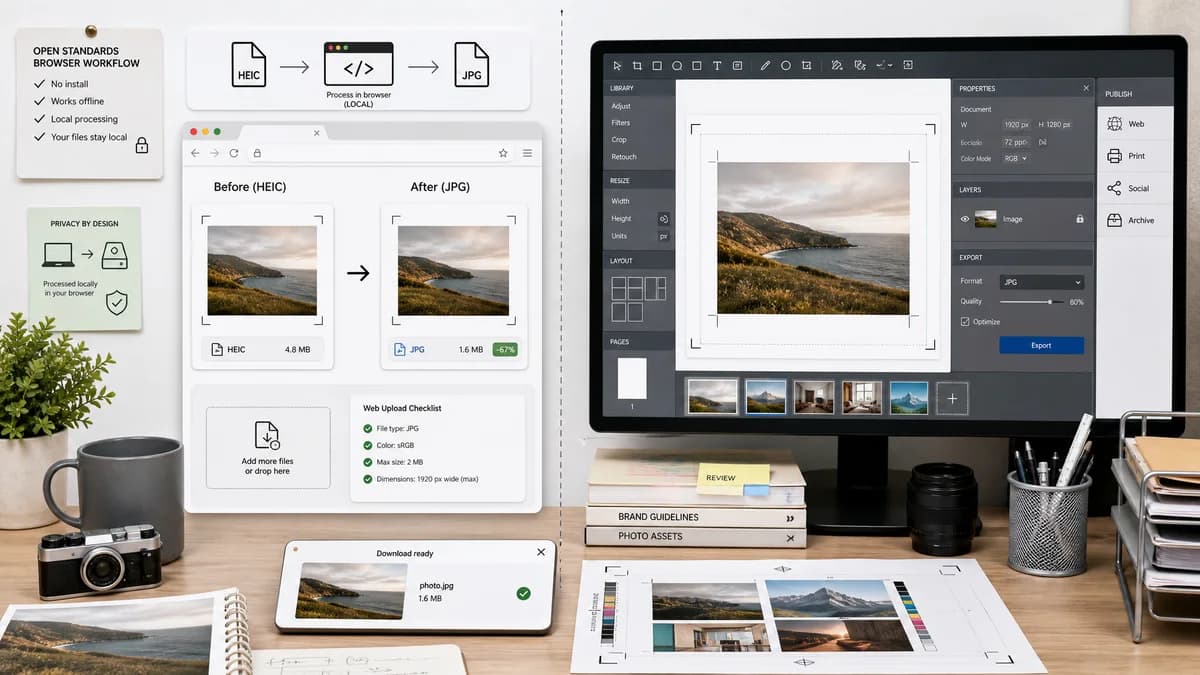
Why HEIC to JPG Converter fits
TextFaker's HEIC to JPG Converter can be a focused, browser-local alternative for users who want conversion only, not a design suite or account-centered editing workflow.
What Adobe Express offers
Adobe Express is stronger when users want to convert and then edit, design, resize, brand, or publish the image in an Adobe workflow.
Open alternative signals
Workflow type
HEIC to JPG ConverterSingle-purpose conversion utility
Adobe ExpressDesign platform feature
Local processing
HEIC to JPG ConverterBrowser-local when decoder supports the source
Adobe ExpressAdobe-hosted online workflow
Editing features
HEIC to JPG ConverterNo design-suite editing required
Adobe ExpressConnected to broader design and content tools
Output checks
HEIC to JPG ConverterMIME, Blob, filename, quality, alpha behavior
Adobe ExpressFast JPG download promise
Decision guide
Quick private HEIC/HEIF to JPG conversion with no broader design workspace required.
Creators who want conversion plus Adobe Express templates, design editing, and publishing tools.
Side-by-side open source alternative comparison
| Decision point | HEIC to JPG Converter | Adobe Express | Takeaway |
|---|---|---|---|
| User goal | Our workflowConvert HEIC/HEIF to a compatible JPG and leave. | Proprietary workflowConvert image and potentially continue editing in Adobe Express. | TextFaker is optimized for quick utility, not creative production. |
| Account context | Our workflowShould not require a design account for local conversion. | Proprietary workflowPart of Adobe's product ecosystem. | Emphasize low-friction conversion. |
| Transparency handling | Our workflowMake alpha flattening explicit. | Proprietary workflowConversion page does not foreground HEIC alpha edge cases. | Technical clarity can win trust. |
| Quality behavior | Our workflowExpose or document JPEG quality output. | Proprietary workflowPromotes fast and easy conversion. | Add measurable conversion details after export. |
| Mobile use | Our workflowResponsive browser-local page can work where browser and decoder allow. | Proprietary workflowAdobe states web and mobile use. | Mobile HEIC files are central to this tool, so test mobile layout carefully. |
| Brand trust | Our workflowTrust comes from local workflow and objective checks. | Proprietary workflowTrust comes from Adobe brand recognition. | The page needs strong privacy and validation signals above the fold. |
Detailed research
Why it matters
Adobe Express is a strong competitor because HEIC conversion often happens before a design or social workflow. TextFaker should not try to replicate that suite; it is the faster utility before any downstream editor.
- Use conversion-first layout.
- Avoid template or social design claims.
- Keep download prominent.
Technical angle
A browser-local path can avoid unnecessary upload for compatible HEIC files. The output is created as a fresh JPEG, with transparency flattened and metadata behavior described accurately.
- Use heic2any to generate JPEG where possible.
- Show unsupported-file errors cleanly.
- Do not promise metadata preservation unless implemented.
Generated image brief
Show a calm utility screen with a large drop zone and verified output details, contrasted with a generic multi-panel design app in the background.
- No Adobe logos or trade dress.
- Focus on the conversion result.
- Show .jpg and image/jpeg labels.
SEO page angle
The alternative page should target people searching for a lighter converter than Adobe Express, especially those who do not need design editing.
- Mention browser-based alternative.
- Mention HEIC and HEIF iPhone photos.
- Mention local conversion where supported.
Research notes
- Adobe Express official page says its HEIC to JPG converter is free, web and mobile friendly, and lets users upload then instantly download a JPG.
- Adobe's broader image converter page positions conversion as part of an accessible suite of image tools.
- Generated image direction: minimal converter UI contrasted with a heavier creative-suite workspace, using generic shapes rather than Adobe branding.
Official source
The proprietary product link is included once here for source checking after the alternative analysis.
Official Adobe Express source