
Image Aspect Ratio Calculator vs awesome-typescript Aspect Ratio Calculator
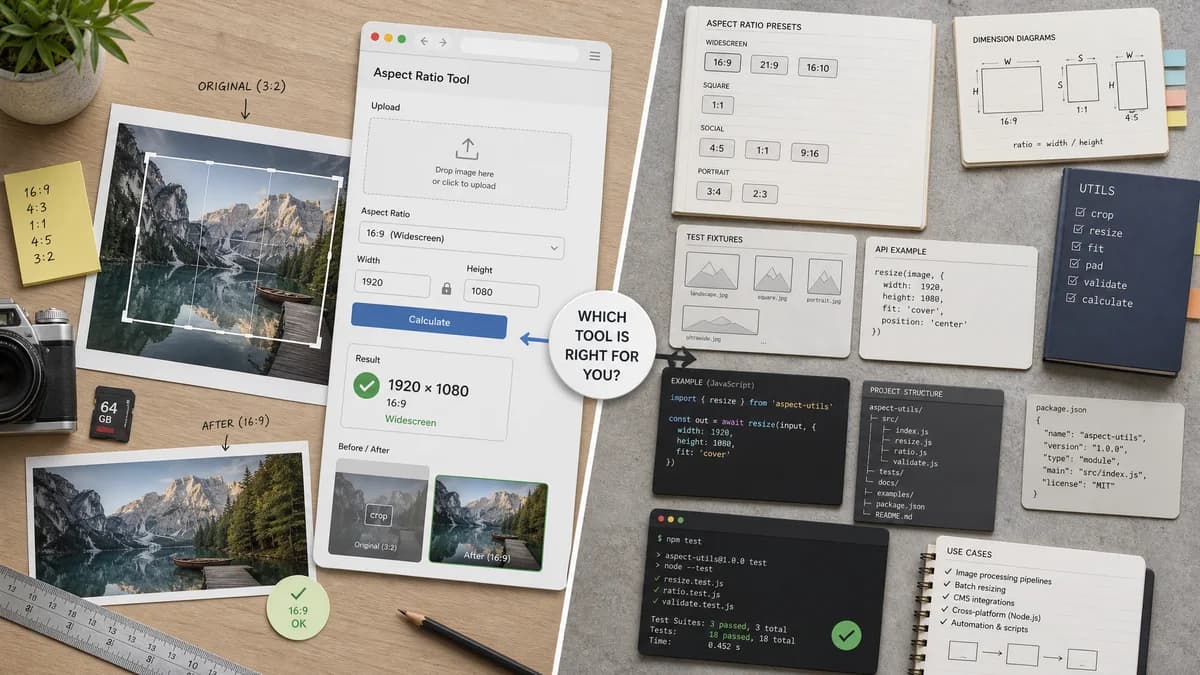
Image Aspect Ratio Calculator is the baseline in this comparison: Upload an image or type width and height to get the simplified aspect ratio, decimal value, orientation, and closest common match.
awesome-typescript provides a package for calculating aspect ratios and pixel dimensions with common presets such as widescreen, square, social, and portrait.
Quick verdict
TextFaker should not compete as a package; it should use similar ratio logic inside a polished user-facing page.
How Image Aspect Ratio Calculator fits
TextFaker should be a user-facing browser tool, but the library's preset framing is useful for common-ratio matching and test fixtures.
How awesome-typescript Aspect Ratio Calculator fits
The package is a developer-oriented utility rather than a complete SEO page or uploaded-image checker.
Side-by-side comparison
| Decision point | Image Aspect Ratio Calculator | awesome-typescript Aspect Ratio Calculator | Takeaway |
|---|---|---|---|
| Form factor | Our workflowWeb tool page. | Competitor workflowTypeScript package. | They target different users. |
| Audience | Our workflowDesigners, content teams, developers, and QA users. | Competitor workflowDevelopers installing a package. | TextFaker should avoid package-like terminology in user-facing copy. |
| Presets | Our workflowCommon-ratio matching after calculation. | Competitor workflowReadme lists widescreen, square, social, and portrait presets. | The package can inspire match coverage. |
| Image upload | Our workflowCore planned feature. | Competitor workflowNo uploaded-image UI because it is a library. | TextFaker adds the end-user interface. |
| Copy output | Our workflowResult copy icon for calculated facts. | Competitor workflowLibrary return values for code consumption. | Different output surfaces require different validation. |
| Testing | Our workflowShould test UI-visible labels and copy text. | Competitor workflowPackage users would test function outputs. | TextFaker's tests need user-facing expectations. |
Use Image Aspect Ratio Calculator when
- Nontechnical users checking image ratios
- Browser-local image upload workflows
- Copy-ready visual result presentation
Use awesome-typescript Aspect Ratio Calculator when
- Developers adding aspect ratio calculations to TypeScript projects
- Preset-based dimension calculations
- Package-level reuse
Detailed comparison
Developer Alternative
This is an alternative for developers who want to calculate ratios in their own code rather than use a hosted tool.
Preset Learning
The listed presets support adding common ratio names to TextFaker's matching table.
User Experience
A package cannot satisfy users who simply want to drop an image and copy the ratio. TextFaker should make that path frictionless.
Implementation Guardrail
The ratio reduction algorithm is simple enough to implement locally with a greatest common divisor helper, then test thoroughly.
Research notes
- The repository readme describes calculating aspect ratios and pixel dimensions.
- The readme lists common presets including widescreen, square, social, and portrait.
- The project is presented as an installable package.
Official source
The only outbound competitor link on this page is placed here for source checking after the comparison.
Official awesome-typescript Aspect Ratio Calculator source