
Open Source Alternatives to Canva
Image Aspect Ratio Calculator is a browser-based alternative for users who need this focused result without installing a proprietary desktop app or entering a larger hosted workflow.
This research compares that workflow with Canva while keeping the outbound source link at the bottom after the analysis.
Why Image Aspect Ratio Calculator fits
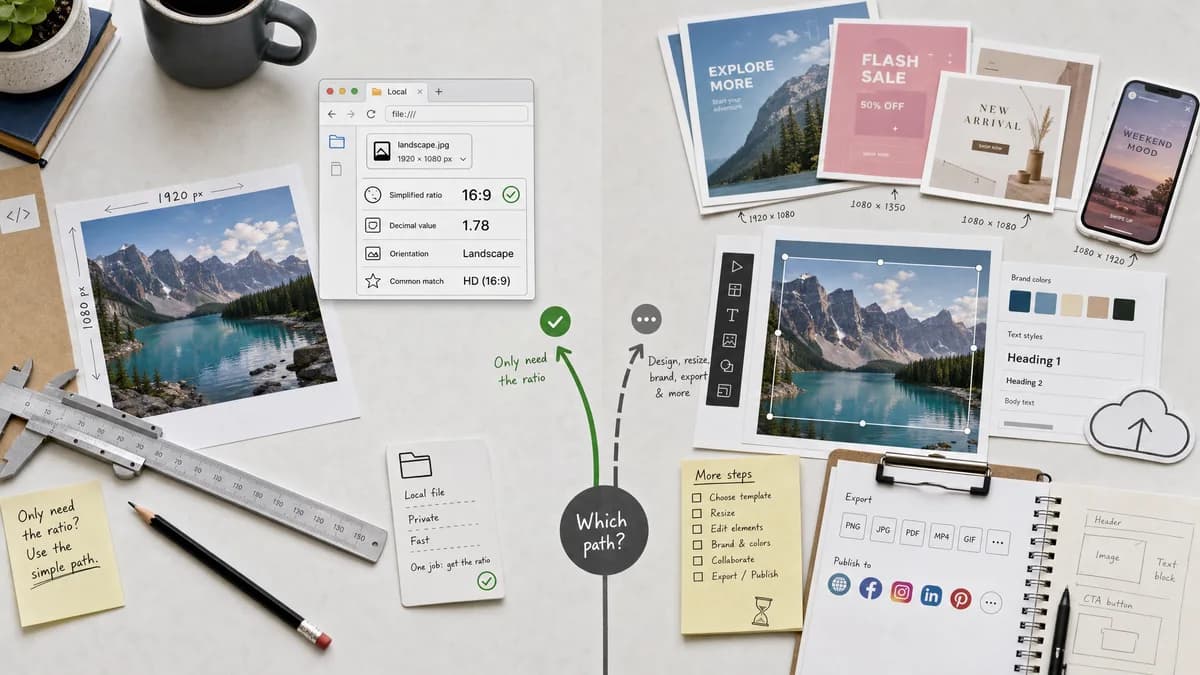
Image Aspect Ratio Calculator focuses on one local image or typed dimensions and returns the simplified ratio, decimal value, orientation, and common match without opening a design workspace.
What Canva offers
Canva is a hosted design platform with image resizing, templates, social destinations, and broader design creation features.
Open alternative signals
Source and openness
Image Aspect Ratio CalculatorBrowser-based, standards-powered ratio calculation; no public TextFaker source claim is made.
CanvaProprietary hosted design platform.
Deployment and setup
Image Aspect Ratio CalculatorRuns in a browser page with no design project setup.
CanvaHosted editor workflow with account and project context for many features.
Pricing shape
Image Aspect Ratio CalculatorOne free successful use is available before the shared TextFaker access model applies.
CanvaFreemium design platform with paid plan options.
Data control
Image Aspect Ratio CalculatorThe ratio workflow reads the selected image locally in the browser.
CanvaImage resizing is part of a hosted upload-and-edit product.
Decision guide
Use Image Aspect Ratio Calculator when you need a fast ratio answer for a file or width-height pair before deciding how to crop, resize, or hand off an asset.
Use Canva when the ratio check is part of creating, editing, templating, or publishing a finished design.
Side-by-side open source alternative comparison
| Decision point | Image Aspect Ratio Calculator | Canva | Takeaway |
|---|---|---|---|
| Alternative fit | Our workflowGood fit for calculating image proportions only. | Proprietary workflowBetter fit for editing and publishing designs. | Use TextFaker before opening a full design suite. |
| Source model | Our workflowStandards-based browser calculation without an open-source product claim. | Proprietary workflowProprietary hosted product. | The open alternative is workflow simplicity, not full app parity. |
| Setup and deployment | Our workflowOpen the page, choose an image, or type dimensions. | Proprietary workflowWork inside Canva's design environment. | TextFaker has less setup for one ratio lookup. |
| Feature parity | Our workflowRatio, decimal, orientation, and common match. | Proprietary workflowResize, design, templates, and export workflows. | Canva is broader; TextFaker is faster for the narrow task. |
| Editing and export parity | Our workflowRead-only; it does not rewrite the image. | Proprietary workflowDesigned to create and export edited images. | Choose Canva when output files must be produced. |
| Migration path | Our workflowCopy the ratio facts into a design brief, issue, or CMS field. | Proprietary workflowContinue the project inside the Canva workspace. | TextFaker can sit before, not replace, a design workflow. |
Detailed research
Open Alternative Fit
For users searching for open alternatives to Canva, the realistic fit is a smaller browser workflow for the exact ratio question. It avoids opening a large design surface when the only output needed is a reduced width-to-height value.
Feature Parity And Limits
Image Aspect Ratio Calculator does not try to match Canva's editor, templates, collaboration, or exports. It covers the preflight fact: what ratio this image or dimension pair actually has.
- Ratio reduction
- Decimal ratio
- Orientation label
- Common-ratio match
Data Control And Pricing
The TextFaker tool can keep the file inspection local because aspect ratio only needs intrinsic dimensions. The shared access model still applies after free successful uses, but the task does not need a hosted design project.
Where Canva Still Wins
Canva remains the better choice when the user needs to create the final graphic, apply a template, collaborate, or export multiple design versions. TextFaker is intentionally narrower.
Practical Migration
Use TextFaker to identify the current ratio, then decide whether a Canva canvas, crop, or resize operation is needed. Copy the labeled result into the design brief so the next tool starts with correct proportions.
Research notes
- Canva's official image resizer page is centered on changing image dimensions for social, web, and presentation uses.
- TextFaker should not imply Canva is open source or that TextFaker replaces Canva's full editor.
- The alternative fit is narrow: ratio discovery before design work.
Official source
The proprietary product link is included once here for source checking after the alternative analysis.
Official Canva source