
Open Source Alternatives to Kapwing
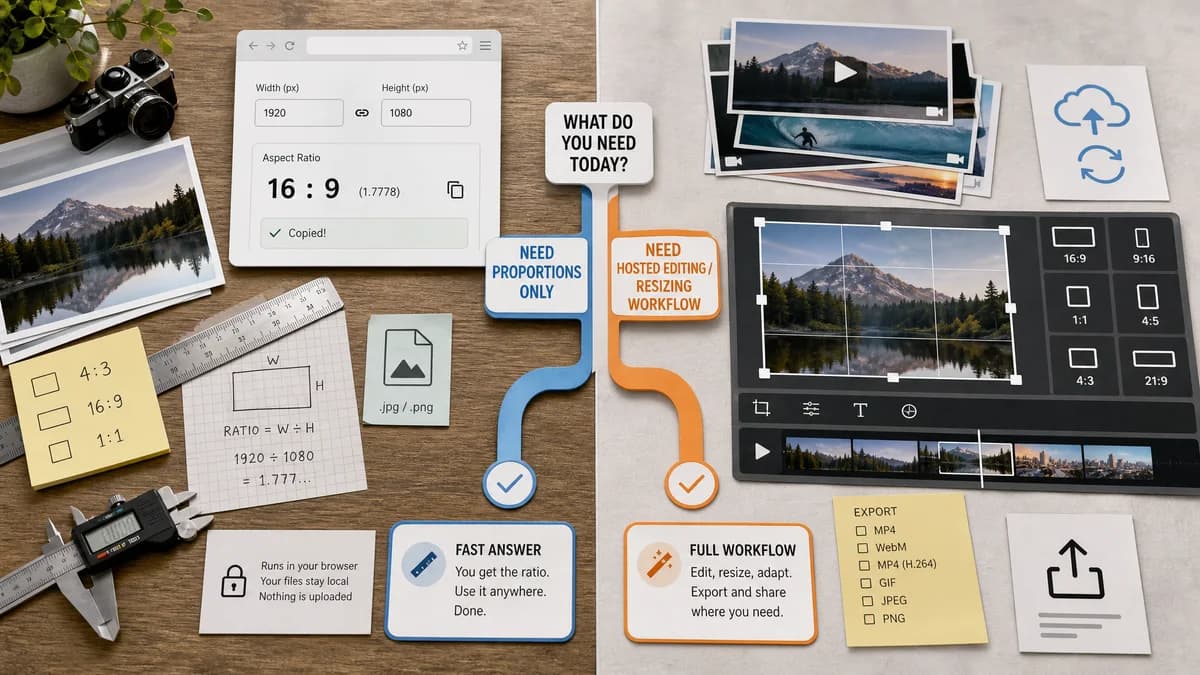
Image Aspect Ratio Calculator is a browser-based alternative for users who need this focused result without installing a proprietary desktop app or entering a larger hosted workflow.
This research compares that workflow with Kapwing while keeping the outbound source link at the bottom after the analysis.
Why Image Aspect Ratio Calculator fits
Image Aspect Ratio Calculator is a read-only utility for finding and copying ratio facts from an image or dimension pair.
What Kapwing offers
Kapwing's resize tool supports hosted media resizing and editing workflows for different platform formats.
Open alternative signals
Source and openness
Image Aspect Ratio CalculatorBrowser-local, standards-based calculation without open-source code claims.
KapwingProprietary hosted media editor.
Deployment and setup
Image Aspect Ratio CalculatorNo project timeline or export setup.
KapwingHosted editor workflow for media output.
Pricing shape
Image Aspect Ratio CalculatorShared TextFaker free-use and lifetime unlock model.
KapwingFreemium hosted media platform.
Data control
Image Aspect Ratio CalculatorImage dimensions can be read in the browser.
KapwingMedia editing generally uses a hosted upload workflow.
Decision guide
Use TextFaker to confirm an asset's current ratio before deciding whether a resize, crop, or video canvas is needed.
Use Kapwing when the work includes resizing media, editing, captioning, or exporting platform-ready files.
Side-by-side open source alternative comparison
| Decision point | Image Aspect Ratio Calculator | Kapwing | Takeaway |
|---|---|---|---|
| Alternative fit | Our workflowQuick source-ratio lookup. | Proprietary workflowResize and edit output media. | TextFaker is enough before editing starts. |
| Source model | Our workflowBrowser standards workflow. | Proprietary workflowProprietary hosted editor. | The simpler model fits sensitive single-image checks. |
| Setup and deployment | Our workflowUpload zone and manual fields. | Proprietary workflowEditor and export flow. | Kapwing has more setup because it does more. |
| Feature parity | Our workflowRatio facts only. | Proprietary workflowResize, crop, edit, and export. | No parity claim is needed for editing. |
| Editing and export parity | Our workflowRead-only checker. | Proprietary workflowCreates output media. | Use Kapwing for final exports. |
| Migration path | Our workflowCopy ratio and choose a target format elsewhere. | Proprietary workflowChoose target format inside Kapwing. | TextFaker prepares the decision. |
Detailed research
Open Alternative Fit
A ratio calculator is a practical open-web alternative to opening a hosted media editor when no export is needed. It answers the source-dimension question first.
Feature Parity And Limits
Kapwing handles image and video resizing. TextFaker should not imply it edits video or produces resized outputs; it only provides the ratio facts used to make those decisions.
Data Control And Pricing
For a single unpublished image, local dimension reading can be preferable to starting a hosted media project. TextFaker still follows the site's shared access rules after free uses.
Where Kapwing Still Wins
Kapwing is stronger when the user needs timeline editing, social-format export, captions, or media conversion alongside resizing.
Practical Migration
Check the image ratio in TextFaker, then use the copied common-ratio match to pick a Kapwing canvas or another editor preset.
Research notes
- Kapwing's official resize page covers media resizing, not only ratio calculation.
- TextFaker should be positioned as a pre-edit fact checker.
- The comparison should mention video only as part of Kapwing's broader scope.
Official source
The proprietary product link is included once here for source checking after the alternative analysis.
Official Kapwing source