
Image Color Picker vs Adobe Color Image Extract
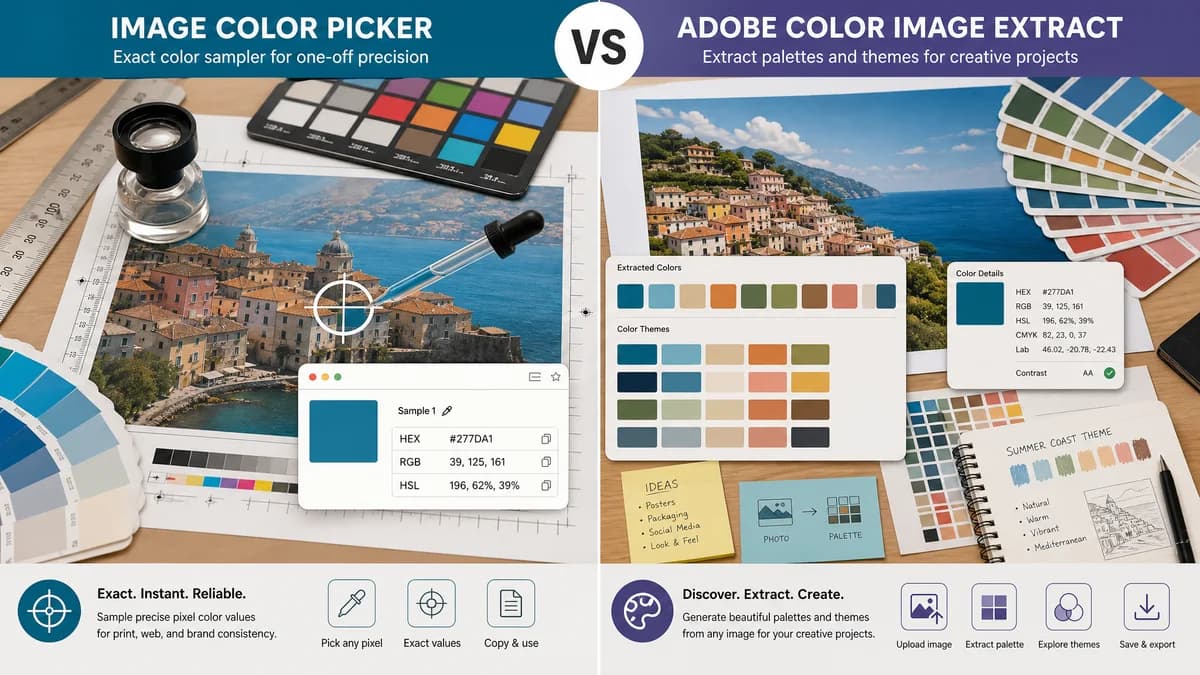
Image Color Picker is the baseline in this comparison: Upload an image locally, click or tap a pixel, and copy HEX, RGB, HSL, and alpha color values.
Adobe Color lets users upload a photo and extract a custom color palette from it.
Quick verdict
Adobe Color is better for theme building and Adobe ecosystem users. TextFaker is better for one-off local image sampling with immediate HEX, RGB, and HSL output.
How Image Color Picker fits
TextFaker should be positioned as a quick exact-value sampler, not a theme generator or creative-community workflow.
How Adobe Color Image Extract fits
Adobe Color is a web app for creating and discovering color themes. Its image extraction workflow lets users upload a photo and generate a custom color palette for creative projects.
Side-by-side comparison
| Decision point | Image Color Picker | Adobe Color Image Extract | Takeaway |
|---|---|---|---|
| Main purpose | Our workflowPick a pixel and copy its color values. | Competitor workflowExtract a palette or theme from an image. | TextFaker should focus on exact sampling intent. |
| Ecosystem | Our workflowStandalone TextFaker browser tool. | Competitor workflowAdobe creative ecosystem and web app. | Adobe is stronger for users already managing creative assets there. |
| Output granularity | Our workflowOne selected pixel at a time, with exact values. | Competitor workflowCustom palette from an uploaded photo. | Pixel-level control is the TextFaker advantage. |
| Color formats | Our workflowHEX, RGB, and HSL planned. | Competitor workflowPalette-oriented output; official Adobe product page emphasizes theme creation rather than per-pixel format copy. | TextFaker should make developer-ready formats the main outcome. |
| Privacy | Our workflowNo-upload local processing should be central. | Competitor workflowUpload photo workflow in Adobe Color. | Private screenshots and unreleased assets are a strong TextFaker use case. |
| Learning curve | Our workflowMinimal controls for direct extraction. | Competitor workflowBroader theme creation, exploration, and creative workflow. | TextFaker should reduce steps for single-purpose users. |
Use Image Color Picker when
- Users who need one exact color value from an image
- Users who do not want a theme-generation workflow
- Users who want no-upload browser-local processing
- Users who need HSL alongside HEX and RGB
Use Adobe Color Image Extract when
- Users building color themes
- Adobe Creative Cloud users
- Users who want community, trends, and palette inspiration
- Users who want to move palettes into creative projects
Detailed comparison
Comparison Framing
Adobe Color is a high-quality adjacent tool, but it solves palette and theme creation. The comparison should help users decide whether they need a palette or a single exact code.
- Use “exact pixel” language consistently.
- Avoid implying palette tools are inferior.
- Emphasize local file handling and instant copy.
Content Differentiation
Adobe Color has strong authority around color themes. TextFaker can own pragmatic utility language for screenshots, logos, CSS, and design handoff.
- Write examples around matching a button color or logo accent.
- Mention HSL for CSS adjustments.
- Provide short format explanations in the FAQ.
Product Scope
Adding a full palette generator would move TextFaker toward Adobe Color and Canva. That should be a separate feature decision, not a requirement for the picker.
- Launch with pixel picking first.
- Add recent selected colors as a low-complexity bridge.
- Keep automatic extraction optional if added.
Risk Notes
Users may expect color theme features if the page overuses palette language. The title and first screen should make the selected-pixel behavior unmistakable.
- Use “click a pixel” in UI copy.
- Show one selected color card prominently.
- Put palette language in secondary sections only.
Research notes
- Official Adobe Color page describes creating and discovering color themes.
- Official page says Color can extract themes from inspiring images.
- Official image extraction page is for uploading a photo and generating a custom palette.
- This is an adjacent competitor for palette-oriented search intent.
Official source
The only outbound competitor link on this page is placed here for source checking after the comparison.
Official Adobe Color Image Extract source