
Image Color Picker vs Figma Color Picker
Image Color Picker is the baseline in this comparison: Upload an image locally, click or tap a pixel, and copy HEX, RGB, HSL, and alpha color values.
Figma’s color picker samples colors from images and connects them to a broader design workflow.
Quick verdict
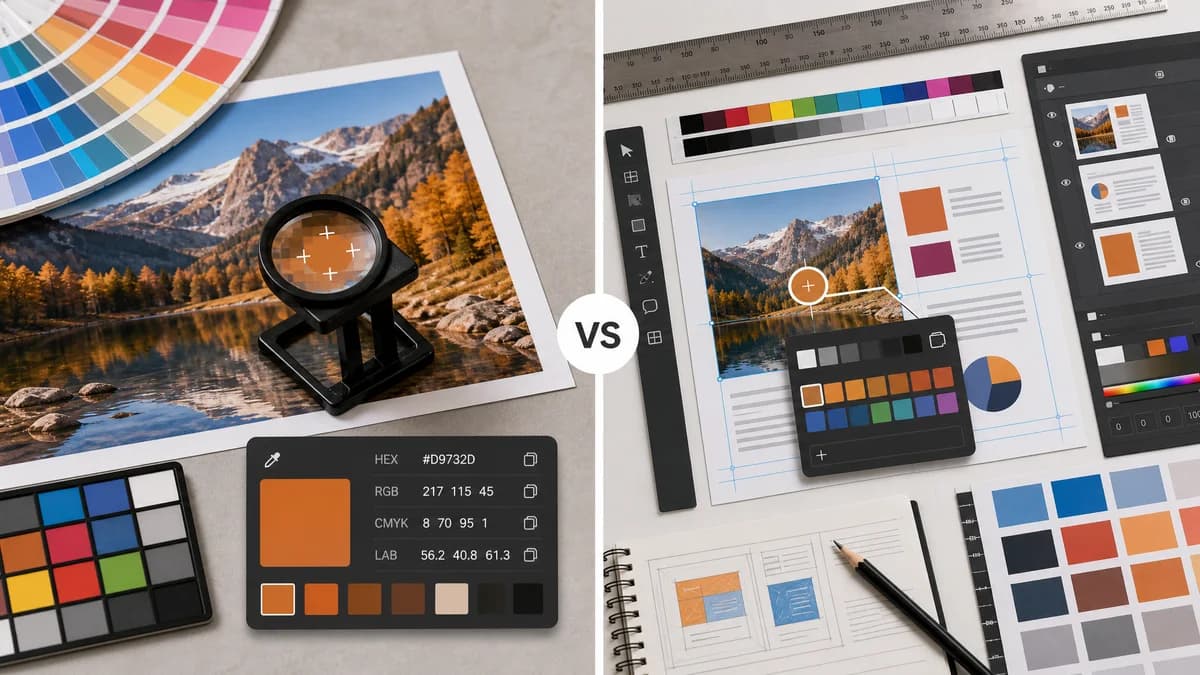
Figma is the better fit for users already designing in Figma. TextFaker is the better fit for quick extraction, privacy-first local use, and copyable color values outside a design-file workflow.
How Image Color Picker fits
TextFaker should serve users who do not want to open a design editor, create a file, or join a platform just to sample a pixel from an uploaded image.
How Figma Color Picker fits
Figma positions its color picker as a way to sample hues from an image and add them to a design. The official page says PNG, JPEG, and GIF are supported.
Side-by-side comparison
| Decision point | Image Color Picker | Figma Color Picker | Takeaway |
|---|---|---|---|
| Workflow depth | Our workflowExtract values and copy them. | Competitor workflowSample image colors and use them in a design environment. | The tools serve different moments in the design process. |
| Account and platform context | Our workflowShould work as an unauthenticated standalone tool. | Competitor workflowAssociated with the Figma design platform and its broader workflow. | TextFaker can remove platform overhead for quick tasks. |
| Format support | Our workflowShould support common browser-renderable images. | Competitor workflowOfficial page says PNG, JPEG, and GIF are supported. | TextFaker can potentially support WebP and BMP if browser decoding is verified. |
| Output values | Our workflowHEX, RGB, and HSL displayed explicitly. | Competitor workflowPositioned around sampling hues for design; output specifics are less central in the official snippet. | TextFaker should make exact copied values the hero outcome. |
| Privacy | Our workflowNo-upload local processing is part of the intended value proposition. | Competitor workflowA design-platform flow may involve uploaded or imported assets depending on use. | Privacy-first messaging is a key contrast. |
| Audience | Our workflowDevelopers, creators, marketers, students, and designers needing quick values. | Competitor workflowPrimarily designers and design teams. | TextFaker can be more general-purpose. |
Use Image Color Picker when
- Users who only need a color code from an image
- Users who do not want to enter a design editor
- Users who want a browser-local no-upload workflow
- Users sampling screenshots or assets before deciding where to use the color
Use Figma Color Picker when
- Figma users who want sampled colors inside design work
- Teams already collaborating in Figma
- Users who want to continue into layouts, components, and design systems
- Users working with supported PNG, JPEG, or GIF images
Detailed comparison
Use Case Split
Figma is not merely a utility; it is a design environment. That makes it powerful for ongoing design work but excessive for a one-off color lookup.
- Frame TextFaker as the quick pre-design or cross-tool option.
- Avoid implying Figma is a poor design tool; the comparison is about task fit.
- Highlight copyable outputs rather than editing capabilities.
Feature Priorities
To compete against a platform tool, TextFaker should reduce steps and make the result more portable.
- No workspace setup.
- No file creation.
- Immediate copy of multiple color formats.
SEO Opportunity
Users searching for image color picker may not want a design suite. TextFaker comparison copy can capture that distinction neutrally.
- Target “Figma color picker alternative” carefully on comparison pages.
- Use phrases such as “quick color code from image.”
- Avoid brand claims not backed by official pages.
Product Notes
The main product risk is being too basic for designers. That can be mitigated with a clean preview, recent picks, and optional coordinate or loupe support.
- Add recent picks for extracting a mini palette manually.
- Keep the UI small enough for repeated sampling.
- Include HSL because designers and developers often need it for CSS adjustments.
Research notes
- Official Figma page says the tool samples hues from an image and can add them to designs.
- Official Figma page says PNG, JPEG, and GIF are supported.
- Figma is an adjacent competitor because it solves image color sampling inside a design platform.
- The TextFaker comparison should emphasize speed and standalone use.
Official source
The only outbound competitor link on this page is placed here for source checking after the comparison.
Official Figma Color Picker source