
Image Dimensions Checker vs Online PNG Tools Find PNG Dimensions
Image Dimensions Checker is the baseline in this comparison: Check an image's width, height, aspect ratio, megapixels, orientation, MIME type, extension, and file size locally in your browser.
Compare TextFaker Image Dimensions Checker with Online PNG Tools Find PNG Dimensions for PNG width, height, aspect ratio, and format-specific workflows.
Quick verdict
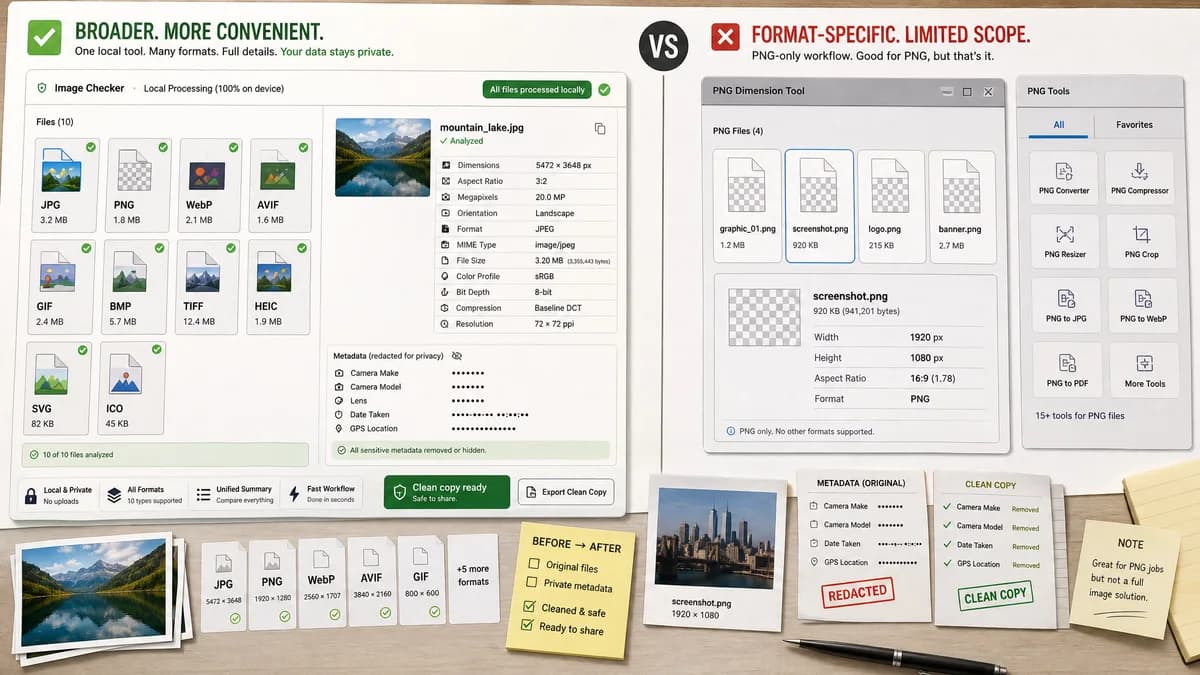
Online PNG Tools is useful for PNG-only workflows; TextFaker should be broader and more convenient when users need the same facts for JPG, PNG, WebP, AVIF, GIF, BMP, or other supported images.
How Image Dimensions Checker fits
TextFaker should support PNG as one of several browser-readable image formats and show dimensions, ratio, megapixels, orientation, MIME/extension, and file size in one local result.
How Online PNG Tools Find PNG Dimensions fits
Online PNG Tools provides a format-specific utility that states it quickly finds a PNG image's width, height, and aspect ratio, within a larger PNG-focused tool collection.
Side-by-side comparison
| Decision point | Image Dimensions Checker | Online PNG Tools Find PNG Dimensions | Takeaway |
|---|---|---|---|
| Format scope | Our workflowMultiple supported browser-decodable image types with MIME and extension detection. | Competitor workflowFocused on PNG dimensions. | TextFaker should be more general-purpose. |
| Aspect ratio | Our workflowReduced ratio for every decoded image. | Competitor workflowThe page states it finds PNG aspect ratio. | Match the useful ratio feature across more formats. |
| File facts | Our workflowMIME, extension, file size, total pixels, and megapixels. | Competitor workflowThe researched source centers on PNG width, height, and aspect ratio. | TextFaker should offer a richer fact sheet. |
| Orientation | Our workflowLandscape, portrait, or square label. | Competitor workflowThe source page does not foreground orientation in the search result. | Orientation is a simple useful addition for general checking. |
| Ecosystem | Our workflowPart of TextFaker image tools with related metadata and converter pages. | Competitor workflowPart of a PNG-specific utility ecosystem. | Different ecosystems serve different repeat users. |
| No-success state | Our workflowUnsupported or empty files should not show success. | Competitor workflowPNG-only scope naturally excludes other formats. | TextFaker must handle non-PNG support boundaries clearly. |
Use Image Dimensions Checker when
- Users checking mixed image formats
- Users who want MIME and extension facts beside dimensions
- Users who want one consistent TextFaker image-checking page
Use Online PNG Tools Find PNG Dimensions when
- Users working only with PNG files
- Users who already use PNG-specific utilities
- Users who need adjacent PNG-only tasks such as alpha or color checks
Detailed comparison
Format Coverage
This comparison is about breadth. TextFaker should be a general image dimensions checker, while Online PNG Tools serves PNG-specific workflows.
PNG Parity
For PNG files, TextFaker should match the basics: width, height, and reduced aspect ratio. It can also add file size, MIME, megapixels, and orientation.
- Width and height
- Aspect ratio
- MIME image/png
- File size
UX Simplicity
Avoid separate pages for each format unless the roadmap calls for format-specific size checkers. A single dimensions checker should be enough for common image facts.
Testing
PNG should be a core fixture because it is stable, small, and easy to generate for tests. Use it for dimension formatting and copy-text expectations.
- 1x1 square PNG
- 16x9 PNG
- Portrait PNG
Research notes
- Online PNG Tools is format-specific but directly overlaps on dimensions and aspect ratio.
- It is useful as an adjacent comparator and for PNG fixture planning. TextFaker should support PNG robustly and then generalize to other supported image types. Generated image idea: PNG file badge feeding into a universal dimensions card. Keep competitor URL only in fields. No unsupported claims. Category format-specific PNG dimension checking. Competitor type format-specific browser image utility. Six rows and four analysis sections included. End note.
- Included to diversify competitor types and show that TextFaker is broader than single-format utility pages.
Official source
The only outbound competitor link on this page is placed here for source checking after the comparison.
Official Online PNG Tools Find PNG Dimensions source