
Image Format Converter vs Adobe Express Image Converter
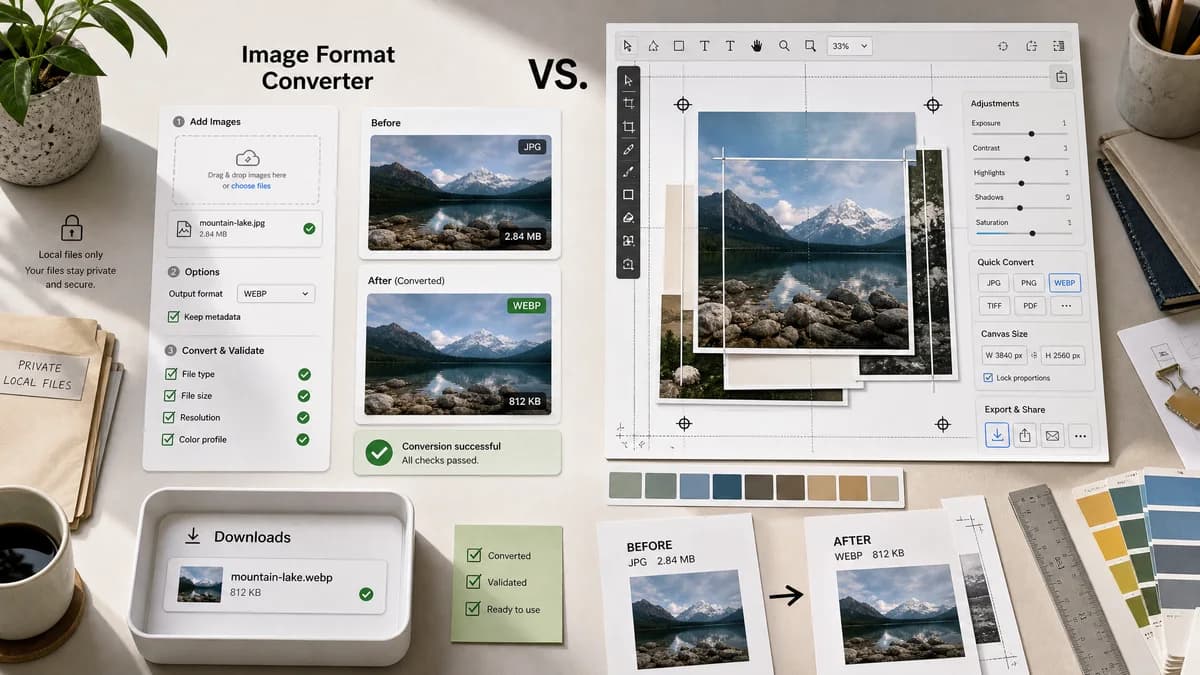
Image Format Converter is the baseline in this comparison: Convert images between common web formats in your browser and confirm the output MIME type, extension, dimensions, file size, and generated filename before download.
Adobe Express offers quick image conversion actions connected to a broader design and editing suite.
Quick verdict
Use TextFaker for private, utilitarian format conversion with objective output checks. Use Adobe Express when conversion is part of broader creative editing.
How Image Format Converter fits
TextFaker can focus on local file conversion and validation rather than a design-editing workflow, making it suitable for users who just need a checked output file.
How Adobe Express Image Converter fits
Adobe Express is stronger for users who want conversion as part of a creative editing, sharing, or design workflow.
Side-by-side comparison
| Decision point | Image Format Converter | Adobe Express Image Converter | Takeaway |
|---|---|---|---|
| Workflow type | Our workflowUtility workflow: choose file, choose format, validate output, download. | Competitor workflowCreative quick action connected to a larger design product. | TextFaker is more direct for file QA. |
| Processing model | Our workflowCan run locally for supported conversions. | Competitor workflowAdobe Express uses an online product flow with upload terms shown on the official page. | TextFaker has the clearer local-only promise. |
| Output targets | Our workflowCan expose browser-supported image targets and verify actual Blob MIME. | Competitor workflowOfficial page focuses on JPG, PNG, and PDF-related conversion actions. | Adobe Express is good for design-suite outputs; TextFaker can be precise about browser image formats. |
| Validation | Our workflowReports objective conversion facts. | Competitor workflowFocused on creation and download rather than a validation report. | TextFaker is better for technical handoff checks. |
| Editing | Our workflowNo broad design editor required for the core converter. | Competitor workflowStrong continuation path into editing and design tools. | Adobe Express is better when editing comes next. |
| Testing | Our workflowCan test conversion outputs deterministically in the TextFaker suite. | Competitor workflowExternal product workflows are not relevant to local regression tests. | TextFaker's scope is easier to verify automatically. |
Use Image Format Converter when
- Fast local conversion without entering a design suite
- Objective file-property reporting
- Users who need a utility-style workflow
- Reusable conversion behavior for related TextFaker tools
Use Adobe Express Image Converter when
- Users already working in Adobe Express
- Conversion followed by editing or sharing
- Creative workflows around JPG, PNG, and PDF outputs
- Brand and design content creation
Detailed comparison
Differentiation
Adobe Express is a creative suite entry point. TextFaker can be a technical utility with fewer steps and more explicit output facts.
UI Direction
Avoid a marketing-style design editor feel. Use dense utility controls, concise metadata panels, and direct download states.
- Target format segmented control or select.
- Quality control only for lossy supported outputs.
- Result table with MIME, extension, dimensions, and size.
Content Angle
The comparison can frame Adobe Express as better for editing and TextFaker as better for local conversion checks.
Implementation Risk
PDF output does not be included in the first image-format core unless the implementation intentionally supports PDF generation and validates it separately.
Research notes
- Adobe Express official copy positions conversion as a quick action inside a broader creative product.
- Its page mentions upload constraints and JPG, PNG, PDF-oriented workflows.
- TextFaker can keep its initial scope narrower and objectively testable.
Official source
The only outbound competitor link on this page is placed here for source checking after the comparison.
Official Adobe Express Image Converter source