
Image Format Converter vs Canva Image Converter
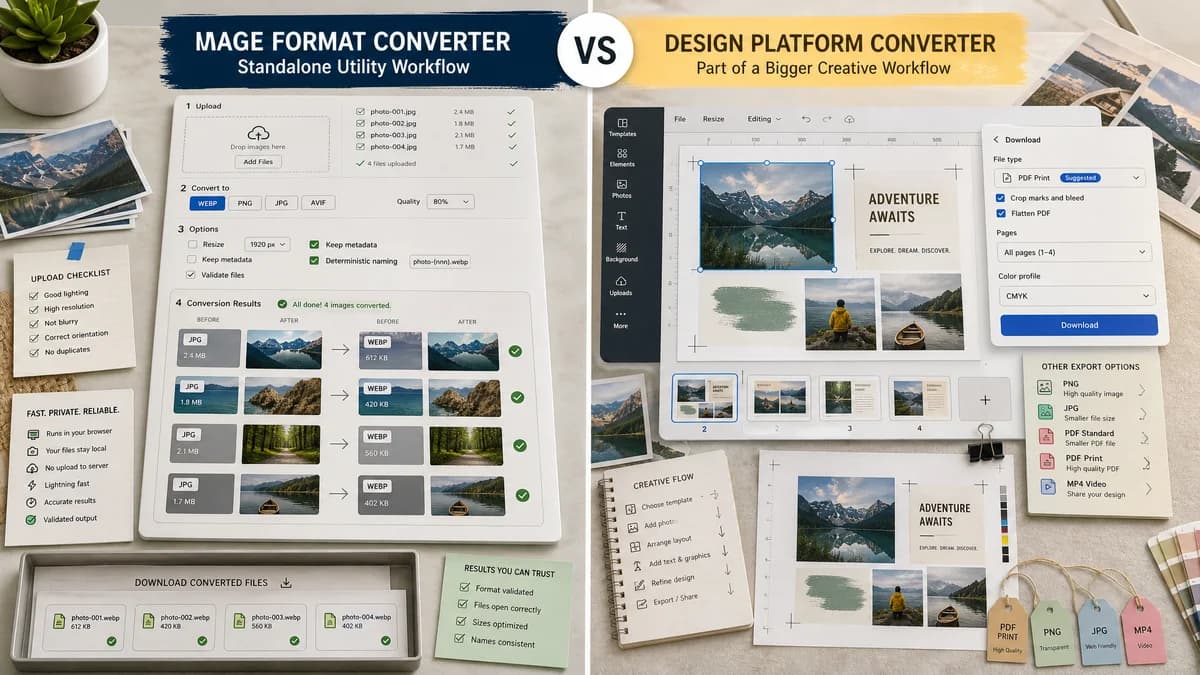
Image Format Converter is the baseline in this comparison: Convert images between common web formats in your browser and confirm the output MIME type, extension, dimensions, file size, and generated filename before download.
Canva's image converter is part of a design platform and supports several common input and output formats tied to creative workflows.
Quick verdict
TextFaker can win on utility speed, privacy, and validation; Canva wins when image conversion is one step in a larger design task.
How Image Format Converter fits
TextFaker provides a standalone browser-local utility with deterministic file naming and validation rather than a design-platform conversion path.
How Canva Image Converter fits
Canva is better for users who want to convert images while continuing into templates, editing, layout, or PDF-style design outputs.
Side-by-side comparison
| Decision point | Image Format Converter | Canva Image Converter | Takeaway |
|---|---|---|---|
| Product context | Our workflowStandalone utility page. | Competitor workflowFeature inside a larger design platform. | TextFaker is faster for one-off conversion. |
| Local processing | Our workflowDesigned for browser-local conversion where supported. | Competitor workflowOperates through Canva's online design platform flow. | TextFaker can have a clearer no-upload story. |
| Supported formats | Our workflowCan only show targets verified by the local implementation. | Competitor workflowOfficial page lists common inputs and JPG, PNG, SVG, or PDF outputs. | Canva may fit design export needs; TextFaker can avoid unsupported promises. |
| Result telemetry | Our workflowShows output MIME, extension, dimensions, size, and filename. | Competitor workflowFocuses on conversion and continued editing rather than technical validation. | TextFaker is better for technical file checks. |
| Editing features | Our workflowNo broad editor in the core converter. | Competitor workflowStrong editing and design ecosystem. | Canva is better when creative changes are needed. |
| Reuse | Our workflowConversion core can power future TextFaker pages such as specific format converters. | Competitor workflowUser-facing feature is integrated into Canva, not reusable in TextFaker. | TextFaker implementation can prioritize internal component reuse. |
Use Image Format Converter when
- Users who only need a converted file
- Private local handling for supported conversions
- QA handoff with output metadata
- Consistent conversion patterns for a TextFaker tool family
Use Canva Image Converter when
- Designers working inside Canva
- Template and layout workflows
- Converting images as part of a larger asset creation process
- Users needing Canva-supported PDF or design exports
Detailed comparison
Competitive Fit
Canva is an adjacent competitor because many users discover conversion while designing. TextFaker can serve the utility-only version of that intent.
Feature Boundary
Do not add design-suite features to the first converter. Keep conversion, validation, and download polished instead.
- Preview is useful, but validation must not depend on visual judgment.
- Metadata can be copyable or easy to inspect.
- Download state can depend on validated Blob output.
SEO Message
A strong page can say the tool is for converting image files locally, while design platforms are better for editing and layout.
Future Reuse
Use common components for format selection, output summary, error messages, and deterministic naming so later converter pages stay consistent.
Research notes
- Canva's official image converter page lists common image inputs and outputs such as JPG, PNG, SVG, and PDF.
- Canva's core strength is design workflow continuation, not technical validation.
- TextFaker can focus on browser-local conversion and objective output reporting.
Official source
The only outbound competitor link on this page is placed here for source checking after the comparison.
Official Canva Image Converter source