
Open Source Alternatives to Canva
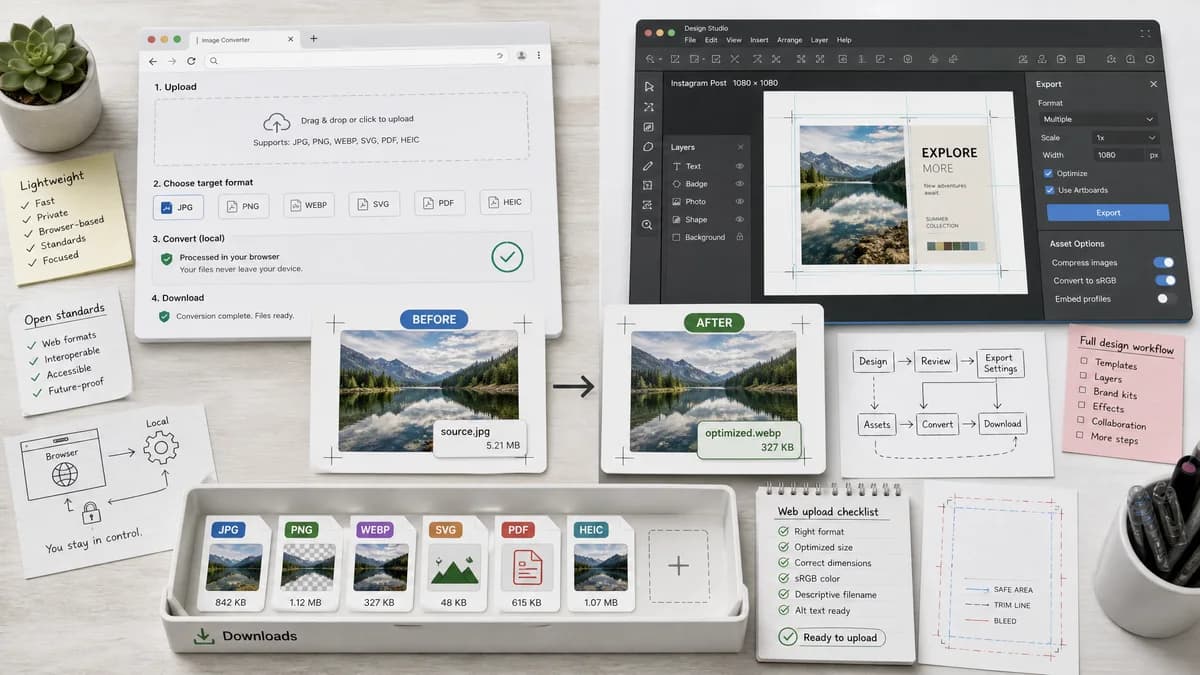
Image Format Converter is a browser-based alternative for users who need this focused result without installing a proprietary desktop app or entering a larger hosted workflow.
This research compares that workflow with Canva while keeping the outbound source link at the bottom after the analysis.
Why Image Format Converter fits
Image Format Converter can prioritize upload, target format, local conversion, and verified download metadata for common web image outputs.
What Canva offers
Canva's official image converter page describes converting JPG, PNG, HEIC/HEIF, WebP, and SVG images into JPG, PNG, SVG, or PDF within Canva's broader design environment.
Open alternative signals
Product type
Image Format ConverterSingle-purpose browser tool
CanvaFull design platform
Conversion path
Image Format ConverterFile input to generated Blob download
CanvaUpload into Canva, edit, download chosen file type
Validation
Image Format ConverterTechnical output checks
CanvaDesign export result
User fit
Image Format ConverterUsers who need a file format changed quickly
CanvaUsers who need conversion plus design editing
Decision guide
Simple browser-local format changes with deterministic filenames and objective output reporting.
Image conversion as part of a larger design, editing, template, or brand workflow.
Side-by-side open source alternative comparison
| Decision point | Image Format Converter | Canva | Takeaway |
|---|---|---|---|
| Workflow complexity | Our workflowMinimal conversion workflow. | Proprietary workflowDesign-editor workflow with many creative options. | TextFaker can reduce friction for conversion-only jobs. |
| Privacy | Our workflowSupported conversion can happen locally in the browser. | Proprietary workflowCanva's workflow involves uploading into its platform. | Local processing is a meaningful distinction for private images. |
| Output report | Our workflowShow MIME, extension, dimensions, size, and filename. | Proprietary workflowDownload selected export format. | TextFaker can serve technical users who need evidence of the output. |
| Format claims | Our workflowOnly enable formats the implementation can validate. | Proprietary workflowSupports image conversion within Canva's broader upload and export rules. | Feature detection and clear disabled states are important. |
| Alpha handling | Our workflowWarn when converting transparency to JPG and apply a matte. | Proprietary workflowCanva export behavior is part of its editor flow. | Make transparency loss explicit. |
| Reuse | Our workflowShared converter core can feed future PNG-to-JPG and WebP-to-PNG pages. | Proprietary workflowCanva links many feature-specific pages inside its platform. | Use the same registry pattern for future TextFaker pages. |
Detailed research
Positioning
The Canva comparison is strongest when framed around focus. Canva is useful for creating and editing designs, while TextFaker can be faster for a direct technical conversion.
- Lead with conversion-only workflow.
- Avoid design-suite comparisons beyond scope.
- Highlight local file handling for supported formats.
Implementation Notes
Because Canva includes SVG and PDF export language, TextFaker can distinguish raster image conversion from document export and vector conversion.
- Keep output list small and verified.
- Use a warning panel for lossy and alpha-dropping outputs.
- Do not claim vector conversion from raster unless implemented.
Test Strategy
The local converter family uses objective tests that remain valid even when browsers encode JPG or WebP with slightly different byte patterns.
- Check dimensions and MIME, not exact byte equality.
- Check generated filename deterministically.
- Use non-empty Blob and expected extension assertions.
Content Notes
A comparison page can help users choose between a design app and a utility. That difference can remain neutral and factual.
- Best for design editing: Canva.
- Best for local quick conversion: TextFaker.
- Avoid implying Canva is unsafe.
Research notes
- Canva is proprietary software with a large design platform around its image conversion feature.
- Official materials describe editing the design and downloading in a desired file type, not just raw conversion.
- TextFaker can be positioned as the narrow technical tool, not a design suite replacement.
Official source
The proprietary product link is included once here for source checking after the alternative analysis.
Official Canva source