
Open Source Alternatives to MConverter
Image Format Converter is a browser-based alternative for users who need this focused result without installing a proprietary desktop app or entering a larger hosted workflow.
This research compares that workflow with MConverter while keeping the outbound source link at the bottom after the analysis.
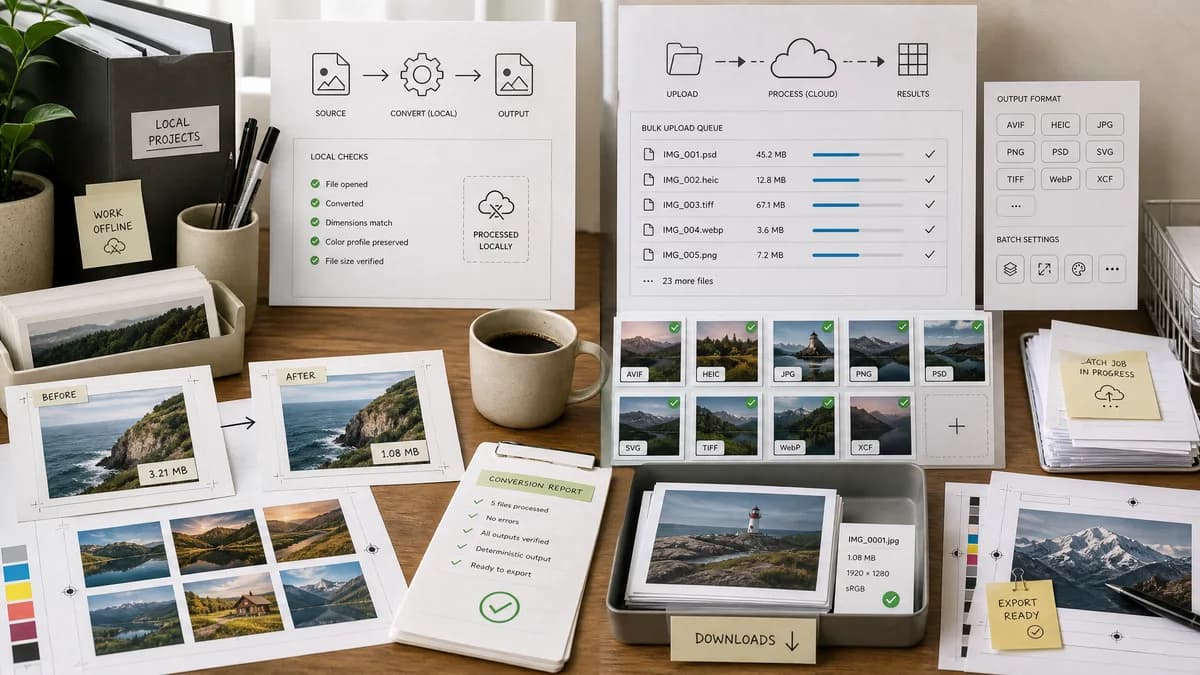
Why Image Format Converter fits
Image Format Converter can serve users who need predictable local conversion for supported raster images and a clear result report.
What MConverter offers
MConverter's official image converter page lists bulk image conversion and many supported image extensions, including AVIF, HEIC, JPG, PNG, PSD, SVG, TIFF, WebP, and XCF.
Open alternative signals
Format list
Image Format ConverterSmall verified image output set
MConverterLarge extension list for bulk conversion
Processing model
Image Format ConverterBrowser-local for supported conversions
MConverterOnline conversion platform
Quality assurance
Image Format ConverterObjective output validation
MConverterConverted output download
Tool family
Image Format ConverterFoundation for future specific TextFaker converters
MConverterBroad file conversion platform
Decision guide
Common browser-supported input and output formats with local processing and explicit validation.
Bulk conversion across a larger format catalog, including specialist and less common extensions.
Side-by-side open source alternative comparison
| Decision point | Image Format Converter | MConverter | Takeaway |
|---|---|---|---|
| Advanced inputs | Our workflowOnly accept advanced formats when real decoding exists. | Proprietary workflowLists many advanced image extensions. | Input validation and support copy must be strict. |
| Bulk workflow | Our workflowStart with one file or clearly implemented batch support. | Proprietary workflowPromotes bulk conversion. | Do not use bulk language prematurely. |
| Output validation | Our workflowMIME, extension, dimensions, bytes, filename, Blob success. | Proprietary workflowDownload converted files from service workflow. | Make validation a core UX feature. |
| Privacy | Our workflowNo upload required for supported conversions. | Proprietary workflowOnline conversion platform. | Local conversion is useful for personal files and client assets. |
| Error states | Our workflowSpecific unsupported input and unsupported output errors. | Proprietary workflowService-specific errors. | Precise local errors can reduce confusion. |
| Reuse | Our workflowShared conversion core supports future format-specific tools. | Proprietary workflowMConverter's platform contains many converter pages. | TextFaker can centralize conversion logic internally. |
Detailed research
Positioning
MConverter is a broad bulk converter. TextFaker competes on local common-format conversion, not on a long extension list.
- Use verified support lists.
- Avoid broad rare-format claims.
- Show exact generated file facts.
Implementation Notes
The converter treats browser decode support and output encode support as separate capabilities. A format may be loadable but not exportable.
- Separate input accept list from output format list.
- Feature-detect output encoders.
- Validate final Blob MIME instead of assuming browser compliance.
Test Strategy
Automated tests can cover both success and refusal paths, since clear unsupported-format handling is a major requirement.
- Unsupported input extension test.
- Unsupported output MIME test where feature detection fails.
- Successful PNG to WebP or JPG test where available.
Content Notes
The comparison copy can explain that a broad online converter is still better for obscure formats, while TextFaker is better for local, transparent common conversions.
- Keep the claim narrow.
- Mention browser limits.
- Do not imply TextFaker is open source.
Research notes
- MConverter is proprietary software and an online conversion platform across several media and file categories.
- Its image page lists many extensions that may require server-side or specialized decoders.
- TextFaker does not claim support for HEIC, PSD, SVG, XCF, or RAW variants unless implemented and tested.
Official source
The proprietary product link is included once here for source checking after the alternative analysis.
Official MConverter source