
Open Source Alternatives to OnlineConvert
Image Format Converter is a browser-based alternative for users who need this focused result without installing a proprietary desktop app or entering a larger hosted workflow.
This research compares that workflow with OnlineConvert while keeping the outbound source link at the bottom after the analysis.
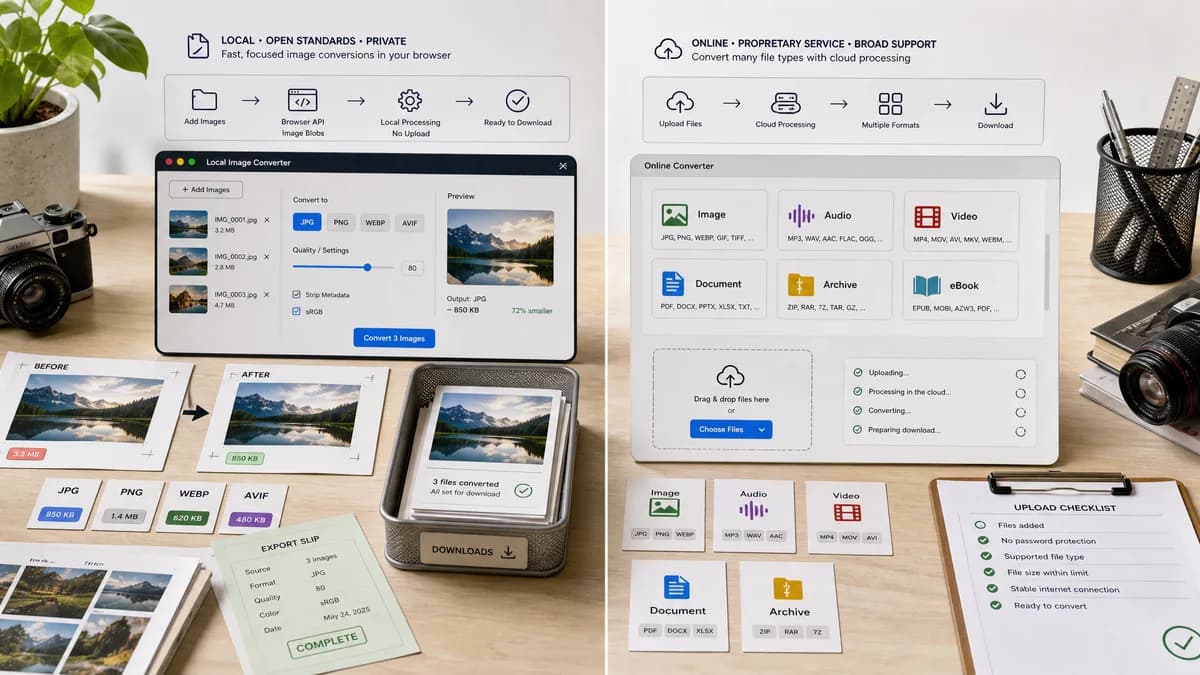
Why Image Format Converter fits
Image Format Converter can use browser APIs and open-source-powered helpers to generate verified image Blob outputs for common formats.
What OnlineConvert offers
OnlineConvert describes a broad online converter with image conversion and support for many file categories and formats.
Open alternative signals
Scope
Image Format ConverterCommon image conversion only
OnlineConvertBroad online converter across many formats
Processing
Image Format ConverterBrowser-local where supported
OnlineConvertHosted online conversion
Output proof
Image Format ConverterTechnical validation fields
OnlineConvertConverted download result
Development goal
Image Format ConverterReusable core for future image converter tools
OnlineConvertGeneral converter catalog
Decision guide
Supported browser-local image conversions with clear output type, size, dimensions, and filename.
Users needing broad online conversion across many file types and less common format targets.
Side-by-side open source alternative comparison
| Decision point | Image Format Converter | OnlineConvert | Takeaway |
|---|---|---|---|
| Breadth | Our workflowSmaller verified set of image outputs. | Proprietary workflowAdvertises broad support across many formats. | Be honest about browser limits while making supported cases strong. |
| Privacy | Our workflowNo upload required for supported conversions. | Proprietary workflowOnline converter workflow. | Local conversion is the key comparison. |
| Validation | Our workflowCheck MIME, extension, dimensions, byte size, and Blob creation. | Proprietary workflowUser checks downloaded file after service conversion. | Objective validation can be built into both UI and tests. |
| Maintenance | Our workflowShared conversion module and registry entries. | Proprietary workflowHosted catalog maintained externally. | Build TextFaker-specific reuse from the start. |
| User feedback | Our workflowSpecific errors for decode, encode, and unsupported MIME. | Proprietary workflowService-mediated conversion errors. | Local error specificity can improve trust. |
| Format families | Our workflowRaster image conversion first. | Proprietary workflowImages plus other file categories. | Keep non-image conversions outside this tool. |
Detailed research
Positioning
OnlineConvert is a broad online conversion competitor. TextFaker can present a narrower local workflow for common image outputs.
- Use browser-local language.
- List supported outputs clearly.
- Avoid universal converter wording.
Implementation Notes
The UI can be a reusable pattern: input card, format controls, validation summary, and download card. Later pages can preselect a target format while reusing the same core.
- Create a shared conversion result type.
- Feature-detect encoders.
- Use deterministic filename generation.
Test Strategy
Because output bytes may vary by browser encoder, tests can assert invariant properties rather than exact file contents.
- Assert dimensions are preserved.
- Assert generated Blob type matches selected output.
- Assert extension and download name match selected format.
Risk Controls
Do not fold document, PDF, CAD, or video conversion into this page. A general tool name can invite broad expectations, so the copy can explicitly say image formats.
- Keep target outputs finite.
- Route ICO to the existing ICO tool.
- Route Base64 workflows to the existing Base64 tools.
Research notes
- OnlineConvert is proprietary software offered as an online converter service.
- Official content emphasizes broad format support across file categories.
- TextFaker can differentiate with local processing, transparent output metrics, and reusable conversion patterns.
Official source
The proprietary product link is included once here for source checking after the alternative analysis.
Official OnlineConvert source