
Open Source Alternatives to Picflow
Image Format Converter is a browser-based alternative for users who need this focused result without installing a proprietary desktop app or entering a larger hosted workflow.
This research compares that workflow with Picflow while keeping the outbound source link at the bottom after the analysis.
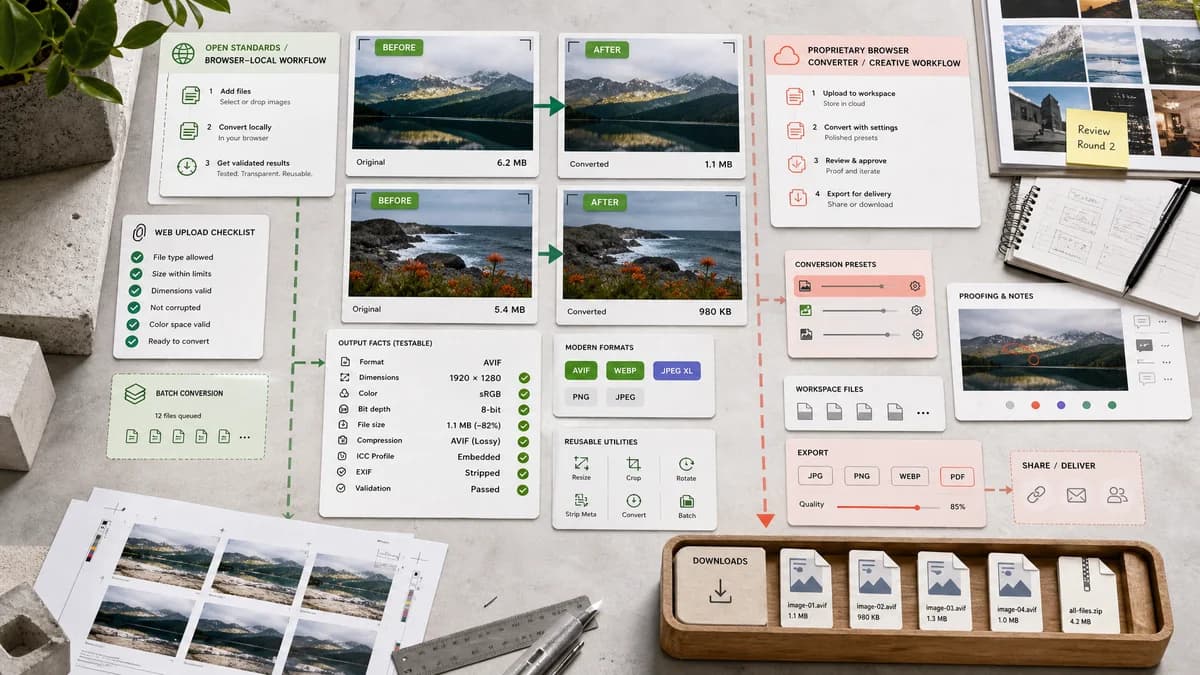
Why Image Format Converter fits
Image Format Converter can match the browser-local conversion expectation for common formats while making testable output facts first-class.
What Picflow offers
Picflow's official image converter page says conversions happen in the browser, supports batch conversion and modern formats, and positions the tool alongside Picflow's creative proofing product.
Open alternative signals
Processing
Image Format ConverterBrowser-local for supported formats
PicflowOfficially described as browser-based processing
Validation depth
Image Format ConverterMIME, extension, dimensions, size, Blob, filename
PicflowConversion and download workflow
Product context
Image Format ConverterUtility in TextFaker image tools registry
PicflowPart of Picflow's creative product ecosystem
Testing angle
Image Format ConverterBuilt around deterministic local test cases
PicflowUser-facing browser converter
Decision guide
Technical users who want transparent conversion metadata, deterministic naming, and a simple utility page.
Users who want a browser-based converter with batch flows and Picflow's broader creative gallery and proofing ecosystem.
Side-by-side open source alternative comparison
| Decision point | Image Format Converter | Picflow | Takeaway |
|---|---|---|---|
| Local workflow | Our workflowBrowser-local supported conversions. | Proprietary workflowOfficial page also describes browser-based conversion. | Do not use privacy alone; add validation and TextFaker-specific utility strengths. |
| Output reporting | Our workflowTechnical result card with MIME, extension, dimensions, byte size, and filename. | Proprietary workflowFocuses on conversion, batch, no registration, and broad format support. | Output verification is the sharper differentiator. |
| Product focus | Our workflowStandalone technical utility. | Proprietary workflowConverter connected to Picflow's broader creative workflow. | TextFaker is cleaner for one-off utility use. |
| Format claims | Our workflowEnable only verified browser and library-supported pairs. | Proprietary workflowClaims broad modern and RAW format support. | Avoid unsupported RAW claims unless implemented. |
| Reuse | Our workflowCore powers future TextFaker conversion pages. | Proprietary workflowPicflow offers related converter pages and creative tooling. | A reusable internal core is critical. |
| Testability | Our workflowCan be covered by local project tests without external services. | Proprietary workflowCompetitor behavior is external to TextFaker. | Automated verification can be a product requirement, not only QA. |
Detailed research
Positioning
Picflow is the closest comparison for browser-local claims. TextFaker needs a more technical and deterministic angle rather than simply saying local conversion.
- Lead with verified output metadata.
- Keep workflow utility-first.
- Avoid unsupported broad format promises.
Implementation Notes
Because Picflow highlights browser processing and batch conversion, TextFaker can make the conversion core modular enough to add batch later without rewriting single-file behavior.
- Design core conversion as file-in, options-in, result-out.
- Allow batch wrappers later.
- Keep per-file validation independent.
Test Strategy
A useful test suite can cover conversion success, unsupported encoder handling, alpha flattening, deterministic naming, and dimensions preservation.
- Use small generated fixtures.
- Avoid visual preview assertions.
- Validate every output object field.
Content Notes
This comparison can be respectful and precise because Picflow already offers browser-side conversion claims. TextFaker's difference is the measurable local utility workflow.
- Do not claim a privacy advantage unless the exact workflow difference is stated.
- Mention open standards where relevant.
- Keep competitor URLs only in URL fields.
Research notes
- Picflow is proprietary software, but its official converter page claims browser-based processing for the image converter.
- This makes it a closer workflow competitor than upload-only SaaS converters.
- TextFaker can differentiate with explicit validation, open-standard language, and integration into the existing local image tool family.
Official source
The proprietary product link is included once here for source checking after the alternative analysis.
Official Picflow source