
Image Histogram Generator + CSV vs ImageJ Analyze Histogram
Image Histogram Generator + CSV is the baseline in this comparison: Generate RGB and luminance histograms from an image locally in your browser, then export the 256-bin channel table as CSV.
ImageJ calculates and displays histograms for gray values in active images or selections and supports scientific measurement workflows.
Quick verdict
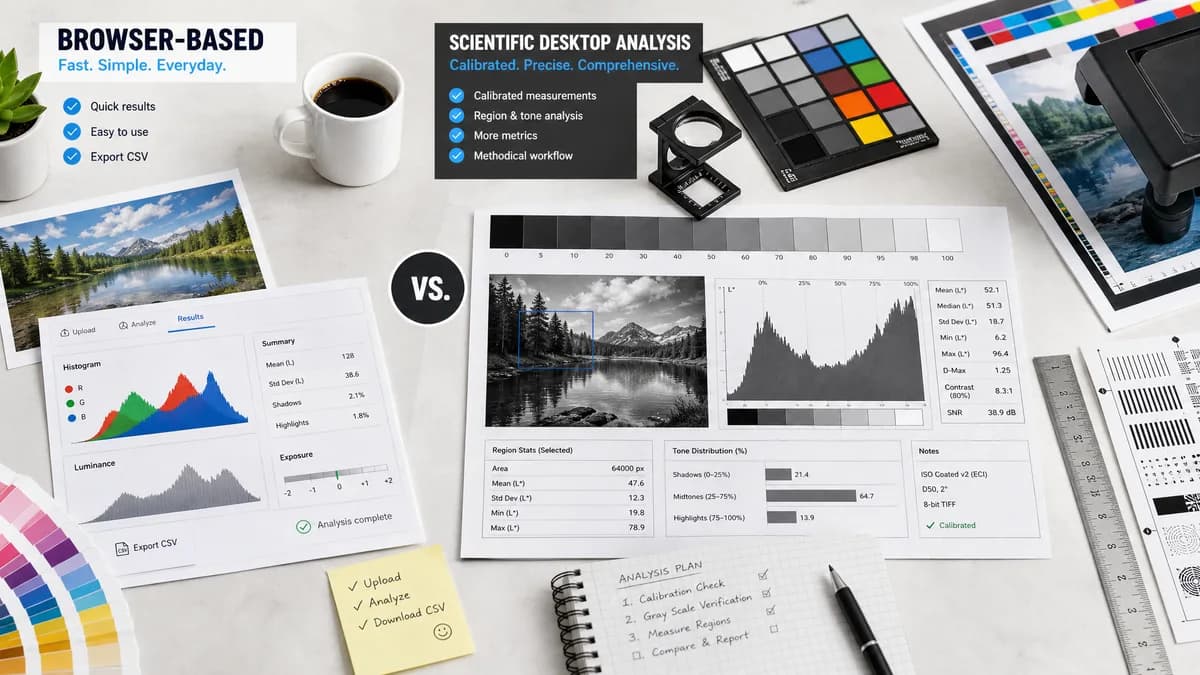
ImageJ is stronger for scientific rigor and calibrated analysis; TextFaker should serve quick browser-based visual and CSV analysis for everyday images.
How Image Histogram Generator + CSV fits
TextFaker should be a simpler browser tool for general RGB/luminance histograms and CSV export, not a replacement for scientific image measurement software.
How ImageJ Analyze Histogram fits
ImageJ is built for scientific image analysis. Its Analyze Histogram command calculates gray-value distributions and is useful for calibrated images, selections, and measurement workflows.
Side-by-side comparison
| Decision point | Image Histogram Generator + CSV | ImageJ Analyze Histogram | Takeaway |
|---|---|---|---|
| Primary audience | Our workflowGeneral web users needing image histogram visualization and CSV export. | Competitor workflowScientific and technical users analyzing images through a desktop application. | The tools serve different depth levels. |
| Histogram focus | Our workflowRGB and luminance channels for common images. | Competitor workflowDocumentation emphasizes gray-value distribution in active image or selection. | TextFaker should be stronger for color-channel output. |
| CSV/data workflow | Our workflowPlanned direct CSV export from the web UI. | Competitor workflowImageJ supports measurement and data workflows, with histogram data accessible through its analysis environment. | ImageJ is powerful but less casual. |
| Calibration | Our workflowLikely reports pixel-intensity bins without scientific calibration unless added. | Competitor workflowCan report in calibrated units when image calibration is set. | ImageJ is better for scientific measurement. |
| Automation | Our workflowManual browser upload and export flow. | Competitor workflowCan be extended through macros and plugins. | ImageJ is stronger for lab-scale automation. |
| Setup | Our workflowNo desktop installation for browser-supported images. | Competitor workflowRequires ImageJ/Fiji installation or environment setup. | TextFaker is easier for occasional analysis. |
Use Image Histogram Generator + CSV when
- Designers, developers, photographers, and QA users analyzing normal image assets
- Users who want immediate RGB/luminance CSV without installing scientific software
- Users who do not need calibrated measurement workflows
Use ImageJ Analyze Histogram when
- Researchers and microscopy users
- Users who need calibrated units, selections, macros, or measurement tables
- Scientific workflows that require ImageJ plugins or repeatable analysis pipelines
Detailed comparison
Scientific Boundary
The comparison should avoid overstating TextFaker's suitability for scientific measurement. ImageJ is a mature analysis environment, while TextFaker should focus on convenience and exportability for common image assets.
CSV Positioning
CSV export still matters in scientific contexts, but ImageJ users often need calibration, selections, macros, and plugin ecosystems. TextFaker can serve users who only need raw 8-bit channel counts.
Feature Inspiration
ImageJ's active-image or selection model suggests future support for region-of-interest histograms, but that should not block the first implementation.
- Whole-image histogram first.
- Optional crop/selection later.
- Document whether alpha and transparency are included or ignored.
SEO Angle
Use careful phrasing around ImageJ alternative searches: TextFaker is an online histogram CSV tool for everyday images, not a scientific ImageJ replacement.
Research notes
- Official ImageJ Analyze menu documentation says Histogram calculates and displays the distribution of gray values in the active image or selection.
- Official documentation mentions calibrated units when calibration has been applied in analysis workflows.
- ImageJ is a strong adjacent competitor for users who need precise image-analysis workflows.
- Color RGB histogram support may require additional ImageJ commands or plugins, so TextFaker can be simpler for RGB/luminance output.
Official source
The only outbound competitor link on this page is placed here for source checking after the comparison.
Official ImageJ Analyze Histogram source