
Instagram 4:5 Feed Crop Preview vs Canva Instagram Sizes and Resize Workflows
Instagram 4:5 Feed Crop Preview is the baseline in this comparison: Preview an Instagram 4:5 feed crop locally, see exact crop boxes and hidden pixels, and download a tested 1080 x 1350-ready image.
Compare a deterministic 4:5 feed crop preview with Canva's Instagram sizing guidance and design platform.
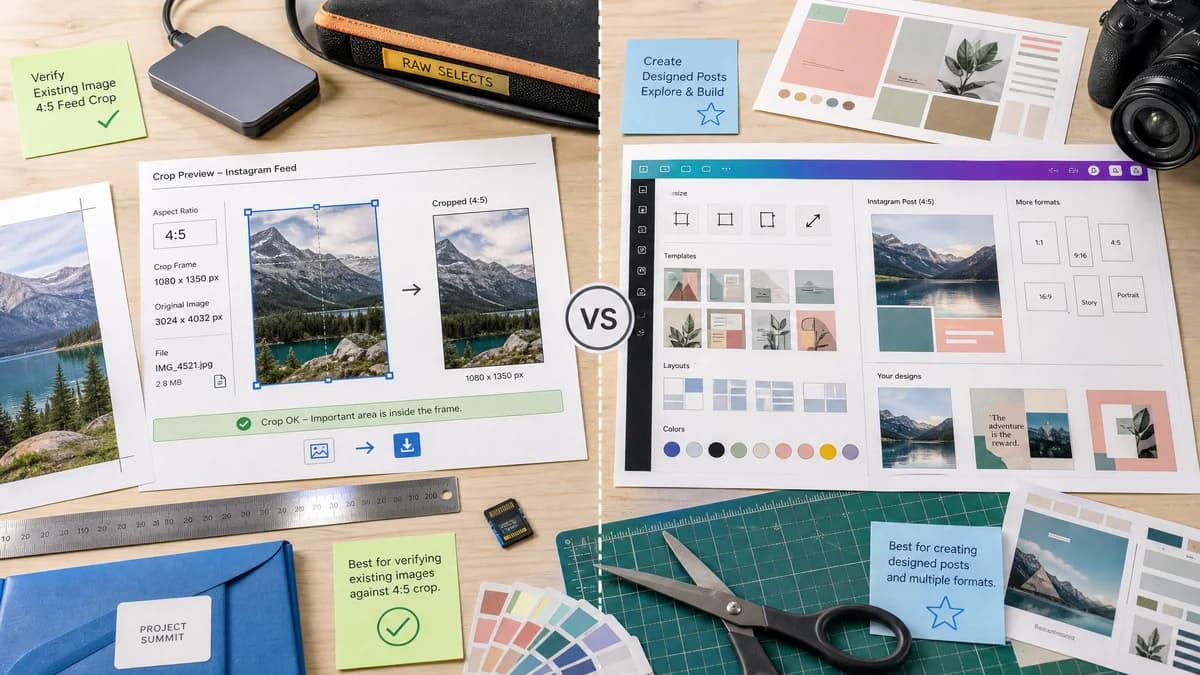
Quick verdict
Canva is best for making designed posts; TextFaker should be best for confirming whether an existing image will survive a 4:5 feed crop.
How Instagram 4:5 Feed Crop Preview fits
TextFaker can provide a utility-grade crop preview with exact crop metrics, local file handling, and direct downloadable outputs.
How Canva Instagram Sizes and Resize Workflows fits
Canva is a broad design platform with templates, resize workflows, and Instagram format guidance, but it is optimized for content creation rather than exact crop diagnostics.
Side-by-side comparison
| Decision point | Instagram 4:5 Feed Crop Preview | Canva Instagram Sizes and Resize Workflows | Takeaway |
|---|---|---|---|
| Tool scope | Our workflowOne focused Instagram 4:5 feed crop preview. | Competitor workflowLarge design ecosystem with many Instagram templates and format references. | The narrow scope helps TextFaker feel faster and more concrete. |
| Preview intent | Our workflowShows what the 4:5 feed crop will include and exclude. | Competitor workflowHelps create or resize designs to Instagram formats. | TextFaker should frame itself around crop risk, not general design. |
| Output details | Our workflowReports downloadable file MIME type, filename, dimensions, and crop box. | Competitor workflowExports designed assets, with fewer diagnostic details exposed to casual users. | TextFaker can provide stronger verification details. |
| Account dependency | Our workflowCan work without login if implemented as a local browser tool. | Competitor workflowOften routes users into a platform editor account workflow. | No-account usage supports quick one-off checks. |
| Mobile ergonomics | Our workflowCan use simple sliders, numeric crop offsets, and preset alignment buttons. | Competitor workflowFeature-rich mobile editor provides many controls beyond crop preview. | TextFaker should keep the interface compact. |
| Testability | Our workflowEvery result can be asserted from numeric dimensions and validation strings. | Competitor workflowMost value is visual design output and template interaction. | TextFaker aligns well with automated TextFaker tests. |
Use Instagram 4:5 Feed Crop Preview when
- Checking existing photos before posting
- Exact crop-box and dimension reporting
- Private local image handling
- Fast mobile validation without a design project
Use Canva Instagram Sizes and Resize Workflows when
- Building social graphics from templates
- Collaborative brand content creation
- Adding text, layout, and design elements
- Users managing multiple platform formats
Detailed comparison
Demand Signal
The demand source is clear in public discussions where users ask how to adapt content after Instagram feed and grid changes. The recurring frustration is that centered subjects, text, or edges may be cropped unexpectedly.
- Creators need preflight checks before posting.
- Marketers need confidence that text remains visible.
Feature Focus
The TextFaker version should deliberately avoid becoming a layout editor. It should load one image, calculate the 4:5 crop, and make the crop measurable.
- Crop preview overlay with exact values.
- Safe text area warning based on optional margin percentage.
- Alternative no-crop padding mode.
Implementation Notes
The browser can compute a 4:5 crop by comparing source width divided by source height with 0.8. Wider images crop left and right; taller images crop top and bottom.
- Use integer pixel rounding rules and document them in test fixtures.
- Let users choose output width with 1080 as default.
- Keep output height as width multiplied by 1.25.
Testing Path
Fixture-based testing can assert that known image dimensions produce expected crop boxes and that alignment choices change x or y deterministically.
- Center, top, bottom, left, and right alignments should have predictable offsets.
- Download Blob should match selected output MIME.
- Validation should report pass for exact 4:5 inputs.
Research notes
- Canva demonstrates broad market interest in Instagram size guidance, but community discussions prove users still need exact crop answers.
- The tool should not claim to replace Canva; it should cover the quick preflight use case before or after design work.
- A simple crop preview can complement existing TextFaker image-size checker tools by adding an action-oriented export.
Official source
The only outbound competitor link on this page is placed here for source checking after the comparison.
Official Canva Instagram Sizes and Resize Workflows source