
Instagram 4:5 Feed Crop Preview vs Kapwing Image Resizer
Instagram 4:5 Feed Crop Preview is the baseline in this comparison: Preview an Instagram 4:5 feed crop locally, see exact crop boxes and hidden pixels, and download a tested 1080 x 1350-ready image.
Compare TextFaker's local 4:5 crop preview concept with Kapwing's online image resizing editor.
Quick verdict
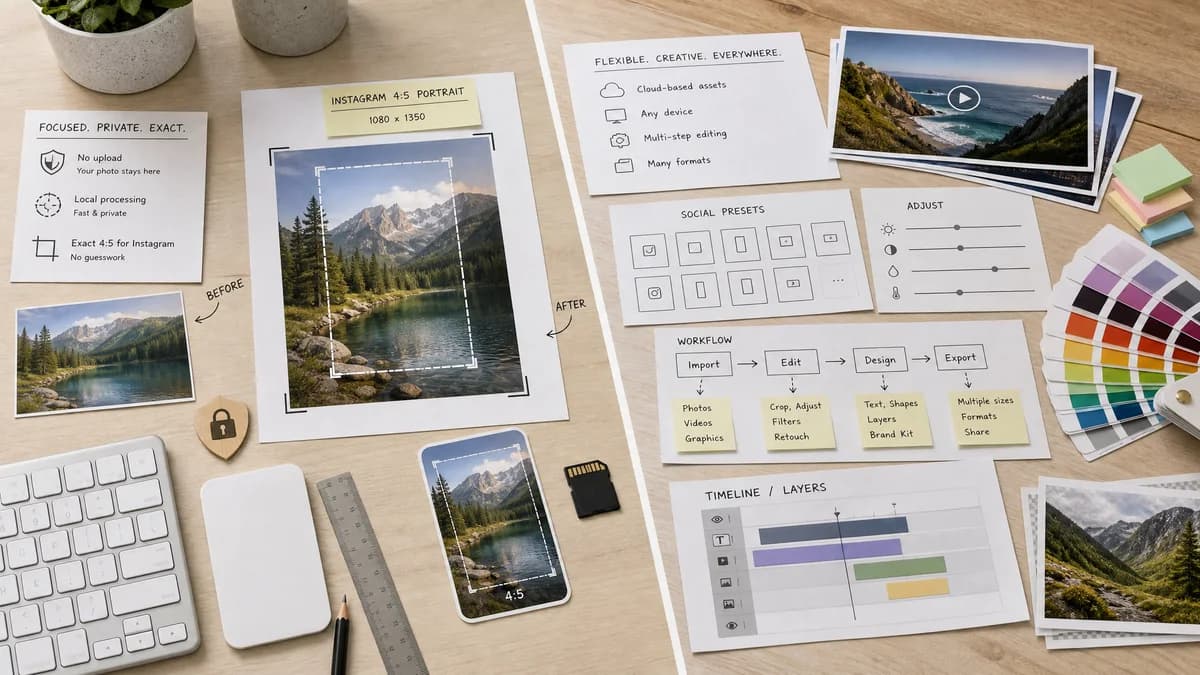
Kapwing is stronger for multi-step creative editing; TextFaker is a better fit for privacy-conscious users who want a precise 4:5 crop answer quickly.
How Instagram 4:5 Feed Crop Preview fits
TextFaker should prioritize no-upload local processing, exact Instagram 4:5 crop preview, and deterministic export checks.
How Kapwing Image Resizer fits
Kapwing offers a flexible online editor for resizing images and social content, including social presets and broader media editing features.
Side-by-side comparison
| Decision point | Instagram 4:5 Feed Crop Preview | Kapwing Image Resizer | Takeaway |
|---|---|---|---|
| Processing model | Our workflowBrowser-local image decode, crop preview, and export. | Competitor workflowOnline editor workflow with upload-oriented project handling. | Local processing is a core TextFaker differentiator. |
| Instagram specificity | Our workflowDedicated to 4:5 feed preview and 1080 x 1350 output validation. | Competitor workflowGeneral image resizing with many possible sizes and presets. | TextFaker should be more opinionated for this single Instagram use case. |
| Diagnostic output | Our workflowDisplays crop loss percentage and exact removed pixels on each edge. | Competitor workflowFocuses on resizing output rather than crop diagnostics. | Users worried about cut-off content get a clearer answer from TextFaker. |
| Speed | Our workflowCan complete in a small single-page tool with no project creation. | Competitor workflowRicher editor startup and export flow. | TextFaker should be optimized for a quick check. |
| Download verification | Our workflowReports generated filename, dimensions, MIME type, and byte size. | Competitor workflowExports edited assets but may not surface all verification data. | TextFaker can make outputs more transparent. |
| No-crop alternative | Our workflowCan include a deterministic padding mode that preserves the full image inside 4:5. | Competitor workflowOffers fit-style workflows in a broader editor context. | TextFaker can offer crop and pad as two explicit, testable modes. |
Use Instagram 4:5 Feed Crop Preview when
- Private photo crop checks
- Exact crop coordinate reporting
- No-friction single-image resizing
- Testing with deterministic fixtures
Use Kapwing Image Resizer when
- Editing images in a cloud studio
- Combining crop, captions, and media edits
- Users needing many social format presets
- Team or creator workflows already using Kapwing
Detailed comparison
Demand Signal
Search and community results show users often ask how to fit a whole image or avoid Instagram cutting off important content. The demand is practical and recurring.
- Users need a faster answer than opening a full editor.
- The same crop confusion affects photos, graphics, and sometimes video thumbnails.
Product Positioning
The page should use plain language around crop preview, safe area, and exact output dimensions. Avoid broad claims about engagement or algorithm behavior unless sourced and stable.
- Lead with 4:5 preview and download.
- Use Instagram feed crop wording rather than general image resizer wording.
- Keep advanced settings collapsible.
Implementation Notes
For manual positioning, represent the crop as normalized offsets and convert them to integer source pixels. This makes the UI flexible while keeping test expectations stable.
- Default output 1080 x 1350.
- Support JPG, PNG, WebP, AVIF when browser decodes them.
- Show unsupported-file validation before processing.
Testing Path
Tests can create canvas images in the browser, pass them through the tool, and inspect the UI output and generated Blob dimensions.
- Assert cropLossPercent for landscape and tall portrait inputs.
- Assert edge removal values add up to source minus crop dimension.
- Assert padding mode preserves full source aspect inside the output canvas.
Research notes
- Kapwing is a known alternative mentioned in general how-to content for avoiding Instagram cropping.
- The TextFaker opportunity is to reduce friction and expose crop math rather than provide another general editor.
- Public user language centers on avoiding unwanted cuts, which should guide the page copy.
Official source
The only outbound competitor link on this page is placed here for source checking after the comparison.
Official Kapwing Image Resizer source