
Instagram 4:5 Feed Crop Preview vs My Social Boutique Instagram Grid Maker
Instagram 4:5 Feed Crop Preview is the baseline in this comparison: Preview an Instagram 4:5 feed crop locally, see exact crop boxes and hidden pixels, and download a tested 1080 x 1350-ready image.
Compare TextFaker's 4:5 feed crop preview with My Social Boutique's Instagram grid and carousel maker.
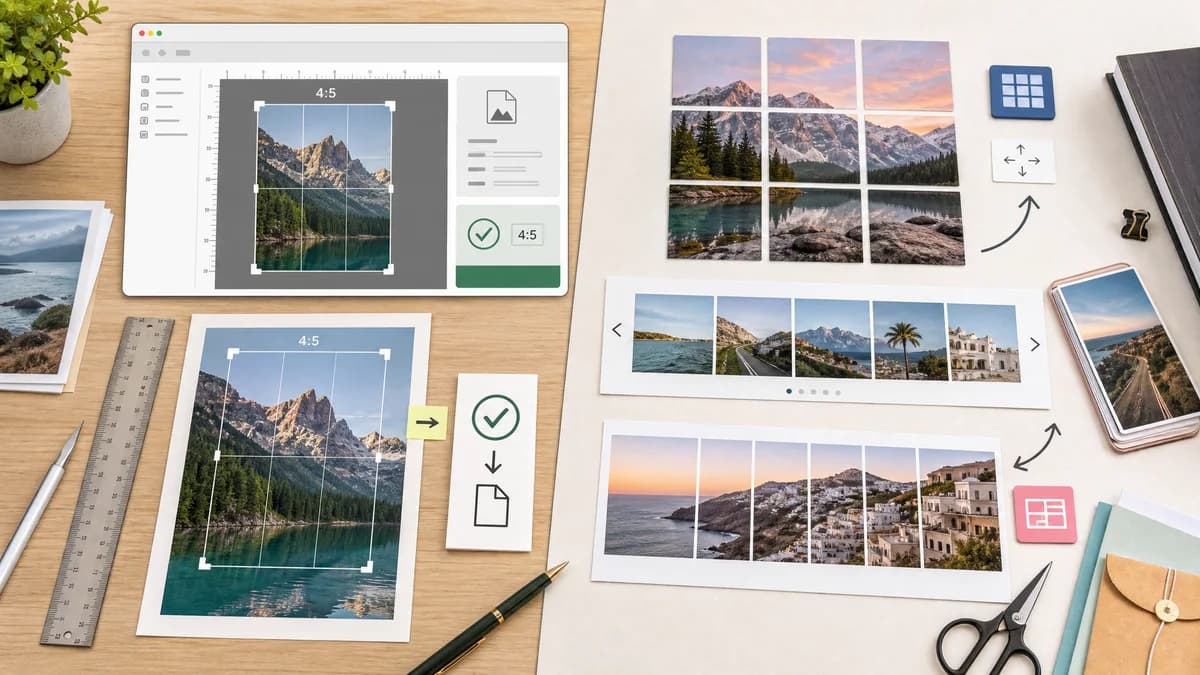
Quick verdict
My Social Boutique is better for multi-post visual layouts; TextFaker is better for deterministic single-image crop preview and export readiness.
How Instagram 4:5 Feed Crop Preview fits
TextFaker should provide exact 4:5 crop-preview validation for one image, which can be used before designing grid or carousel layouts.
How My Social Boutique Instagram Grid Maker fits
My Social Boutique offers a grid, carousel, puzzle, and banner maker that splits images for Instagram-style multi-post layouts.
Side-by-side comparison
| Decision point | Instagram 4:5 Feed Crop Preview | My Social Boutique Instagram Grid Maker | Takeaway |
|---|---|---|---|
| Primary purpose | Our workflowPreview and export a 4:5 Instagram feed image. | Competitor workflowCreate grid, carousel, and puzzle image splits. | The tools serve adjacent creator workflows. |
| Output type | Our workflowOne verified 4:5 image plus crop data. | Competitor workflowMultiple split images for posting in sequence or grid form. | TextFaker is simpler and more diagnostic. |
| User concern | Our workflowAvoid unwanted crop of subject, text, or edges. | Competitor workflowBuild a larger visual layout across posts. | TextFaker solves the first-post readiness problem. |
| Data shown | Our workflowCrop box, edge loss, padding values, export dimensions, and warnings. | Competitor workflowGrid or carousel slice outputs. | TextFaker should make technical details visible. |
| Mobile workflow | Our workflowCan be optimized for upload, preview, adjust, download on a phone. | Competitor workflowMulti-image layout creation can require more planning. | TextFaker should be lighter for mobile use. |
| Testing | Our workflowSingle deterministic output is easy to assert. | Competitor workflowSlice generation can also be deterministic but has more cases. | TextFaker's v1 test surface is smaller and reliable. |
Use Instagram 4:5 Feed Crop Preview when
- Checking one image against a 4:5 feed crop
- Validating output dimensions before publishing
- Private local browser processing
- Users who want exact numbers rather than layout templates
Use My Social Boutique Instagram Grid Maker when
- Instagram grid and puzzle layouts
- Carousel image splitting
- Marketing teams creating profile layouts
- Users needing multiple downloadable slices
Detailed comparison
Demand Signal
Instagram layout changes have pushed creators to think about feed, grid, and carousel previews together. Still, the recurring complaint is that content is unexpectedly cropped, which supports a single-image preflight tool.
- Grid-oriented tools prove creator interest in precise Instagram layouts.
- Crop-preview tools solve the narrower validation job.
Product Positioning
TextFaker should position itself as a utility used before posting or before building a grid: it confirms whether a source image can become a clean 4:5 feed asset.
- Keep title and slug centered on 4:5 feed crop preview.
- Avoid implying it creates full Instagram grids.
- Cross-link to future grid tools only if they exist.
Implementation Notes
For text-heavy marketing images, include an optional safe-area margin setting. It can report whether a user-defined center safe area remains inside the crop.
- Default safe margin could be 5 percent or off by default.
- Report safeAreaX, safeAreaY, safeAreaWidth, and safeAreaHeight.
- Warn when crop loss exceeds a selected threshold.
Testing Path
Safe-area warnings are deterministic if they are based on geometry, not content recognition. Tests can assert that a selected margin produces known safe-area dimensions.
- Safe area should scale with output dimensions.
- Crop loss threshold warnings should trigger from numeric percent.
- Download output should match selected crop or padding mode.
Research notes
- My Social Boutique is an adjacent competitor because it targets Instagram grid and carousel workflows where crop dimensions are important.
- The TextFaker page should not overpromise grid functionality but can mention that exact 4:5 outputs are useful for downstream layout planning.
- Public user discussions about new grid and feed proportions provide demand evidence for accurate previews.
Official source
The only outbound competitor link on this page is placed here for source checking after the comparison.
Official My Social Boutique Instagram Grid Maker source