
Open Source Alternatives to Kapwing
Instagram 4:5 Feed Crop Preview is a browser-based alternative for users who need this focused result without installing a proprietary desktop app or entering a larger hosted workflow.
This research compares that workflow with Kapwing while keeping the outbound source link at the bottom after the analysis.
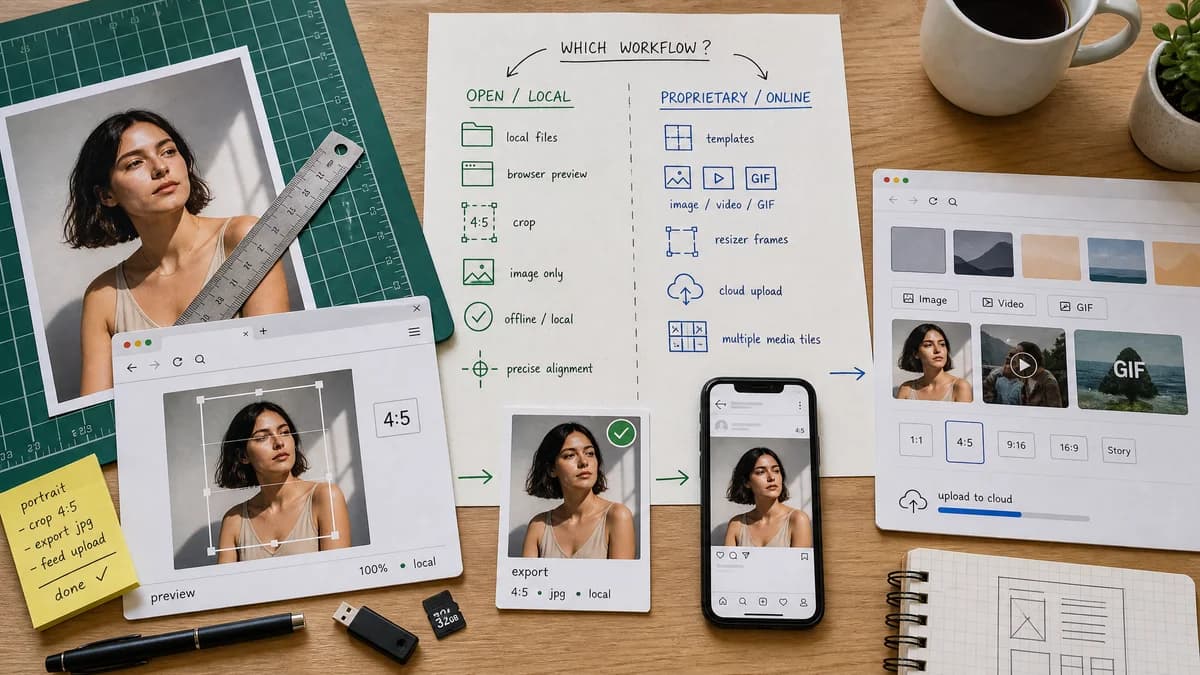
Why Instagram 4:5 Feed Crop Preview fits
TextFaker can deliver the image-only subset of the workflow with local processing and deterministic crop math.
What Kapwing offers
Kapwing offers templates and online editing for images, videos, and GIFs, including Instagram feed sizing and resizer frames.
Open alternative signals
Media scope
Instagram 4:5 Feed Crop PreviewStill-image crop preview and image export.
KapwingImages, videos, GIFs, templates, and online media editing.
Local workflow
Instagram 4:5 Feed Crop PreviewBrowser-based image processing can keep files local.
KapwingHosted editor workflow.
Instagram specifics
Instagram 4:5 Feed Crop Preview4:5 feed crop preview with exact numeric reporting.
KapwingInstagram templates and broader resize presets.
Testing approach
Instagram 4:5 Feed Crop PreviewUnit-test crop calculations and canvas output.
KapwingManual editor workflow plus service-side behavior.
Decision guide
Users who only need a private, instant crop preview for one image.
Users resizing mixed media such as videos, GIFs, and social clips with timeline editing.
Side-by-side open source alternative comparison
| Decision point | Instagram 4:5 Feed Crop Preview | Kapwing | Takeaway |
|---|---|---|---|
| Supported input | Our workflowBrowser-decodable still images such as JPG, PNG, WebP, AVIF, and GIF first frame if supported. | Proprietary workflowImages, videos, and GIFs depending on Kapwing workflow. | Kapwing is better for video; TextFaker should stay excellent at image crops. |
| Crop preview | Our workflowCentral feature with safe overlay and loss metrics. | Proprietary workflowPart of a larger editor/template flow. | TextFaker can be less distracting. |
| Export result | Our workflowVerified 4:5 output with explicit MIME and dimensions. | Proprietary workflowExports media after online editing. | Verification is a TextFaker strength. |
| User friction | Our workflowSingle upload and immediate preview. | Proprietary workflowEditor load, template selection, and export workflow. | One-task users may prefer the focused tool. |
| Creative controls | Our workflowAnchor, crop, padding color, output format. | Proprietary workflowTimeline, text, elements, captions, and effects depending on plan. | Kapwing remains broader. |
| Research risk | Our workflowMust keep Instagram feed and grid assumptions labeled separately. | Proprietary workflowKapwing publishes its own guides and templates. | TextFaker should cite sources and expose assumptions in UI copy. |
Detailed research
Why Users Compare
Kapwing is often recommended when users search for fitting full photos on Instagram without cropping. TextFaker can answer the same pain point with less editing overhead for still images.
- Detect if the image exceeds 4:5 height ratio.
- Show what will be removed in cover crop mode.
- Offer padding mode for users who refuse cropping.
Implementation Notes
Use deterministic geometry instead of AI: calculate scale and offset for cover and contain modes, render canvas, and compare final canvas dimensions against the selected Instagram target.
- Default target: 1080 x 1350.
- Also expose ratio-only mode for users who do not want resampling.
- Use nearest metadata readouts, not subjective quality claims.
Demand Evidence
Users in photography discussions describe using white borders or square apps to avoid losing composition. That maps directly to a contain-with-padding option alongside crop preview.
- Include before/after crop-loss percentages.
- Allow matte color selection with default white, black, and sampled blur-free color.
Limits
Do not overreach into video resizing in the first version. The requested tool name is specifically feed crop preview, and video support would create separate validation and encoding complexity.
Research notes
- Kapwing's Instagram size page says uploaded photos can be resized or cropped and discusses Instagram feed height ranges and grid layout changes.
- Kapwing also has an Instagram video resizer, so it covers broader media workflows than this future TextFaker tool should attempt initially.
- Community demand suggests users want crop predictability and may not need a full media editor.
Official source
The proprietary product link is included once here for source checking after the alternative analysis.
Official Kapwing source