
Open Source Alternatives to PicMonkey
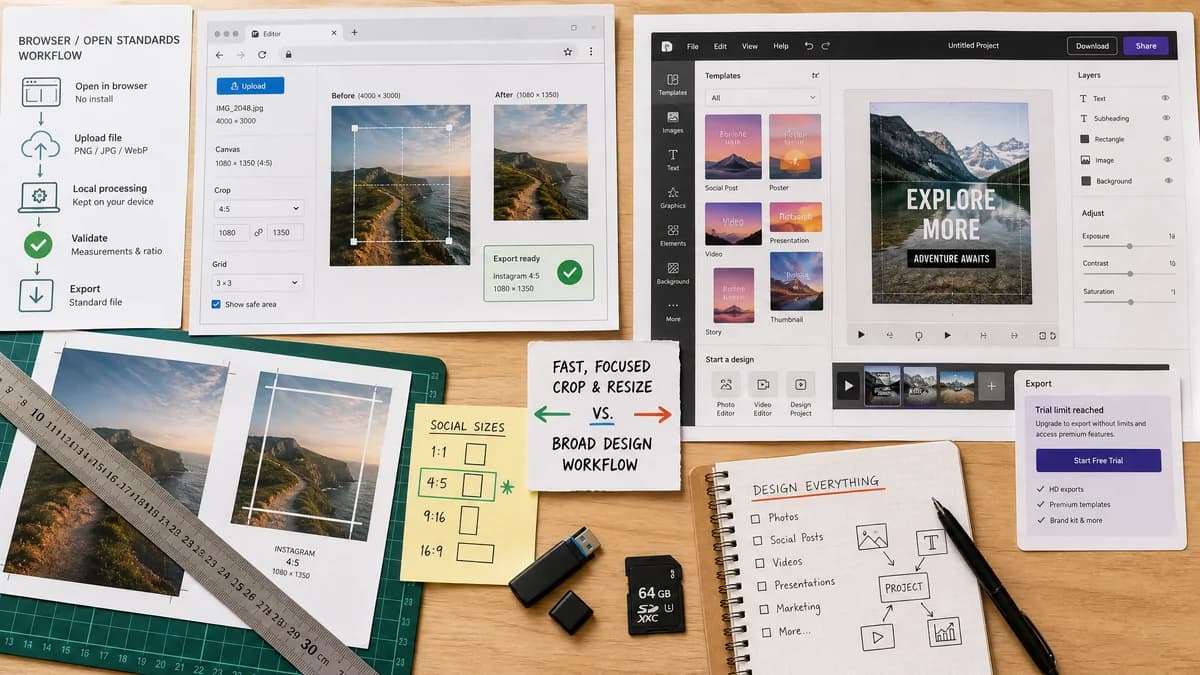
Instagram 4:5 Feed Crop Preview is a browser-based alternative for users who need this focused result without installing a proprietary desktop app or entering a larger hosted workflow.
This research compares that workflow with PicMonkey while keeping the outbound source link at the bottom after the analysis.
Why Instagram 4:5 Feed Crop Preview fits
TextFaker can provide the crop-and-resize subset as a fast browser utility with deterministic validation.
What PicMonkey offers
PicMonkey offers online crop and resize tools for photos, videos, social posts, and design projects, with a broader editor and trial flow.
Open alternative signals
Tool breadth
Instagram 4:5 Feed Crop PreviewFocused image crop preview.
PicMonkeyPhoto editor with crop, resize, social posts, videos, and design projects.
Account friction
Instagram 4:5 Feed Crop PreviewCan be implemented without account state.
PicMonkeyOfficial page references signing up and a trial.
Validation
Instagram 4:5 Feed Crop PreviewCrop rectangle and output can be checked programmatically.
PicMonkeyInteractive editor result.
Video support
Instagram 4:5 Feed Crop PreviewNot in initial scope.
PicMonkeyPicMonkey page includes photo and video language.
Decision guide
Users who only need one photo checked for Instagram feed crop and output dimensions.
Users who want a photo editor with social templates, design projects, video support, and additional editing tools.
Side-by-side open source alternative comparison
| Decision point | Instagram 4:5 Feed Crop Preview | PicMonkey | Takeaway |
|---|---|---|---|
| Task focus | Our workflowInstagram 4:5 crop preview and export. | Proprietary workflowGeneral crop and resize inside a creative editor. | TextFaker is narrower by design. |
| User flow | Our workflowUpload image, inspect preview, download if needed. | Proprietary workflowSign-up/trial and editor workflow may be involved. | Fewer steps matter for quick checks. |
| Output detail | Our workflowShows exact crop offsets and dimensions. | Proprietary workflowFocuses on resizing and cropping tools broadly. | TextFaker should expose more preflight data. |
| Creative tools | Our workflowMinimal, non-aesthetic controls. | Proprietary workflowBroader editing and design options. | PicMonkey is better for final creative polish. |
| Privacy | Our workflowSource file can stay in-browser. | Proprietary workflowOnline editor upload model. | Local handling is a useful alternative. |
| Testing | Our workflowCan be tested with generated fixture images and expected crop results. | Proprietary workflowInteractive editor workflows are less suited to deterministic tests. | This aligns with TextFaker's validation-focused tool pattern. |
Detailed research
Why Users Compare
PicMonkey is a familiar crop-and-resize editor. Searchers who only need to know whether Instagram will cut off a portrait can be served by a smaller, direct tool.
- Show center crop and custom anchor preview.
- Let users compare crop versus padding in one view.
- Add copyable result summary for content teams.
Implementation Notes
Because the tool's pass/fail criteria are numeric, avoid face detection or quality scoring in version one. Deterministic dimensions and crop bounds should be the test contract.
- Generated 800 x 1200 fixture should produce a 800 x 1000 centered 4:5 source crop in cover mode.
- Generated 1600 x 900 fixture should show large side crop in cover mode or top/bottom padding in contain mode.
- Output filename can append instagram-4x5 or instagram-1080x1350.
Demand Evidence
Public user discussions mention square frames, white borders, and manual crop practice, all of which are direct alternatives to automatic crop loss.
Content Boundary
Position as an alternative workflow to proprietary software, not a complete PicMonkey clone. This is important for accuracy and user expectation.
Research notes
- PicMonkey's official resizer page distinguishes crop from resize and says it supports social posts, photos, videos, and design projects.
- The page describes a free account/trial flow; TextFaker can offer a lower-friction local utility for this single job.
- Community feedback shows the need is practical previewing and preserving composition, not necessarily broader editing.
Official source
The proprietary product link is included once here for source checking after the alternative analysis.
Official PicMonkey source