
Instagram Grid Splitter vs Canva Image Splitter
Instagram Grid Splitter is the baseline in this comparison: Split one uploaded image into numbered Instagram grid tiles with browser-local cropping, exact dimensions, posting order, and downloadable files.
Canva Image Splitter is an app that splits images into grid or carousel format and can batch add pieces to a Canva design.
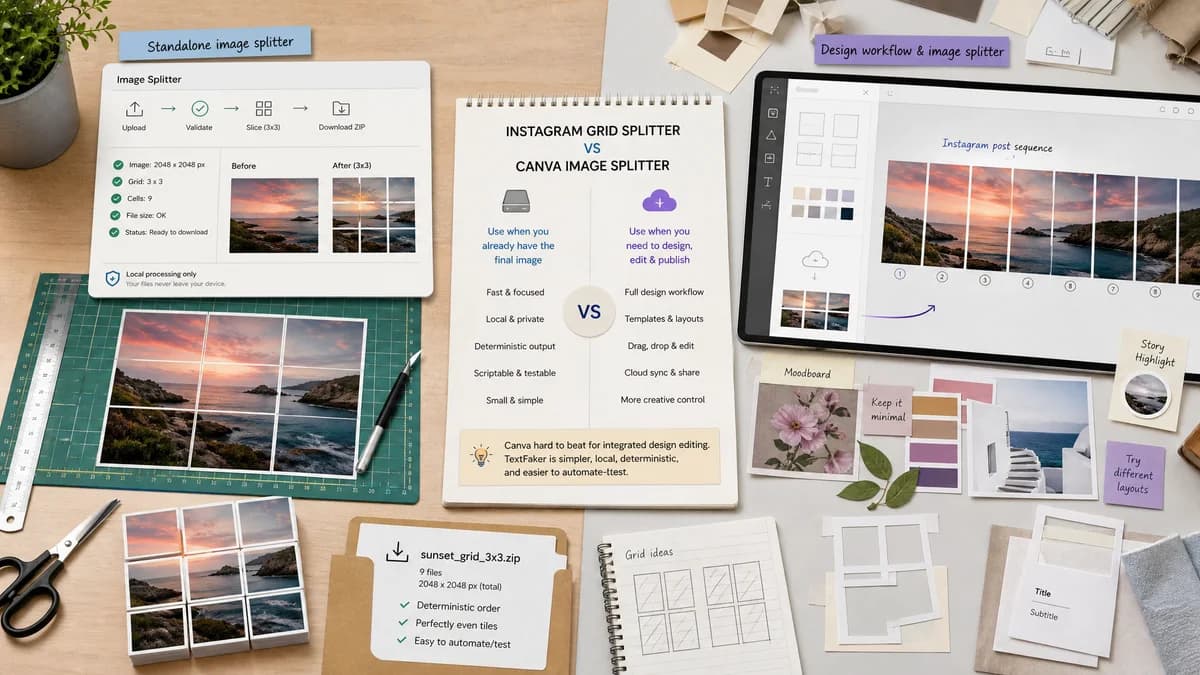
Quick verdict
Canva is hard to beat for integrated design editing, but TextFaker is simpler, local, deterministic, and easier to automate-test.
How Instagram Grid Splitter fits
TextFaker should be a faster standalone utility for users who already have a finished image and only need local slicing, validation, and downloads.
How Canva Image Splitter fits
Canva Image Splitter benefits from Canva's design environment and is suited to users who want to keep split pieces inside a broader design workflow.
Side-by-side comparison
| Decision point | Instagram Grid Splitter | Canva Image Splitter | Takeaway |
|---|---|---|---|
| Workflow location | Our workflowStandalone web utility focused on file-in, tiles-out. | Competitor workflowRuns as an app inside Canva's design ecosystem. | Canva is integrated; TextFaker is lightweight. |
| Editing breadth | Our workflowShould avoid full design editing and focus on split controls, previews, and downloads. | Competitor workflowCan benefit from Canva templates, assets, and design editing around the split workflow. | TextFaker does not compete on full creative suite features. |
| Local processing | Our workflowShould process the image locally in the browser and state this clearly. | Competitor workflowPart of a cloud design platform where account and design workflows may apply. | TextFaker can appeal to no-account, no-upload users. |
| Output files | Our workflowShould download individual image files or ZIP directly with exact names. | Competitor workflowCan batch add split pieces to a Canva design according to the app page. | TextFaker is better for direct file export. |
| Deterministic report | Our workflowShould expose tile dimensions, crop boxes, and validation messages. | Competitor workflowThe app page focuses on grid or carousel splitting convenience. | TextFaker is more transparent. |
| Mobile friendliness | Our workflowShould work in the phone browser without requiring a design-platform workflow. | Competitor workflowCanva has broad app and web availability but within Canva's interface. | TextFaker is quicker for one-off phone use. |
Use Instagram Grid Splitter when
- Users who already have a final source image
- Privacy-sensitive unpublished campaign or personal photos
- People who need exact downloadable tile files and metadata
Use Canva Image Splitter when
- Canva users who want to split images inside an existing design
- Teams using templates, brand kits, or Canva collaboration
- Creators who want grid pieces batch-added to a design canvas
Detailed comparison
Demand Fit
Canva tutorials and app listings show that many creators use design platforms to make Instagram grid posts. That demand overlaps with TextFaker when the user only needs the final splitting step.
- Finished-image splitting
- Canva-to-Instagram export cleanup
- Carousel slicing
- Profile mosaic preparation
Implementation Direction
The tool should intentionally stay narrow. Import, choose grid, choose fit mode, inspect output details, then download. Avoid adding template editing unless later data proves it is necessary.
- No account dependency
- Direct local output
- Simple controls
- Visible result table
Differentiation
A comparison with Canva should acknowledge Canva's strength in design creation while positioning TextFaker as a utility for exact file generation.
- Lighter workflow
- Local processing
- Deterministic outputs
- No design-suite overhead
Testing Notes
Use automated tests to confirm that the tool works without login, without network upload, and with stable file outputs from a fixed fixture.
- Intercept network requests in tests
- Assert no upload endpoint is called
- Assert tile count
- Assert downloadable Blob MIME types
Research notes
- Canva's official app page directly names grid and carousel splitting, making it a clear competitor despite being platform-based.
- User discussions often mention Canva as a workaround for Instagram grid layouts, which supports demand among non-technical creators.
- TextFaker does not claim Canva lacks features; it focuses on a different job-to-be-done.
Official source
The only outbound competitor link on this page is placed here for source checking after the comparison.
Official Canva Image Splitter source