
JPG to PNG Converter vs Canva
JPG to PNG Converter is the baseline in this comparison: Convert a JPG or JPEG image to PNG in your browser, then confirm the output MIME type, .png filename, dimensions, file size, and generated Blob before download.
Canva offers JPG to PNG conversion as an entry point into its design platform and image editing workflows.
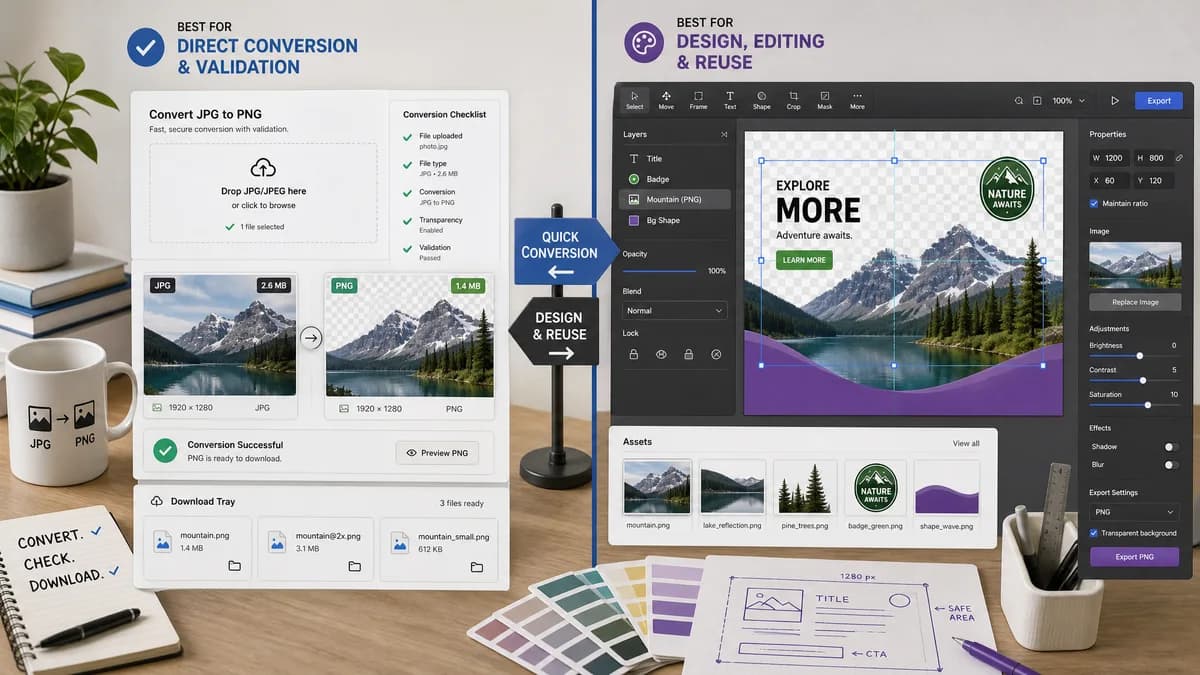
Quick verdict
TextFaker is better for direct conversion and validation. Canva is better for users who want to turn the converted image into a designed asset.
How JPG to PNG Converter fits
TextFaker should provide a local utility that converts JPG/JPEG files to PNG without adding design-canvas decisions or unrelated editing steps.
How Canva fits
Canva positions JPG to PNG conversion around transparent photos, overlays, and design reuse inside Canva's broader creative tooling.
Side-by-side comparison
| Decision point | JPG to PNG Converter | Canva | Takeaway |
|---|---|---|---|
| Primary job | Our workflowConvert JPG/JPEG to PNG and show output facts. | Competitor workflowConvert an image and connect it to a design workflow. | TextFaker should keep the page focused on file conversion. |
| Privacy positioning | Our workflowBrowser-local conversion should be a headline promise. | Competitor workflowCanva provides an upload area and links to content handling policies. | Local conversion is a meaningful distinction for private images. |
| Technical transparency | Our workflowExpose MIME, extension, dimensions, and Blob generation. | Competitor workflowHighlights ease and visual design outcomes. | TextFaker can serve users who need proof of format conversion. |
| Input constraint | Our workflowAccept .jpg and .jpeg only for this page. | Competitor workflowCanva's broader editor supports many design inputs and outputs. | A constrained tool reduces ambiguity and test surface. |
| Output claims | Our workflowPNG conversion only, without promising created transparency. | Competitor workflowMarketing copy discusses transparent photos and overlays. | TextFaker should be precise about what PNG conversion does and does not do. |
| Workflow length | Our workflowUpload, convert locally, copy details, download PNG. | Competitor workflowUpload and continue within a design platform if desired. | TextFaker is the simpler path for one-off file format conversion. |
Use JPG to PNG Converter when
- Direct local conversion
- Users who do not need a design editor
- Technical confirmation of PNG output
Use Canva when
- Canva users creating layouts or social graphics
- Workflows that combine conversion with editing
- Users who want design templates after conversion
Detailed comparison
Positioning
Canva's strength is design context. TextFaker's strength should be utility precision and privacy. The page should avoid sounding like a graphic design product.
- Lead with convert JPG or JPEG to PNG locally.
- Use practical output facts instead of creative promises.
UX Requirements
The dedicated page can reuse the existing converter UI but should remove format choices that would distract from the single task.
- Default target format locked to PNG.
- Accepted input copy should say JPG and JPEG.
- Primary download button should produce a .png file.
Content Risks
JPG images do not contain alpha transparency. The copy should not imply that converting to PNG removes a background or creates a transparent subject.
- Recommend a separate background remover only if one exists later.
- Say PNG supports transparency, but this conversion preserves visible pixels.
Validation
Because Canva markets design outcomes, TextFaker can win trust with objective conversion diagnostics.
- Show source and output dimensions.
- Show output MIME.
- Show output file size.
- Show generated filename.
Research notes
- Canva's official page is adjacent because it targets the exact JPG to PNG query but routes into design use cases.
- Its transparent-background language should be treated carefully in TextFaker copy to avoid overpromising.
- A focused utility page can complement the existing general Image Format Converter.
Official source
The only outbound competitor link on this page is placed here for source checking after the comparison.
Official Canva source