
JPG to PNG Converter vs Pixelied
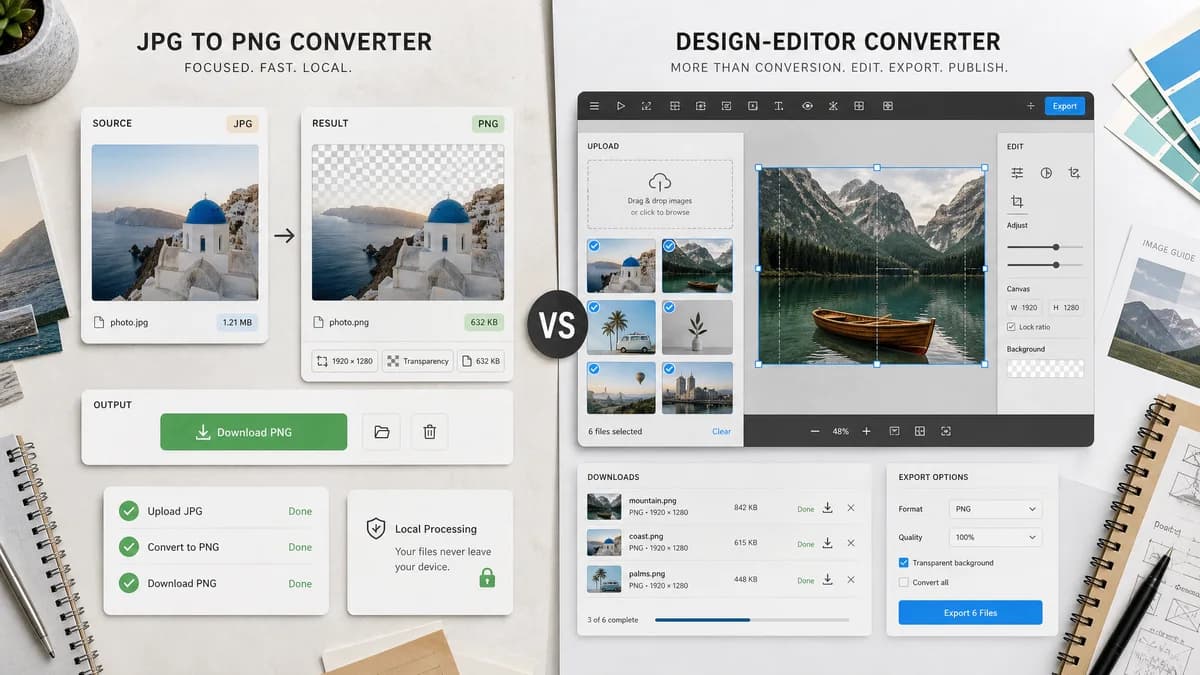
JPG to PNG Converter is the baseline in this comparison: Convert a JPG or JPEG image to PNG in your browser, then confirm the output MIME type, .png filename, dimensions, file size, and generated Blob before download.
Pixelied provides a JPG to PNG converter with bulk conversion and the option to edit converted files in its photo editing toolkit.
Quick verdict
TextFaker is better for narrow, local, testable conversion. Pixelied is better for users who want conversion plus editing and bulk-oriented design workflows.
How JPG to PNG Converter fits
TextFaker should be a direct local conversion utility without routing the user into a design editor, while still reporting precise output facts.
How Pixelied fits
Pixelied supports drag-and-drop JPG to PNG conversion, bulk downloads, and post-conversion editing through its broader online design toolkit.
Side-by-side comparison
| Decision point | JPG to PNG Converter | Pixelied | Takeaway |
|---|---|---|---|
| Workflow after conversion | Our workflowFinish with copyable details and a PNG download. | Competitor workflowOffers editing options after conversion. | TextFaker should not add editor complexity to this page. |
| Bulk conversion | Our workflowOptional only if the existing shared component supports it cleanly. | Competitor workflowDescribes converting multiple files and downloading a zip. | Pixelied may be stronger for bulk creative workflows. |
| Processing promise | Our workflowRequired to work locally in the browser. | Competitor workflowPresents an online converter interface. | TextFaker should emphasize no-upload conversion if implemented. |
| Output determinism | Our workflowDeterministic copy and download text are explicit requirements. | Competitor workflowDownload behavior is part of a broader converter flow. | TextFaker can be easier to test and document. |
| Audience | Our workflowDevelopers, privacy-conscious users, QA, and anyone needing a quick format change. | Competitor workflowDesigners and content creators who may edit after converting. | Messaging should target utility users rather than template users. |
| Code architecture | Our workflowAdapter over Image Format Converter core. | Competitor workflowFull design-tool conversion feature. | TextFaker should stay maintainable and scoped. |
Use JPG to PNG Converter when
- Direct browser-local conversion
- Users who do not need post-conversion editing
- Technical verification of PNG output
Use Pixelied when
- Bulk conversion followed by editing
- Designers using Pixelied's photo toolkit
- Users who want zip downloads for multiple converted files
Detailed comparison
Audience Split
Pixelied is conversion plus creative editing. TextFaker should be conversion plus confidence: local processing, output facts, and predictable download behavior.
- Do not include design template language.
- Use practical labels for file details.
Bulk Consideration
Bulk and zip downloads are useful but can expand scope. If the shared converter supports only one result, the dedicated tool can still be valuable by being precise and local.
- Avoid a custom batch implementation unless required.
- Document single-file behavior clearly if single-file only.
Validation UI
A small technical summary after conversion can differentiate TextFaker from visually oriented converters.
- Source filename.
- Output filename.
- Output MIME.
- Dimensions.
- Output size.
SEO Copy
The page should include both JPG and JPEG query variants and describe PNG as the only output target.
- Title can include Online and Local if consistent with registry style.
- Description should mention browser-local conversion and image/png output.
Research notes
- Pixelied is relevant as a converter connected to an editor, not just a file utility.
- Its page mentions bulk conversion and editing after conversion.
- TextFaker should not copy editor-oriented positioning.
Official source
The only outbound competitor link on this page is placed here for source checking after the comparison.
Official Pixelied source