
JPG to WebP Converter vs Ezgif
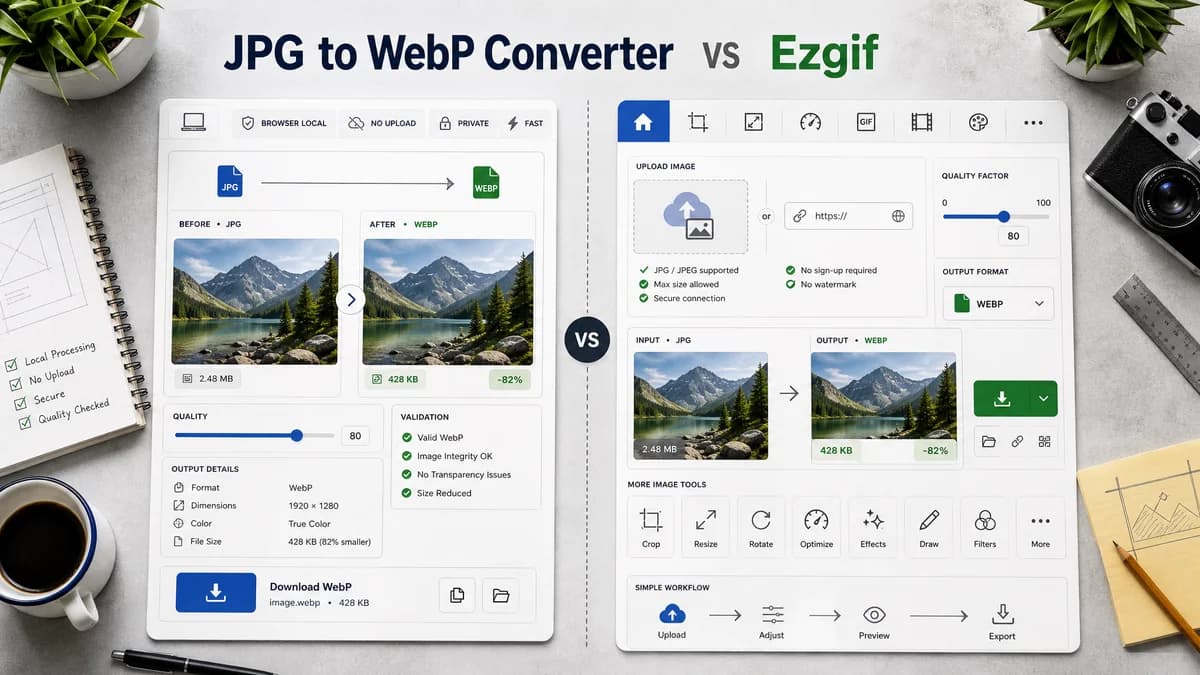
JPG to WebP Converter is the baseline in this comparison: Convert a JPG or JPEG image to WebP in your browser, adjust WebP quality, and verify the output MIME type, .webp filename, dimensions, file size, and generated Blob before download.
Ezgif provides a direct JPG to WebP converter with URL upload support and a 0-100 quality factor.
Quick verdict
Ezgif is a strong utility competitor because it is direct and quality-aware. TextFaker should compete on local processing and testable output details.
How JPG to WebP Converter fits
TextFaker should provide a browser-local JPG/JPEG to WebP converter with a quality slider and stricter result validation, while avoiding the larger editing-tool surface.
How Ezgif fits
Ezgif focuses on free conversion, quality factor control, no signup or watermark messaging, URL input, and connection to other editing tools.
Side-by-side comparison
| Decision point | JPG to WebP Converter | Ezgif | Takeaway |
|---|---|---|---|
| Quality control | Our workflowWebP quality slider behavior is required and testable | Competitor workflowOfficial page describes a 0-100 quality factor | Ezgif confirms quality control is expected for this tool. |
| Source input | Our workflowLocal JPG/JPEG file input | Competitor workflowDevice upload or direct URL input | TextFaker should stay local unless URL input is separately scoped. |
| Privacy model | Our workflowBrowser-local conversion | Competitor workflowOnline utility conversion flow | Local processing differentiates TextFaker. |
| Editing ecosystem | Our workflowConversion-focused page with related internal tools | Competitor workflowPart of a larger image and animation editing suite | Ezgif is broader for follow-up edits. |
| Output checks | Our workflowMIME, .webp filename, dimensions, Blob, deterministic labels | Competitor workflowDownload result after conversion | TextFaker can expose more validation details. |
| Animated scope | Our workflowStatic JPG/JPEG to static WebP | Competitor workflowEzgif also has broad animated WebP tooling elsewhere | Keep TextFaker page static-image scoped. |
Use JPG to WebP Converter when
- Local conversion without URL fetching
- Users who want output correctness checks
- A small focused tool page in TextFaker's image family
Use Ezgif when
- Users who want URL-based source images
- Users who may continue editing with other Ezgif tools
- Users who want a familiar online utility suite
Detailed comparison
Feature Benchmark
Ezgif's quality factor makes it an important benchmark for the WebP quality slider requirement.
- Slider should be labeled clearly as WebP quality.
- Provide current numeric value.
Avoid Scope Creep
Ezgif's surrounding tools include animation and editing. TextFaker should keep this page limited to static JPG/JPEG conversion.
- Do not mention animated WebP unless warning that JPG input produces a still image.
- Keep frame tools separate in internal navigation.
Result Verification
A deterministic result summary can be copied into bug reports or asset QA notes.
- Copy summary should include original filename, output filename, MIME, dimensions, and size if available.
- Download text should not vary by random state.
Generated Images
Use generated static JPEGs for tests; animation fixtures are unnecessary for this page.
- Test WebP output decodes successfully.
- Test quality slider does not change dimensions.
Research notes
- Ezgif's official page describes JPG to WebP conversion, quality factor from 0 to 100, URL upload, no signup, and no watermark messaging.
- This is a direct proprietary competitor.
- This competitor strongly supports adding visible quality controls to TextFaker's tool.
Official source
The only outbound competitor link on this page is placed here for source checking after the comparison.
Official Ezgif source