
Photo Border Maker vs Add White Border
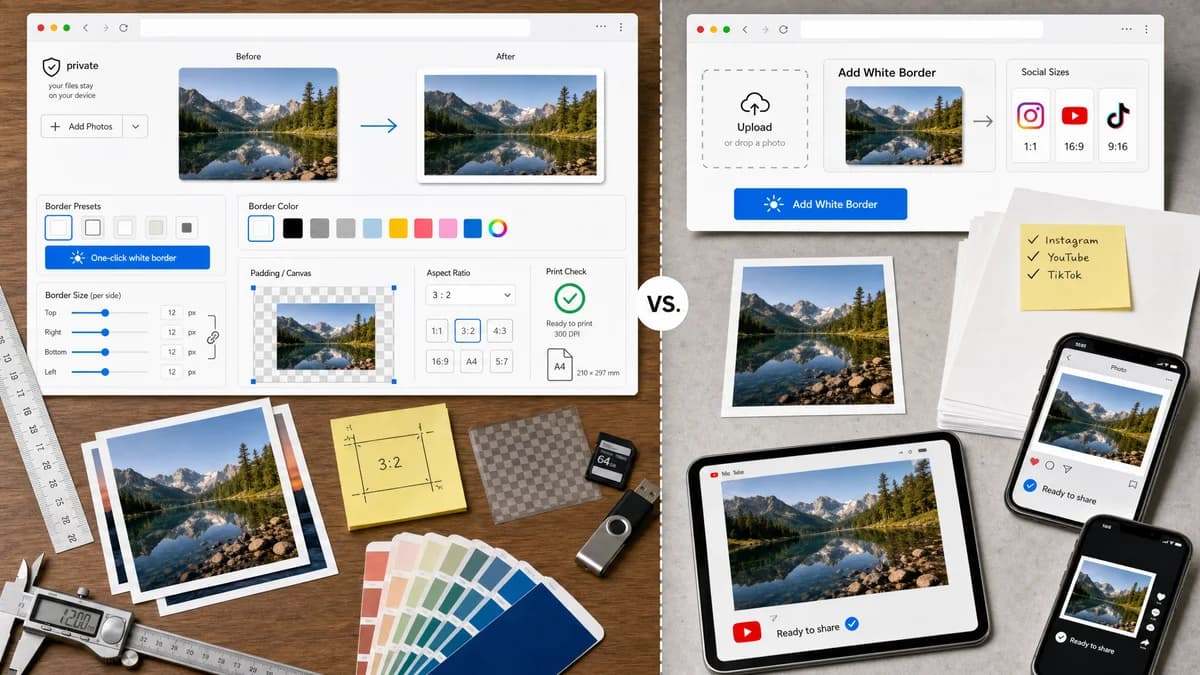
Photo Border Maker is the baseline in this comparison: Add exact photo borders locally with pixel, percent, or print-size controls and download a verified image file with output dimensions and border values.
Add White Border is a free online tool focused on adding white borders to photos for Instagram, YouTube, TikTok, desktop, iPhone, and Android users.
Quick verdict
TextFaker covers the same common white-border use case while adding measurement, privacy, and broader border options.
How Photo Border Maker fits
TextFaker Photo Border Maker includes a one-click white-border preset but also supports exact colors, per-side borders, transparent padding, target aspect ratios, and print validation.
How Add White Border fits
Add White Border is strongest for people who know they want a simple white border for social media and do not need complex controls.
Side-by-side comparison
| Decision point | Photo Border Maker | Add White Border | Takeaway |
|---|---|---|---|
| Core preset | Our workflowWhite border preset plus custom HEX, alpha, sampled color, and transparent modes. | Competitor workflowFocused on white borders for social platforms. | TextFaker matches the common preset and extend it. |
| Platform targets | Our workflowIncludes social aspect presets with exact dimensions and pass/fail checks. | Competitor workflowThe site targets Instagram, YouTube, TikTok, desktop, iPhone, and Android users. | TextFaker turns platform intent into measurable canvas validation. |
| Precision | Our workflowControls include per-side borders, uniform lock, target final size, and border percentage controls. | Competitor workflowThe competitor is intentionally simple and white-border oriented. | TextFaker is better for users with specific requirements. |
| Privacy | Our workflowRuns locally in browser and keeps photos on the device. | Competitor workflowThe official page positions itself as an online tool. | TextFaker is safer for personal photos. |
| Output report | Our workflowShows final pixel size, file type, file size, border values, and validation messages. | Competitor workflowThe competitor's public positioning centers on creating the border, not reporting output metadata. | TextFaker better supports upload forms and tests. |
| Learning curve | Our workflowSlightly more controls, mitigated by presets and live validation. | Competitor workflowVery narrow white-border workflow. | TextFaker must keep the default path simple. |
Use Photo Border Maker when
- White borders plus custom colors and transparency
- Exact target canvas sizes and aspect ratios
- Print and upload validation
- Local browser processing with downloadable files
Use Add White Border when
- Fast white border output
- Instagram, YouTube, and TikTok-oriented border tasks
- Users on phones who want a very narrow tool
- People who do not need print or per-side controls
Detailed comparison
Demand Evidence
A dedicated Add White Border site exists specifically for social-platform white borders. Public discussion around photo borders also repeatedly mentions social posting and avoiding crops.
- White borders are a high-demand default preset.
- The target audience includes phone users, so mobile layout is important.
TextFaker Angle
The first visible preset probably be white border for social, followed by black border, transparent padding, print matte, and custom color.
- Show final social ratio status.
- Offer square and portrait presets.
- Keep one-tap export after upload and preset selection.
Implementation Notes
White-border mode is the simplest deterministic case: add equal or computed border bands around the decoded image and export a new file.
- Default to PNG or JPEG based on source and transparency needs.
- Verify border pixels are white in tests.
- Report exact output width and height.
Risks
A more capable tool can feel slower than a white-border-only site. TextFaker makes the common path immediate and hides advanced options behind clear sections.
- Make white border a preset, not a form users must build manually.
- Use sensible default border sizes.
- Keep all advanced calculations optional.
Research notes
- Add White Border is direct demand evidence for simple white social borders across desktop and mobile platforms.
- The competitor's narrow positioning suggests TextFaker includes a fast default path, not only advanced settings.
- Best comparison framing: broader local border utility versus white-border-only social tool.
Official source
The only outbound competitor link on this page is placed here for source checking after the comparison.
Official Add White Border source