
Photo Border Maker vs Canva Photo Borders
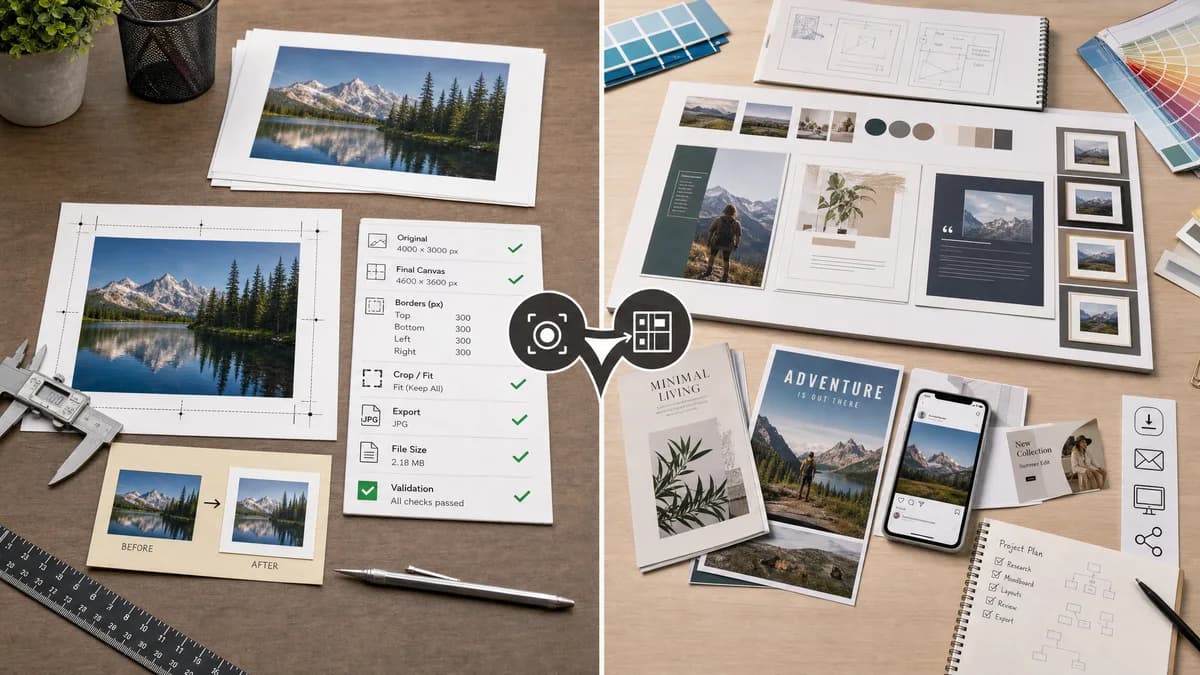
Photo Border Maker is the baseline in this comparison: Add exact photo borders locally with pixel, percent, or print-size controls and download a verified image file with output dimensions and border values.
Canva provides photo borders and frames inside a broader design editor for presentations, social posts, portfolios, branded content, and print-style layouts.
Quick verdict
TextFaker is strongest when the user wants a precise border file quickly, privately, and repeatably; Canva remains better when the border is one small part of a larger design project.
How Photo Border Maker fits
TextFaker Photo Border Maker is a focused browser-local utility for exact border generation with measurable outputs: original dimensions, final canvas size, per-side border values, crop or fit box, export MIME type, file size, and validation messages.
How Canva Photo Borders fits
Canva is stronger for people already building social posts, presentations, or branded layouts because it combines borders with templates, stock assets, text, sharing, and design composition.
Side-by-side comparison
| Decision point | Photo Border Maker | Canva Photo Borders | Takeaway |
|---|---|---|---|
| Primary workflow | Our workflowUpload one or more photos, choose border math, export a measured result. | Competitor workflowOpen a design canvas, place the photo, apply borders or frame elements, then download the design. | TextFaker is faster for utility work; Canva is broader for composition. |
| Deterministic output | Our workflowReports exact original size, final size, border widths, safe-zone status, and export format. | Competitor workflowProvides visual editing controls, but the public feature page emphasizes design flexibility rather than machine-checkable border reports. | TextFaker makes validation a core differentiator. |
| Privacy model | Our workflowRuns locally in the browser without uploading the image. | Competitor workflowCanva is an online design platform with account, cloud, template, and sharing workflows. | Local processing matters for private family, client, or identity photos. |
| Mobile use | Our workflowShould expose large tap targets, numeric steppers, presets, and a simple download path on phones. | Competitor workflowCanva supports browser and app workflows, with mobile border controls documented in help pages. | Both serve mobile users, but TextFaker keeps the task narrower. |
| Border precision | Our workflowEqual or per-side borders in pixels, percentages, inches, or millimeters with DPI-aware print estimates. | Competitor workflowCanva describes color, width, blur, frames, and rounded corners, but not a dedicated print math report. | TextFaker targets exact utility and print-prep use cases. |
| Testing surface | Our workflowAutomated tests assert final dimensions, MIME type, filename, border size fields, and validation messages. | Competitor workflowCanva output quality is primarily assessed visually inside an interactive design environment. | TextFaker fits the site's deterministic tool pattern better. |
Use Photo Border Maker when
- Adding exact pixel borders without entering a full design editor
- Checking final image dimensions before upload or print
- Creating deterministic PNG, JPEG, or WebP outputs that tests verify
- Private browser-local processing for personal photos
Use Canva Photo Borders when
- Designing full social posts or presentations
- Using templates, graphics, text, and brand assets around the photo
- Collaborative design workflows
- Users already committed to Canva projects
Detailed comparison
Demand Evidence
Canva has a dedicated photo borders feature page and multiple help pages for borders, rounded corners, and mobile controls. Public community discussion also shows users asking how to create a keyline or border around photos, often receiving workaround-style instructions.
- Demand includes Instagram white borders, photo portfolio polish, Polaroid-style frames, and simple colored outlines.
- The user problem is not only decorative; people want a repeatable way to make photos fit a visual system.
TextFaker Angle
The TextFaker version does not try to replace Canva's editor. It treats border creation as a file operation with exact numbers and validation.
- Show input dimensions and final dimensions before export.
- Expose per-side border values and canvas fit mode.
- Validation covers for target aspect ratios, print bleed, and safe-zone margins.
Implementation Notes
The core can be implemented with browser image decoding and canvas rendering. A deterministic test image verifies that the exported bitmap has the expected width, height, MIME type, and corner pixel colors.
- Use canvas drawImage after computing destination rectangle.
- Support transparent, solid, and matte backgrounds when the export format allows it.
- For JPEG, flatten transparency over a chosen matte color and report that behavior.
Risks
Canva is much more recognizable and includes many creative frame styles. TextFaker avoids competing on template volume and instead competes on clarity, privacy, and exact output.
- Do not overbuild a design editor.
- Keep border math visible and copyable.
- Avoid aesthetic claims that cannot be tested.
Research notes
- Official Canva pages establish that photo borders, white Instagram borders, width, color, blur, and frame styles are a mainstream consumer workflow.
- A public Canva subreddit thread asks about keylines and borders around photos, indicating users still search for direct border instructions even inside a full design suite.
- Best comparison framing: focused local image utility versus full design platform.
Official source
The only outbound competitor link on this page is placed here for source checking after the comparison.
Official Canva Photo Borders source