
Photo Border Maker vs Picsart Border Tool
Photo Border Maker is the baseline in this comparison: Add exact photo borders locally with pixel, percent, or print-size controls and download a verified image file with output dimensions and border values.
Picsart documents border and frame workflows for photos and stickers, including choosing a border, selecting colors, and adjusting border size or thickness with sliders.
Quick verdict
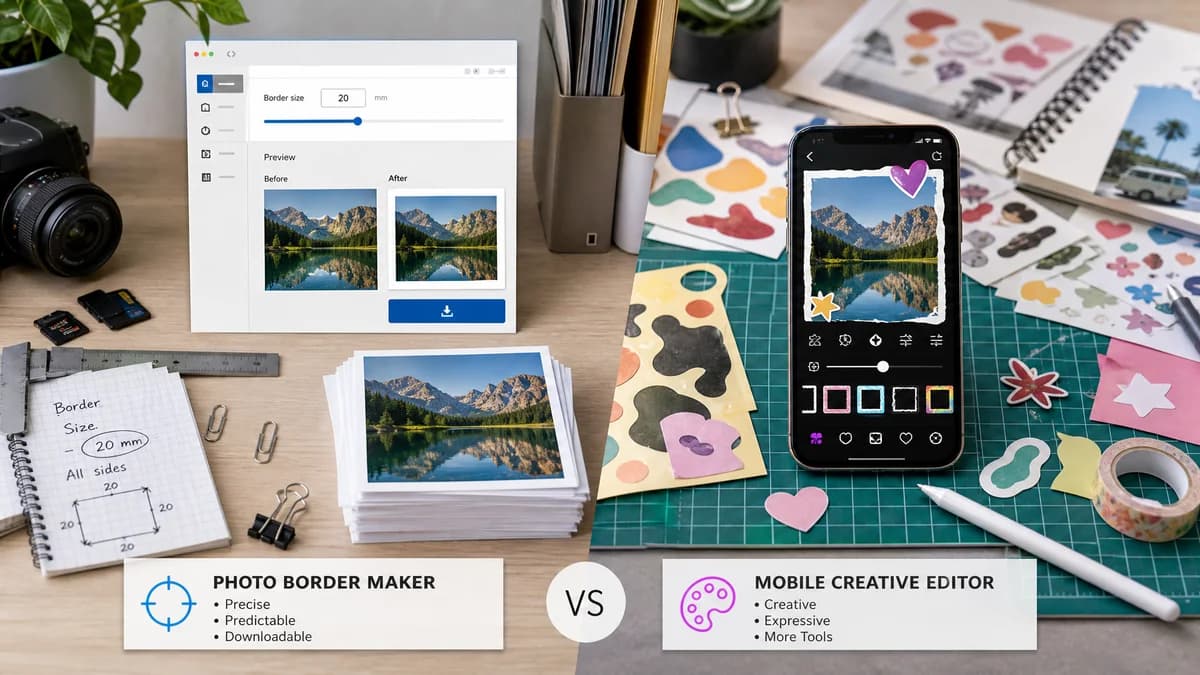
TextFaker serves users who need predictable border output; Picsart is better for playful mobile edits and sticker-style creative workflows.
How Photo Border Maker fits
TextFaker Photo Border Maker provides a browser-based alternative for users who want exact border dimensions and downloadable files without installing or opening a full mobile editor.
How Picsart Border Tool fits
Picsart is stronger for app-first creative editing, stickers, masks, social effects, and users who already edit on mobile with a large creative toolkit.
Side-by-side comparison
| Decision point | Photo Border Maker | Picsart Border Tool | Takeaway |
|---|---|---|---|
| Access model | Our workflowRuns in a web browser and not require installing an app. | Competitor workflowPicsart tutorials emphasize app and editor workflows across phones and computers. | TextFaker is lighter for one-off utility work. |
| Control style | Our workflowNumerical fields for border size, radius, and final canvas dimensions. | Competitor workflowPicsart examples use tool selection, color palettes, sliders, masks, and creative adjustments. | TextFaker is more exact; Picsart is more expressive. |
| Sticker use | Our workflowCan support transparent PNG padding and optional outline export as a deterministic result. | Competitor workflowPicsart has documented sticker border features with color and thickness sliders. | Picsart is strong for stickers, but TextFaker provides exact transparent outputs. |
| Privacy | Our workflowLocal browser processing for selected images. | Competitor workflowPicsart is a creative platform and app ecosystem. | TextFaker has a simpler privacy promise. |
| Print readiness | Our workflowIncludes print-size, DPI, bleed, and safe-zone validation. | Competitor workflowPicsart border tutorials focus on creative framing, not print validation. | TextFaker targets print and upload requirements. |
| Automated tests | Our workflowFixture image plus numeric settings produce predictable output dimensions and pixel bands. | Competitor workflowPicsart's slider-driven creative workflows are less suited to deterministic web-page tests. | TextFaker fits a verifiable utility surface. |
Use Photo Border Maker when
- No-install browser workflows
- Exact pixel and print-unit borders
- Transparent padding and export validation
- Simple repeatable utility output
Use Picsart Border Tool when
- Mobile creative editing
- Sticker borders and decorative masks
- Social-style photo effects
- Users already using Picsart communities or templates
Detailed comparison
Demand Evidence
Picsart has official tutorials for photo borders, border masks, and sticker borders, showing recurring consumer interest in making images and cutouts stand out with borders.
- Sticker border content is relevant for transparent PNG and creator workflows.
- Photo border tutorials show demand for color and border-size adjustment.
TextFaker Angle
The TextFaker tool avoids becoming a mobile effects app. It can instead provide dependable outputs for creators who need exact transparent or solid margins.
- Transparent border mode for PNG stickers.
- Solid matte mode for photos.
- Validation for final file dimensions and alpha behavior.
Implementation Notes
Sticker-like outlines can be a later feature, but simple rectangular borders and rounded-corner clipping are enough for a strong first release.
- Support PNG transparency preservation.
- For JPEG export, flatten transparent input over matte color and explain it.
- Expose output file extension and MIME checks.
Risks
Picsart has stronger creative appeal and app familiarity. TextFaker does not compete on filters, masks, or social effects.
- Keep scope to border and padding math.
- Use practical presets instead of large effect catalogs.
- Make repeatable output the main promise.
Research notes
- Picsart official tutorials establish border controls for photos and stickers, including color and thickness adjustments.
- This is adjacent rather than identical because Picsart is app-first and creative, while TextFaker is browser-local and deterministic.
- Best comparison framing: exact web utility versus mobile creative editor.
Official source
The only outbound competitor link on this page is placed here for source checking after the comparison.
Official Picsart Border Tool source