
Photo Border Maker vs PineTools Blurred Frame Images Generator
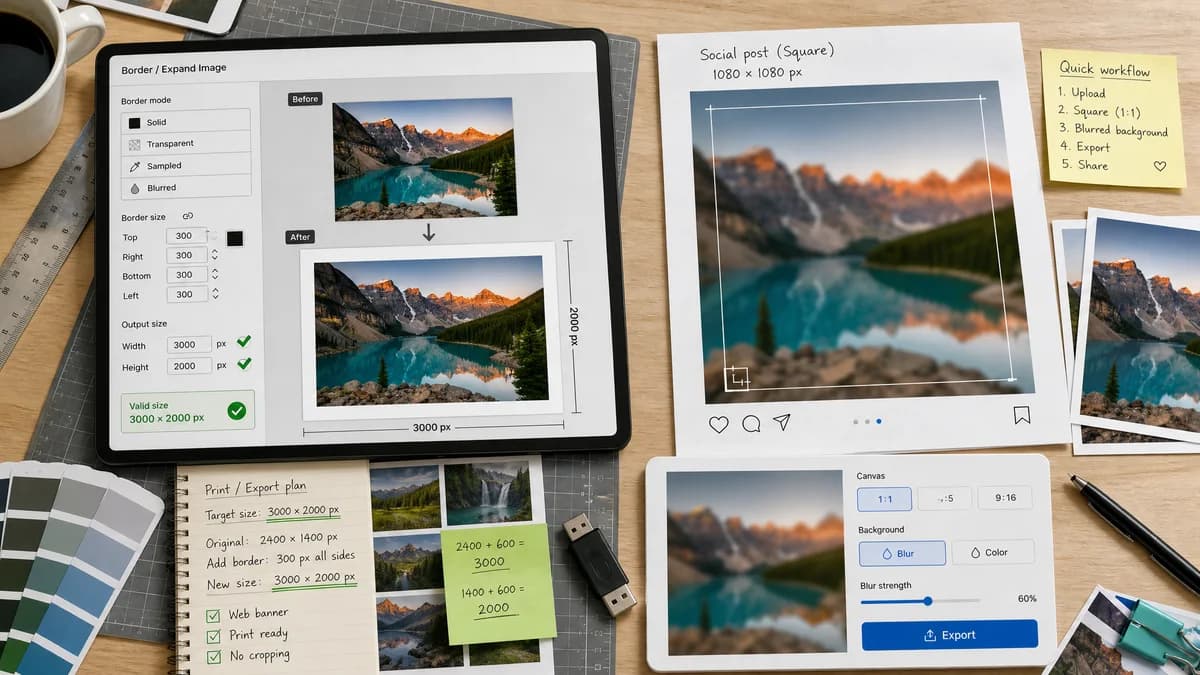
Photo Border Maker is the baseline in this comparison: Add exact photo borders locally with pixel, percent, or print-size controls and download a verified image file with output dimensions and border values.
PineTools offers a blurred frame generator that enlarges images by adding a blurred frame or background, often to make square social images without cropping.
Quick verdict
TextFaker is broader and more exact for border math; PineTools is better when the user specifically wants blurred background padding.
How Photo Border Maker fits
TextFaker Photo Border Maker supports solid, transparent, sampled, and optionally blurred border modes while exposing exact final dimensions and validation checks.
How PineTools Blurred Frame Images Generator fits
PineTools is strong for a specific social workflow: turn an image into a larger or square composition without cropping by adding blurred edges.
Side-by-side comparison
| Decision point | Photo Border Maker | PineTools Blurred Frame Images Generator | Takeaway |
|---|---|---|---|
| Border style | Our workflowSolid, transparent, matte, optional radius, and possible blurred border preset. | Competitor workflowBlurred frame or background added around the original image. | PineTools specializes in blur; TextFaker covers exact border types. |
| Target use | Our workflowPhoto borders for social, print, uploads, and transparent padding. | Competitor workflowSocial profile and square-image padding without cropping. | TextFaker covers more requirements if target canvas modes are included. |
| Measurement | Our workflowReports final size, border widths, fit rectangle, and validation states. | Competitor workflowPineTools page focuses on transformation purpose rather than a detailed output report. | TextFaker is more transparent about geometry. |
| Batch use | Our workflowCould support multiple files later with identical settings and per-file reports. | Competitor workflowPineTools has a separate bulk blurred frame generator. | Batch support is a useful future enhancement for TextFaker. |
| Privacy | Our workflowRuns locally in the browser. | Competitor workflowPineTools is an online tool; local-only processing is not the cited positioning. | TextFaker appeals to privacy-sensitive photo work. |
| Testability | Our workflowSolid-color and transparent border outputs are easy to verify pixel-by-pixel. | Competitor workflowBlurred borders are harder to verify without image-processing tolerances. | TextFaker keeps deterministic solid modes central. |
Use Photo Border Maker when
- Solid and transparent borders with exact sizes
- Print matte and safe-zone calculations
- Per-side border control
- Download validation and local processing
Use PineTools Blurred Frame Images Generator when
- Blurred edge social posts
- Creating square images without cropping
- Simple online utility workflows
- Bulk blurred frame generation when using the batch tool
Detailed comparison
Demand Evidence
PineTools has both single and bulk blurred-frame pages. The official copy names square social images and avoiding cropping, which is a common reason people add borders or padding.
- The social-fit problem is practical, not just decorative.
- Bulk generation suggests repeat workflows for multiple photos.
TextFaker Angle
TextFaker treats blurred frame as an optional mode, not the core. The core is exact border and canvas math.
- Target aspect ratio mode for square, portrait, and story formats.
- Support blurred fill later with deterministic crop and scale metadata.
- Keep solid and transparent modes first for easy verification.
Implementation Notes
Blurred borders can be generated by drawing a cover-scaled version of the image behind a contain-scaled foreground image and applying canvas filters where supported.
- Report background scale, foreground fit rectangle, and blur radius.
- Fallback gracefully if canvas filter support is unavailable.
- For tests, use solid border mode as the primary deterministic path.
Risks
Blur can become subjective and browser rendering can vary. TextFaker makes blurred mode secondary and keeps deterministic outputs through explicit dimensions and metadata.
- Do not require visual judgment for core tests.
- Use exact target sizes and fit boxes.
- Warn when export or canvas filter support is limited.
Research notes
- PineTools directly validates the social padding use case: enlarge images with blurred frames to avoid cropping and create square profile images.
- The separate bulk blurred frame tool suggests repeated multi-image demand.
- Best comparison framing: exact border maker versus specialized blurred social frame utility.
Official source
The only outbound competitor link on this page is placed here for source checking after the comparison.
Official PineTools Blurred Frame Images Generator source