
Open Source Alternatives to Adobe Express
Photo Border Maker is a browser-based alternative for users who need this focused result without installing a proprietary desktop app or entering a larger hosted workflow.
This research compares that workflow with Adobe Express while keeping the outbound source link at the bottom after the analysis.
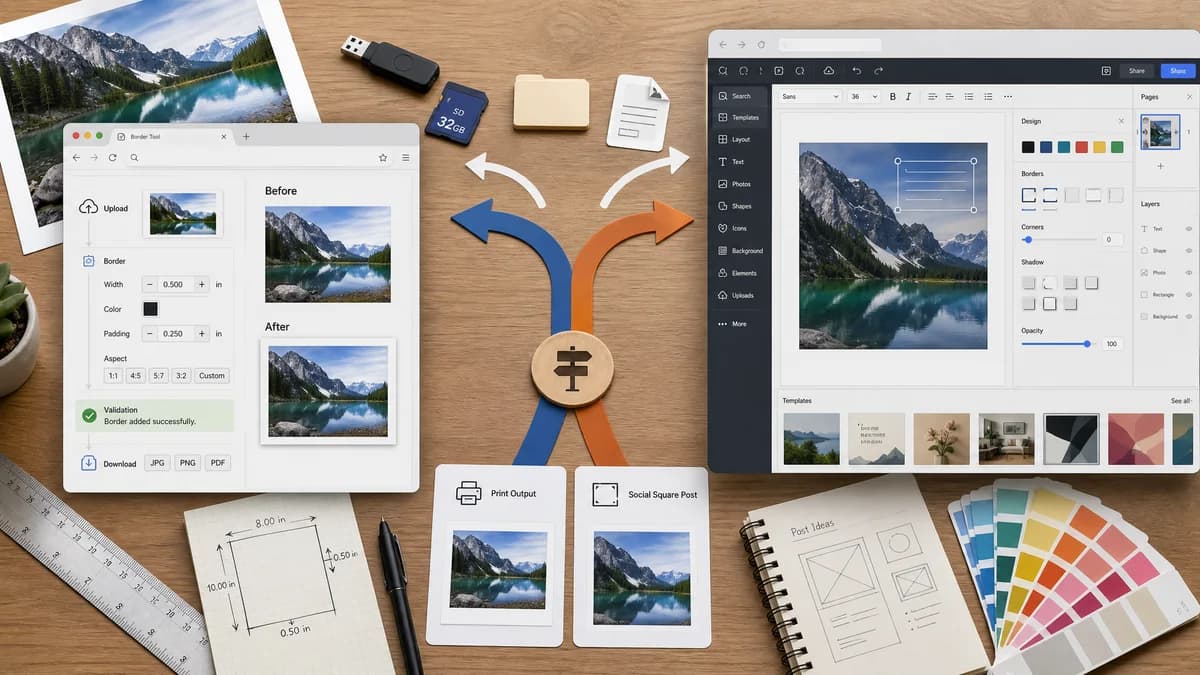
Why Photo Border Maker fits
TextFaker provides a direct upload-to-download path for photo borders, with precise numerical controls and validation messages suitable for print and social assets.
What Adobe Express offers
Adobe Express provides a broad online editor for adding borders, shapes, colors, text, icons, premade options, and additional design edits.
Open alternative signals
Processing model
Photo Border MakerLocal rendering for supported browser-readable images.
Adobe ExpressCloud editor tied to Adobe Express projects.
Workflow speed
Photo Border MakerUpload, set numeric border, validate, download.
Adobe ExpressOpen a design editor, use border or frame tools, and export from a project.
Validation
Photo Border MakerShows pass/fail for target aspect ratio, bleed, safe zone, output pixels, and file size.
Adobe ExpressPrimarily preview-driven with broad editing controls.
Audience
Photo Border MakerGeneral users preparing a bordered photo for print, listings, social posts, or documents.
Adobe ExpressCreators who need a complete design suite.
Decision guide
Private one-off photo border generation with measurable dimensions, safe zones, and exact downloads.
Creative layouts, Adobe ecosystem users, templates, brand content, and mixed-media projects.
Side-by-side open source alternative comparison
| Decision point | Photo Border Maker | Adobe Express | Takeaway |
|---|---|---|---|
| Precision | Our workflowExact border sizes can be entered and copied as data. | Proprietary workflowAdobe Express emphasizes visual composition and premade border elements. | TextFaker owns precise border math. |
| Privacy | Our workflowPhotos stay in the browser for the core workflow. | Proprietary workflowAdobe Express operates as an online design service. | Local processing is a clear alternative for sensitive photos. |
| Output checks | Our workflowCan verify file type, dimensions, and border geometry automatically. | Proprietary workflowThe user mostly judges the design visually. | Automated validation makes the page suitable for TextFaker's tool framework. |
| Scope | Our workflowFocused border, padding, crop, and print-safe output. | Proprietary workflowText, icons, templates, animations, and brand workflows. | TextFaker avoids competing on full creative-suite breadth. |
| Mobile | Our workflowResponsive controls designed around numeric steppers and presets. | Proprietary workflowMobile-capable Adobe app/editor experience with many panels. | A narrow mobile workflow can be easier for a quick border task. |
| Repeatability | Our workflowSettings can be serialized into copy-ready JSON or query state for repeat jobs. | Proprietary workflowProject state lives inside Adobe Express. | Repeatable local presets are a useful differentiator. |
Detailed research
Demand Angle
Adobe forum questions around simple borders show that users may not always want a design-suite workaround. A small utility satisfies the narrow task directly.
- Include presets for simple solid border, mat border, Polaroid-style bottom border, and transparent padding.
- Show exact before and after dimensions immediately after upload.
Implementation Notes
The deterministic core can be implemented with image decode, canvas drawImage, rectangle fill, optional crop/fit, and Blob export.
- Validate that left plus right border changes width exactly as expected.
- Validate that JPEG export flattens transparency over the chosen matte color.
Risk
Adobe Express has strong brand recognition and creative breadth. TextFaker does not position as a full replacement.
- Position around privacy, precision, and no-project quick export.
Page Content
The comparison page can explain when a focused browser utility is enough and when Adobe Express is the better choice.
- Mention open standards such as PNG, JPEG, WebP, CSS color values, and Canvas-based browser rendering.
Research notes
- Official Adobe Express pages describe adding borders with shapes, colors, text, icons, and premade options, then downloading or continuing to edit.
- Adobe Community users ask how to add a simple coloured border in the new app, showing a practical gap for a single-purpose workflow.
- Adobe Express Photos help describes frames in Basic, Edges, and Classic Frames categories.
Official source
The proprietary product link is included once here for source checking after the alternative analysis.
Official Adobe Express source