
Open Source Alternatives to BeFunky
Photo Border Maker is a browser-based alternative for users who need this focused result without installing a proprietary desktop app or entering a larger hosted workflow.
This research compares that workflow with BeFunky while keeping the outbound source link at the bottom after the analysis.
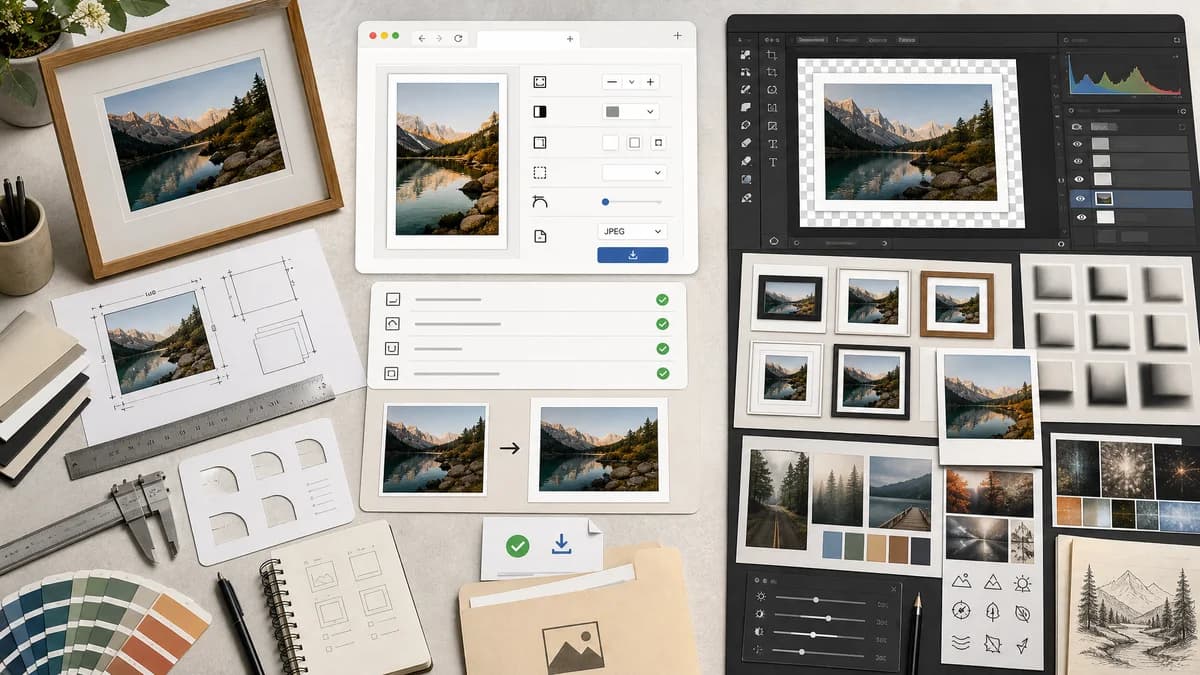
Why Photo Border Maker fits
TextFaker makes borders predictable: set width, color, inner/outer mat, fit mode, corner radius, and output format, then download with a structured validation report.
What BeFunky offers
BeFunky offers a full creative platform with photo frames, borders of any width and color, drop shadows, Polaroid frames, and broader editing/design features.
Open alternative signals
Feature depth
Photo Border MakerFocused border and print-safe validation.
BeFunkyPhoto editor, collage maker, graphic designer, effects, frames, and templates.
Deterministic fields
Photo Border MakerPer-side border, inner mat, output dimensions, safe-zone status, and file metadata.
BeFunkyEditor settings are richer but less structured for automated validation.
Privacy
Photo Border MakerLocal browser processing for supported images.
BeFunkyHosted online creative platform.
Print utility
Photo Border MakerCan calculate 4x6, 5x7, A4, square, and custom print margins.
BeFunkyOffers matte border tutorials and visual framing workflows.
Decision guide
Users who need exact borders, print margins, private local processing, and validation messages.
Users who want a broad editor with effects, collage, templates, decorative frames, and creative assets.
Side-by-side open source alternative comparison
| Decision point | Photo Border Maker | BeFunky | Takeaway |
|---|---|---|---|
| Border control | Our workflowPrecise numeric width per side and optional linked values. | Proprietary workflowBorders and frame settings inside a visual editor. | TextFaker reduces ambiguity for users preparing files. |
| Decorative frames | Our workflowBasic presets only, centered on measurable output. | Proprietary workflowLarge frame and effects catalog. | BeFunky remains better for creative styling. |
| Validation | Our workflowThe tool shows exact pass/fail for target size, bleed, and safe-zone requirements. | Proprietary workflowUser checks visually in editor. | Validation is a core differentiator. |
| Export | Our workflowDownload PNG/JPEG/WebP and report Blob size and MIME type. | Proprietary workflowExport is part of the full BeFunky project workflow. | A simple download path fits utility intent. |
| Mobile simplicity | Our workflowSingle-screen controls can be touch-first. | Proprietary workflowFull editor interface may require more navigation. | TextFaker is faster on phones for a single border. |
| Repeat use | Our workflowCan store local presets in browser storage without account dependency. | Proprietary workflowBeFunky supports broader project and account workflows. | Local presets support repeatable border jobs. |
Detailed research
Demand Angle
BeFunky's own content around photo borders for framing and home decor confirms a print-oriented use case beyond social media decoration.
- Include mat-border presets with different top/side/bottom sizes.
- Add print-size calculators tied to border output.
Implementation Notes
The browser implementation separates source-image rectangle, border rectangle, crop rectangle, safe zone, and export rectangle so the UI and tests can read the same model.
- Represent crop as x, y, width, height in source pixels.
- Represent border as top, right, bottom, left in output pixels.
QA Path
Tests avoids judging whether a border is attractive and instead verify geometry and file properties.
- Assert output dimensions and sampled border color at deterministic coordinates.
- Assert transparent export only when PNG/WebP alpha is selected.
Positioning
The alternative page is clear that BeFunky is a fuller creative platform, while TextFaker is a precise, browser-local utility.
Research notes
- BeFunky's official page says users can frame images with borders of any width and color.
- BeFunky support explains frame categories and settings such as color overlay, blend mode, orientation, position, and opacity.
- BeFunky learning content describes matte photo borders for framing and home decor.
Official source
The proprietary product link is included once here for source checking after the alternative analysis.
Official BeFunky source