
Open Source Alternatives to Pixelied
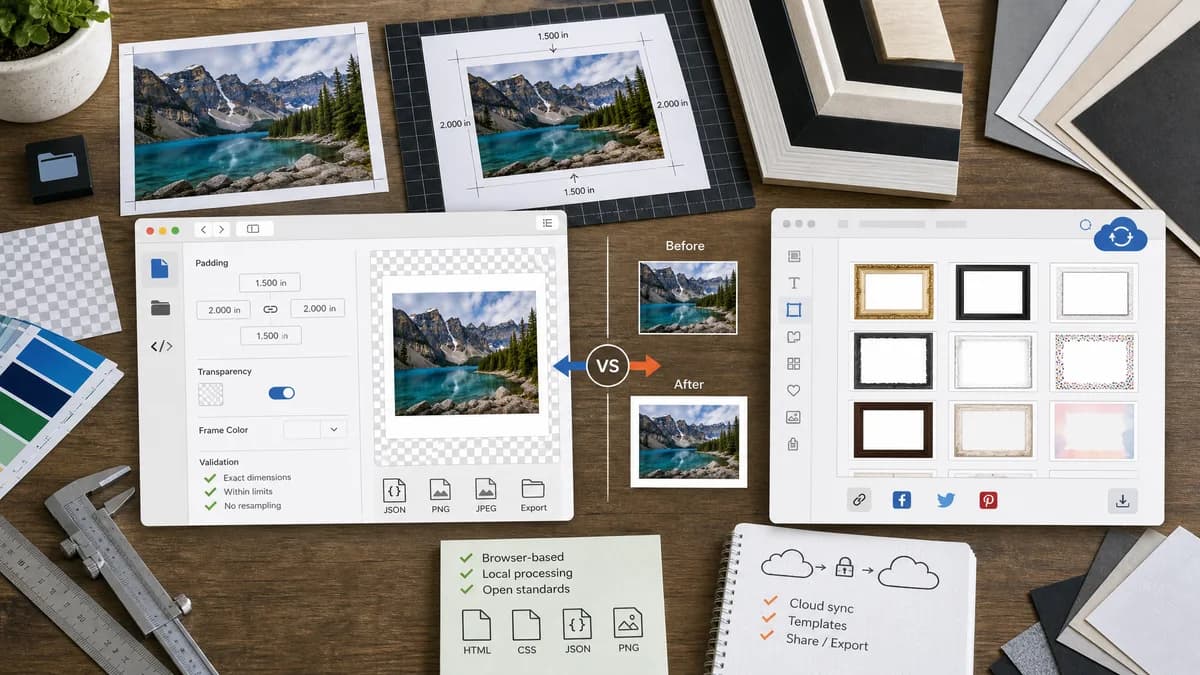
Photo Border Maker is a browser-based alternative for users who need this focused result without installing a proprietary desktop app or entering a larger hosted workflow.
This research compares that workflow with Pixelied while keeping the outbound source link at the bottom after the analysis.
Why Photo Border Maker fits
TextFaker provides precise photo padding and frame generation with transparent, color, and print-mat options while keeping the workflow local and testable.
What Pixelied offers
Pixelied offers a free frame creator with a collection of professionally designed frames and borders for social sharing and graphic design.
Open alternative signals
Design assets
Photo Border MakerSmall deterministic preset set.
PixeliedProfessionally designed frame collection.
Processing
Photo Border MakerLocal canvas generation for source images.
PixeliedOnline design editor.
Result data
Photo Border MakerExact output dimensions, border sizes, colors, and validation statuses.
PixeliedFrame selection and visual design workflow.
Best workflow
Photo Border MakerQuick utility export.
PixeliedBroader graphic design project.
Decision guide
Users who want exact border values, downloadable output, and no hosted design workflow.
Users who want designed frames, brand graphics, and a broader online design editor.
Side-by-side open source alternative comparison
| Decision point | Photo Border Maker | Pixelied | Takeaway |
|---|---|---|---|
| Frame selection | Our workflowFocused presets such as solid, mat, Polaroid, transparent padding, and rounded border. | Proprietary workflowWide frame collection and design assets. | Pixelied is stronger for style variety. |
| Precision | Our workflowNumeric values are central to the UI and result summary. | Proprietary workflowVisual design controls are central. | TextFaker appeals to people who need exact geometry. |
| Privacy | Our workflowSource file stays local in the browser. | Proprietary workflowHosted editor workflow. | Local processing is a meaningful alternative for personal photos. |
| Validation | Our workflowFlags wrong target aspect ratio, insufficient source pixels, or unsafe bleed margin. | Proprietary workflowThe user inspects the composition visually. | Validation makes TextFaker more utility-like. |
| Mobile | Our workflowSingle purpose controls reduce panel switching. | Proprietary workflowFull web editor may be more complex on small screens. | TextFaker is optimized for phones. |
| Output | Our workflowDownload with filename, extension, MIME, dimensions, and file size report. | Proprietary workflowDownload from an editor after design creation. | The final artifact be verifiable. |
Detailed research
Demand Angle
Pixelied's official pages validate demand for frame and border options around photos, especially for social and branded content.
- Social presets are offered while keeping result math explicit.
- Allow user-defined output canvas size to match templates elsewhere.
Implementation Notes
The tool uses a shared calculation model for preview and export to avoid drift between UI preview and downloaded image.
- Calculate contain, cover, stretch, and no-scale modes deterministically.
- Show the crop box when cover mode is used.
Testing
Use fixture images and compare result dimensions and sampled pixels rather than screenshots.
- Assert rounded-corner transparent pixels only for output formats that preserve alpha.
Positioning
The page can say Pixelied is better when users want a design library, while TextFaker is better when the desired result is a precise bordered image file.
Research notes
- Pixelied's official page describes a large frame and border collection designed for many styles and occasions.
- Pixelied's editor positioning includes image editing, branded designs, and social/blog content creation.
- Official Pixelied crop-image content also mentions trimming photos and adding borders to highlight a subject.
Official source
The proprietary product link is included once here for source checking after the alternative analysis.
Official Pixelied source