
Open Source Alternatives to Snapseed
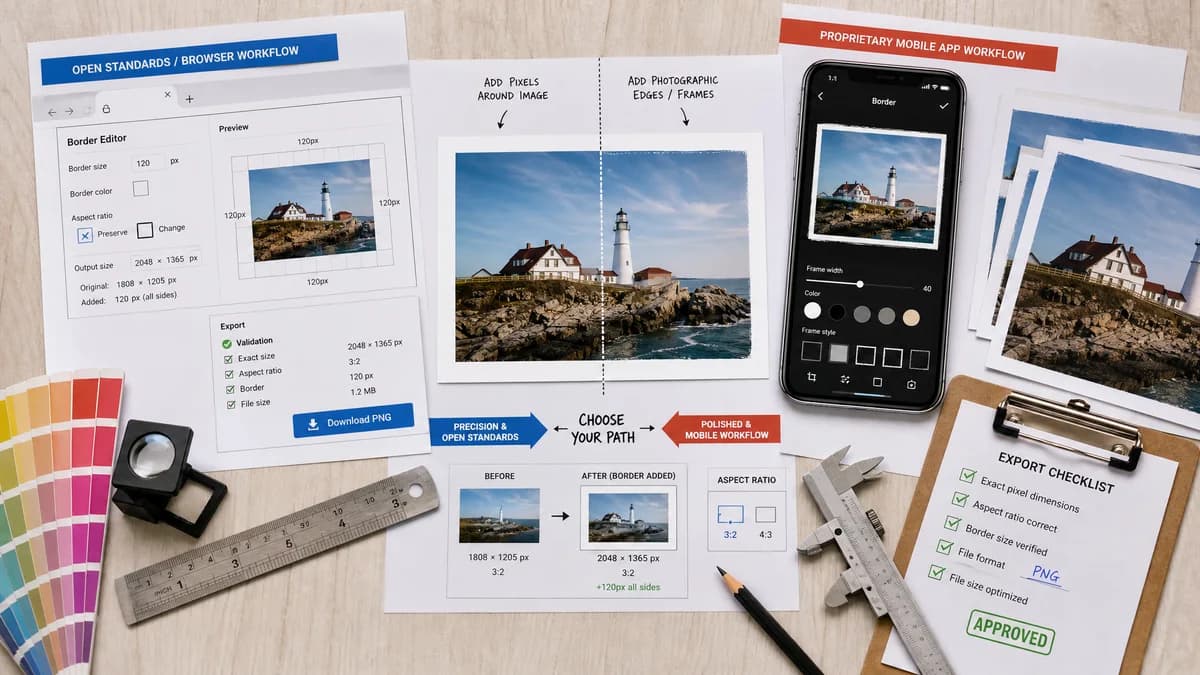
Photo Border Maker is a browser-based alternative for users who need this focused result without installing a proprietary desktop app or entering a larger hosted workflow.
This research compares that workflow with Snapseed while keeping the outbound source link at the bottom after the analysis.
Why Photo Border Maker fits
TextFaker provides the parts users need from a frame workflow: add pixels around an image, choose color and size, preserve or change aspect ratio, and export with exact validation.
What Snapseed offers
Snapseed Frames adds photographic edges or borders to images and adds pixels so the frame can show more of the image, with controls to customize the result.
Open alternative signals
Side control
Photo Border MakerIndependent top, right, bottom, and left border values.
SnapseedFrames are controlled within Snapseed's filter workflow.
Output data
Photo Border MakerShows exactly how many pixels were added and where.
SnapseedPrimarily app preview and filter controls.
Install model
Photo Border MakerMobile browser page.
SnapseedNative mobile app.
Validation
Photo Border MakerPass/fail messages show for target dimensions and aspect ratios.
SnapseedCreative editing app feedback.
Decision guide
Exact border dimensions, local web use, print/social validation, and deterministic export metadata.
General mobile photo editing with filters, effects, and Snapseed's native editing workflow.
Side-by-side open source alternative comparison
| Decision point | Photo Border Maker | Snapseed | Takeaway |
|---|---|---|---|
| Border behavior | Our workflowUser chooses exact per-side or linked borders. | Proprietary workflowFrames add a proportionate amount of pixels and use app controls. | TextFaker solves the independent-side control problem explicitly. |
| Photo editing | Our workflowBorder and frame utility only. | Proprietary workflowFull mobile photo editor with many tools. | Snapseed is better for general editing. |
| Predictability | Our workflowExact output dimensions and added-pixel report. | Proprietary workflowFrame output is edited visually. | TextFaker is stronger for file-prep tasks. |
| Privacy | Our workflowLocal browser processing for supported images. | Proprietary workflowNative local app workflow from Google. | Both avoid a full cloud design editor; TextFaker adds web convenience. |
| Mobile access | Our workflowNo install, bookmarkable page. | Proprietary workflowApp install required. | TextFaker is useful when users cannot or do not want to install an app. |
| Testing | Our workflowAutomated tests verify side-specific border math. | Proprietary workflowExternal automated validation is not practical. | This aligns well with TextFaker's deterministic tool requirement. |
Detailed research
Demand Angle
Snapseed's official Frames feature validates that mobile users want photographic borders, while public discussion shows frustration when side-specific expansion is not predictable enough.
- Make independent side controls prominent.
- Include a linked-side toggle for simple equal borders.
Implementation Notes
The simplest implementation adds pixels around the decoded source image. A separate fit-to-target mode adds calculated padding based on aspect ratio.
- Distinguish user border from calculated padding in the result summary.
- Provide undo/reset without relying on a complex edit history.
Testing
Fixture tests apply asymmetric borders and verify the new canvas size and sampled edge colors.
- Example: 100 x 80 source plus 10/20/30/40 borders yields 160 x 120 output.
Positioning
The comparison page describes Snapseed as a great general mobile editor and TextFaker as a precise web utility for borders.
Research notes
- Google Snapseed help says Frames adds a photographic edge or border and adds a proportionate amount of pixels to the image.
- A public Snapseed discussion asks about increasing image size by adding black/white/infilling on sides and wanting independent horizontal or vertical border control.
- This highlights demand for explicit side control and predictable border behavior.
Official source
The proprietary product link is included once here for source checking after the alternative analysis.
Official Snapseed source