
Open Source Alternatives to VistaCreate
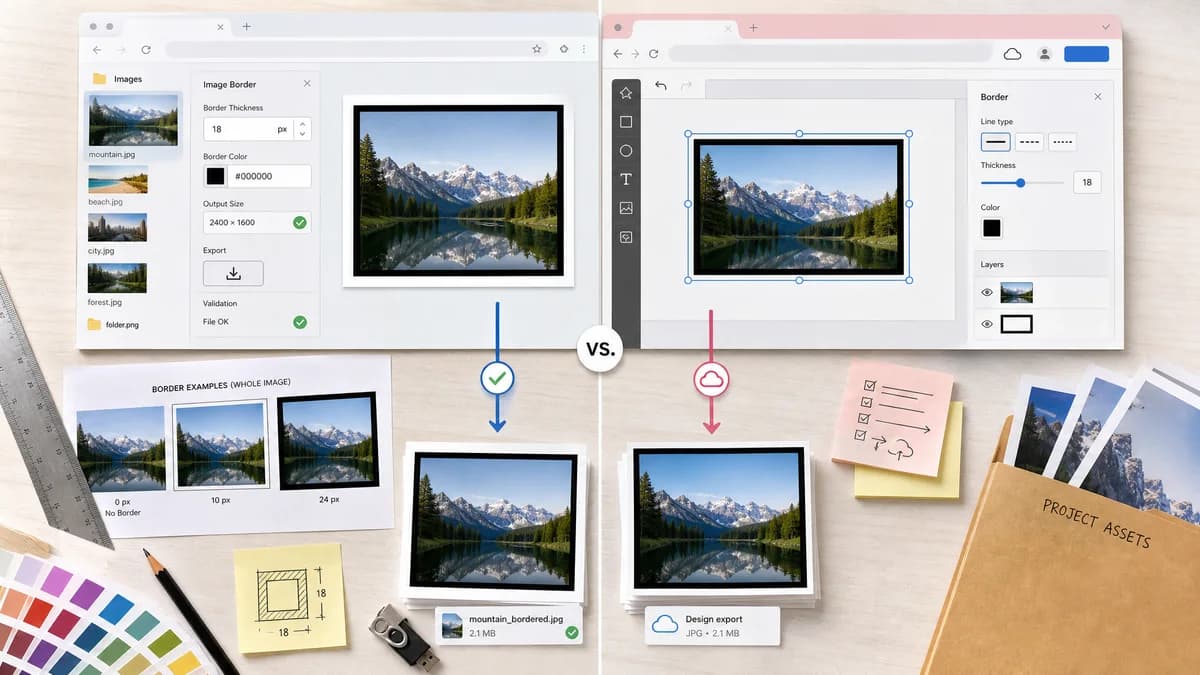
Photo Border Maker is a browser-based alternative for users who need this focused result without installing a proprietary desktop app or entering a larger hosted workflow.
This research compares that workflow with VistaCreate while keeping the outbound source link at the bottom after the analysis.
Why Photo Border Maker fits
TextFaker lets users add a border around a whole image or fitted image layer with numeric thickness, color, and output-size validation.
What VistaCreate offers
VistaCreate's support page describes adding borders to photos or objects with line type, thickness, and color in its design editor.
Open alternative signals
Editor model
Photo Border MakerSingle-purpose local image border export.
VistaCreateTemplate and artboard-based online design editor.
Controls
Photo Border MakerPer-side border widths, exact color values, fit mode, output dimensions.
VistaCreateLine type, thickness, color, and object-level border controls.
Validation
Photo Border MakerMachine-readable dimensions, border geometry, and file checks.
VistaCreateVisual design workflow.
Privacy
Photo Border MakerSource image remains local.
VistaCreateCloud editor project workflow.
Decision guide
Exact photo borders, no-upload processing, and deterministic print/social validation.
Complete design projects, templates, animated designs, and object-level editing.
Side-by-side open source alternative comparison
| Decision point | Photo Border Maker | VistaCreate | Takeaway |
|---|---|---|---|
| Border target | Our workflowWhole image, crop area, or fitted photo rectangle with explicit coordinates. | Proprietary workflowPhoto or object inside a design artboard. | TextFaker is clearer about which rectangle receives the border. |
| Design features | Our workflowMinimal presets and utility controls. | Proprietary workflowTemplates, artboards, object styling, and animated designs. | VistaCreate is better for full design creation. |
| Output confidence | Our workflowReports exact download dimensions and validation statuses. | Proprietary workflowUser exports from the project after visual editing. | TextFaker is better for measurable outputs. |
| Mobile | Our workflowSimple responsive form and preview. | Proprietary workflowFull editor experience. | Keep mobile controls compact and direct. |
| Print prep | Our workflowCan check DPI, physical size, bleed, and safe zones. | Proprietary workflowGeneral design editor features. | Print validation is a niche advantage. |
| Repeatability | Our workflowCopyable settings support repeated border jobs. | Proprietary workflowProject/template reuse inside VistaCreate. | Different repeat-use models be explained. |
Detailed research
Demand Angle
VistaCreate's official support for borders around photos or objects validates that border controls are a common design need.
- Support both outer canvas border and inner stroke modes.
- Clearly label whether border increases canvas size or overlays inside existing dimensions.
Implementation Notes
Overlay border and expand-canvas border are different deterministic modes and be implemented as separate options.
- Overlay mode keeps output dimensions unchanged.
- Expand mode increases dimensions by border sums.
Testing
Tests uses identical inputs to verify overlay mode preserves dimensions while expand mode increases dimensions.
- Check sampled edge pixels for overlay border color.
- Check corner pixels and final dimensions for expand mode.
Positioning
A fair comparison describes VistaCreate as a better option for template-driven design projects.
Research notes
- VistaCreate official help describes photo/object borders with line type, thickness, and color.
- VistaCreate official image-editing help covers editing selected photos inside the artboard.
- VistaCreate blog content describes using photo frames in design templates, showing broader template demand.
Official source
The proprietary product link is included once here for source checking after the alternative analysis.
Official VistaCreate source