
PNG to JPG Converter vs Adobe Express
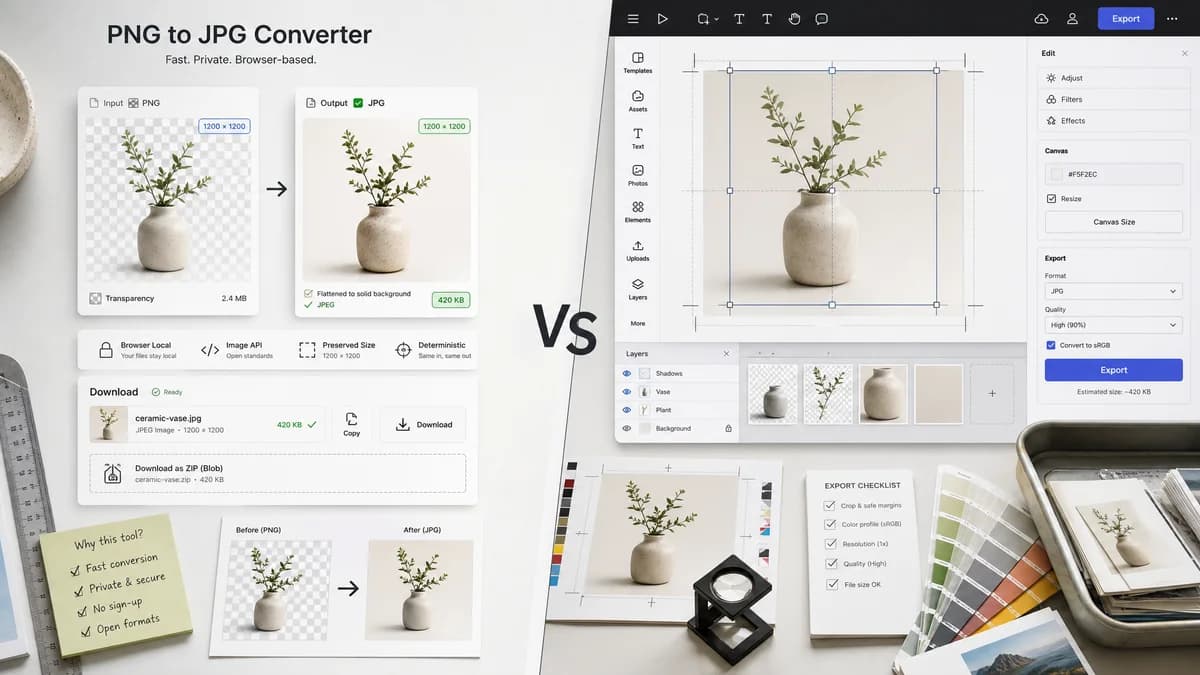
PNG to JPG Converter is the baseline in this comparison: Convert a PNG image to JPG in your browser, choose the JPEG quality and matte color for transparency, then confirm image/jpeg MIME, .jpg filename, dimensions, file size, and Blob status before download.
A browser-local PNG to JPG page can serve users who only need predictable JPEG conversion instead of a full design workspace.
Quick verdict
PNG to JPG Converter is the better fit when the job is a focused browser-local PNG to JPG conversion with visible JPEG output checks and explicit transparency flattening. Adobe Express is still a better fit when the user needs the broader commercial design platform and online image converter workflow around the same conversion.
How PNG to JPG Converter fits
TextFaker can position the PNG to JPG Converter as a narrow browser-based utility powered by browser image APIs and open image standards. It should accept PNG input, flatten alpha against a default or user-selected matte, export image/jpeg, preserve dimensions, create a downloadable Blob, and show deterministic copy/download text.
How Adobe Express fits
Adobe Express provides a PNG to JPG converter inside Adobe's broader online design and editing product.
Side-by-side comparison
| Decision point | PNG to JPG Converter | Adobe Express | Takeaway |
|---|---|---|---|
| Privacy posture | Our workflowKeep file decoding, canvas drawing, alpha flattening, and JPEG Blob generation in the browser. | Competitor workflowAdobe Express is a hosted web service. | Lead with local processing for private screenshots, product images, and UI assets. |
| JPEG validation | Our workflowShow MIME, extension, dimensions, size, and Blob status after conversion. | Competitor workflowAdobe emphasizes upload, convert, and download. | Objective output checks differentiate TextFaker from design-led tools. |
| Alpha behavior | Our workflowFlatten transparent PNG pixels over a selected matte before JPEG encoding. | Competitor workflowTransparency behavior is not the central product promise. | Clear matte handling prevents unexpected backgrounds. |
| Workflow fit | Our workflowSingle upload, convert, copy details, download .jpg. | Competitor workflowConversion sits near editing and template workflows. | A dedicated page is faster for utility conversion tasks. |
| Implementation reuse | Our workflowReuse Image Format Converter core and JPG-to-PNG adapter style. | Competitor workflowExternal proprietary implementation. | Keep behavior consistent across TextFaker's image conversion family. |
| Testing | Our workflowAssert image/jpeg output, .jpg filename, same width and height, generated Blob, and stable copy labels. | Competitor workflowExternal service behavior is observed through its UI. | TextFaker can publish a stricter conversion contract. |
Use PNG to JPG Converter when
- Browser-local PNG to JPG conversion for private or unpublished images.
- Checking image/jpeg MIME, .jpg filename, dimensions, file size, and generated Blob details after conversion.
- Flattening transparent PNG pixels against an explicit matte before downloading the JPG.
Use Adobe Express when
- Users who want design editing, templates, Adobe Express workflows, and creative account features.
- Users who already work inside Adobe Express or need its broader hosted workflow.
- Cases where account-based, batch, editor, cloud, marketplace, or multi-format features matter more than a focused local utility.
Detailed comparison
Positioning
Frame TextFaker as a lightweight utility rather than an Adobe Express replacement. Adobe is better for design work; TextFaker should be better for direct local conversion with visible output facts.
- Use default white matte with a visible color control.
- Report dimensions before and after conversion.
- Use deterministic labels such as Download JPG and Copy JPG details.
Validation Focus
Test opaque and transparent PNG fixtures. Confirm the generated file is a real JPEG Blob rather than a renamed PNG.
- Blob.type equals image/jpeg.
- Suggested filename ends in .jpg.
- Output dimensions match input dimensions.
Transparency Copy
The page should state that JPEG cannot preserve PNG transparency, so transparent and semi-transparent pixels are flattened onto the chosen matte.
SEO Fit
The alternative page can target users who want a simpler Adobe Express alternative for PNG to JPG conversion without entering a design workspace.
Research notes
- Official Adobe page confirms a dedicated PNG to JPG converter.
- Do not claim TextFaker is open source unless a public source license is proven; describe the workflow as browser-based and open-source-powered.
- Adobe Express is proprietary software in the online design platform category.
Official source
The only outbound competitor link on this page is placed here for source checking after the comparison.
Official Adobe Express source