
PNG to WebP Converter vs Ezgif
PNG to WebP Converter is the baseline in this comparison: Convert PNG images to WebP locally with image/webp output checks, .webp filenames, preserved dimensions, transparency handling, and adjustable quality.
Ezgif converts PNG and APNG images to WebP, emphasizing file-size reduction, transparency, animation support, and adjustable quality.
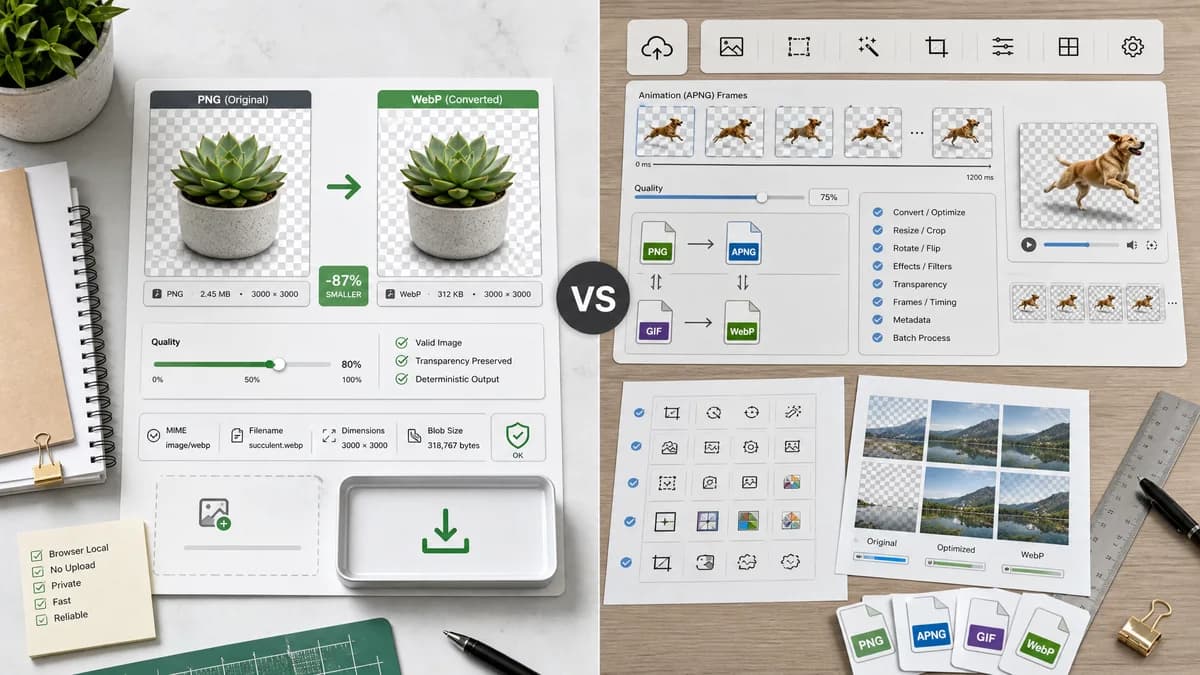
Quick verdict
TextFaker differentiate through browser-local conversion and deterministic validation. Ezgif is stronger for animated PNG/APNG conversion and broader GIF/WebP utilities.
How PNG to WebP Converter fits
TextFaker cover static PNG to WebP locally and validate transparent PNG handling, output MIME, filename, dimensions, generated Blob, and quality slider behavior.
How Ezgif fits
Ezgif is a strong adjacent tool because it explicitly mentions PNG/APNG, transparency, and adjustable quality. It also supports broader animated image workflows.
Side-by-side comparison
| Decision point | PNG to WebP Converter | Ezgif | Takeaway |
|---|---|---|---|
| Static versus animated scope | Our workflowDedicated static PNG to WebP converter unless existing shared library supports animation. | Competitor workflowSupports PNG and APNG to WebP conversion. | TextFaker be clear about static browser-readable PNG input. |
| Transparency | Our workflowTransparent PNG handling is an explicit objective validation requirement. | Competitor workflowEzgif explicitly highlights full alpha transparency support. | This is a parity area; TextFaker must test it well. |
| Quality | Our workflowQuality slider regenerate WebP output and be covered by tests. | Competitor workflowAdjustable quality is a visible Ezgif feature. | Quality control is table stakes for this page. |
| Privacy model | Our workflowLocal browser conversion. | Competitor workflowOnline image utility workflow. | TextFaker can compete on no-upload processing. |
| Output proof | Our workflowDisplays image/webp MIME, .webp filename, dimensions, and Blob status. | Competitor workflowFocuses on conversion and download/edit workflow. | TextFaker can be more inspection-oriented. |
| Adjacent tools | Our workflowPart of TextFaker's browser-local image converter family. | Competitor workflowPart of Ezgif's broad animated image editing suite. | Ezgif remains better for animation-heavy workflows. |
Use PNG to WebP Converter when
- Static PNG to WebP conversion without upload
- Deterministic validation for browser-generated WebP files
- Users converting transparent static assets
Use Ezgif when
- APNG to animated WebP workflows
- Users who need Ezgif's broader animation tools
- Online editing and conversion around GIF/WebP assets
Detailed comparison
Strong Feature Benchmark
Ezgif is one of the most relevant competitors because it explicitly names quality, transparency, APNG, and WebP compression. TextFaker meet the static PNG portions of that expectation.
Animation Boundary
The requested TextFaker tool is PNG to WebP, not APNG to animated WebP. If animated PNG is not supported by the shared converter, the page avoid implying animation preservation.
Transparency QA
Transparent PNG support is tested with semi-transparent and fully transparent pixels if feasible. A simple alpha fixture is enough to prove that the WebP path is not flattening like PNG to JPG.
Quality QA
Ezgif's adjustable quality means users expect a similar control. TextFaker expose quality as a direct WebP slider rather than burying it in advanced settings.
- Quality value is copied into result text.
- Changing quality invalidates or regenerate the previous Blob.
Research notes
- Ezgif states that PNG and APNG can be converted to WebP and mentions adjustable quality and transparency.
- TextFaker avoid claiming APNG support unless implemented and tested separately.
- Transparent PNG handling is one of the highest-value comparison points for this tool.
Official source
The only outbound competitor link on this page is placed here for source checking after the comparison.
Official Ezgif source