
Open Source Alternatives to Pixelied
PNG to WebP Converter is a browser-based alternative for users who need this focused result without installing a proprietary desktop app or entering a larger hosted workflow.
This research compares that workflow with Pixelied while keeping the outbound source link at the bottom after the analysis.
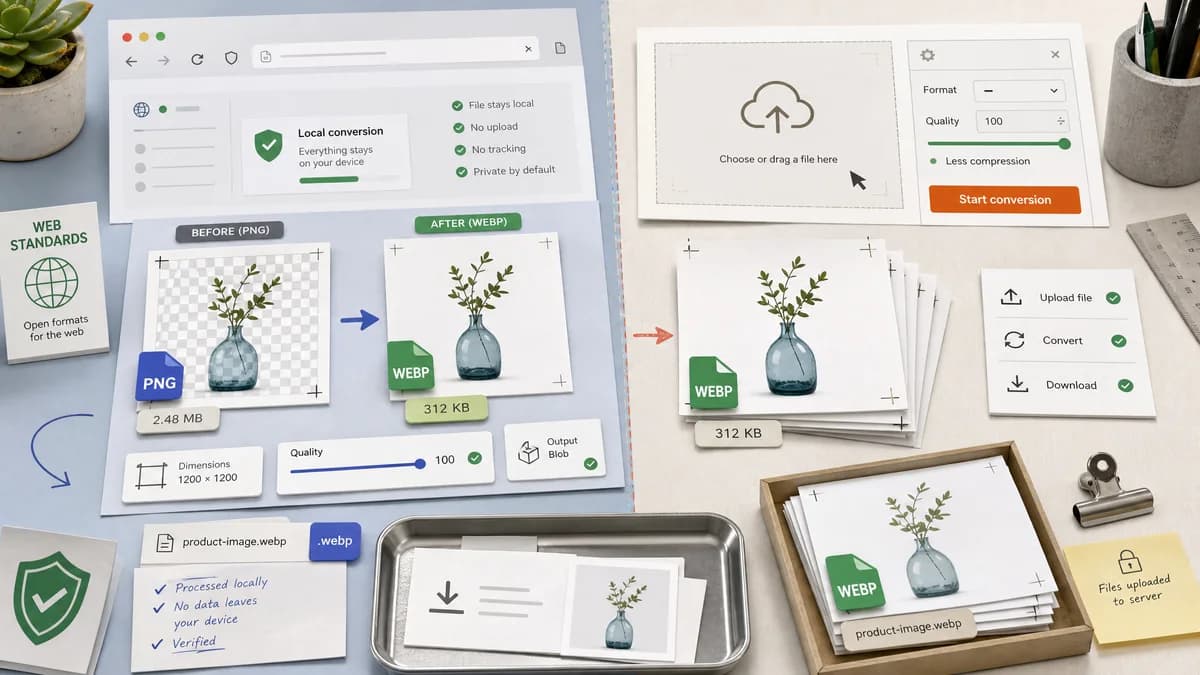
Why PNG to WebP Converter fits
TextFaker's converter uses the shared browser image conversion library to produce verified WebP output from PNG input, including MIME, .webp filename, dimensions, Blob, transparency, and quality slider validation.
What Pixelied offers
Pixelied's PNG to WebP page describes choosing or dragging image files, using settings including quality set to 100 for less compression, starting conversion, and downloading converted WebP images.
Open alternative signals
Quality control
PNG to WebP ConverterWebP quality slider, tested against output Blob behavior
PixeliedSettings tab with quality guidance, including quality 100 messaging
Platform scope
PNG to WebP ConverterFocused utility page
PixeliedOnline design and conversion platform
Result verification
PNG to WebP ConverterMIME, extension, dimensions, Blob, transparency checks
PixeliedConversion and download workflow
Input UX
PNG to WebP ConverterPNG-only input on the dedicated page
PixeliedChoose files or drag and drop image files
Decision guide
Best for developers and designers who want a focused, testable conversion result without entering a larger design platform.
Best for users who already use Pixelied's online design or conversion environment and want its conversion settings and bulk flow.
Side-by-side open source alternative comparison
| Decision point | PNG to WebP Converter | Pixelied | Takeaway |
|---|---|---|---|
| Quality wording | Our workflowDescribe slider as WebP quality control and verify output behavior. | Proprietary workflowPixelied tells users to set quality to 100 to convert without compression. | TextFaker avoid overstating losslessness unless implemented and tested. |
| Design platform context | Our workflowUtility-first page for conversion only. | Proprietary workflowPixelied sits within a broader online design platform. | TextFaker is better for quick conversion outside design workflows. |
| Output facts | Our workflowShow generated Blob, MIME, extension, dimensions, and transparency status. | Proprietary workflowPixelied emphasizes upload, settings, start conversion, and download. | TextFaker can add confidence with explicit checks. |
| Bulk conversion | Our workflowDo not claim bulk unless present in shared converter UI. | Proprietary workflowPixelied's page includes bulk conversion FAQ language. | Bulk support is treated as a competitor strength if absent. |
| Transparency | Our workflowTransparent PNG handling is a validation item. | Proprietary workflowPixelied page focuses more on quality and conversion steps in the researched excerpt. | Alpha preservation can differentiate TextFaker for UI assets. |
| Naming | Our workflowUse deterministic .webp filename derived from the source name. | Proprietary workflowPixelied offers converted image downloads after processing. | Stable naming helps automated tests and repeat workflows. |
Detailed research
Why compare
Pixelied appears for the same PNG to WebP query and has quality-related guidance, making it important for TextFaker's quality slider copy. The implementation explains the selected quality value without making unsupported lossless promises.
- Use precise WebP quality language.
- Keep the converter outside broader design-tool positioning.
- Show transparent PNG behavior clearly.
Implementation Notes
The dedicated adapter can mirror the JPG to WebP quality control while constraining accepted files to PNG. The output summary updates whenever the quality value changes so users see the practical file-size effect.
- Regenerate Blob when quality changes.
- Keep dimensions stable.
- Keep download text deterministic.
Generated Image
Use a graphic showing quality at 80 percent and a WebP output card with a small preview of a transparent PNG icon.
- No Pixelied brand assets.
- Avoid claiming lossless unless the UI explicitly supports lossless WebP.
Content Risks
Quality 100 in a WebP encoder is not always the same thing as mathematically lossless WebP. TextFaker content is technically conservative.
Research notes
- Official Pixelied page documents choosing or dragging files, settings, start conversion, and downloading converted WebP images.
- Its FAQ says setting image quality to 100 can convert without compression, so TextFaker be precise about what its WebP quality slider means and avoid lossless claims unless encoded that way.
- Generated image: quality slider comparison at 70/100 with WebP output cards and dimension checks.
Official source
The proprietary product link is included once here for source checking after the alternative analysis.
Official Pixelied source