
Print Bleed Border Checker vs Canva Print Proofing
Print Bleed Border Checker is the baseline in this comparison: Check image trim size, bleed, safe zone, borders, and print dimensions locally before sending artwork to a printer.
Canva helps users design print pieces and turn on bleed, margins, crop marks, and print proofing views inside a full design editor.
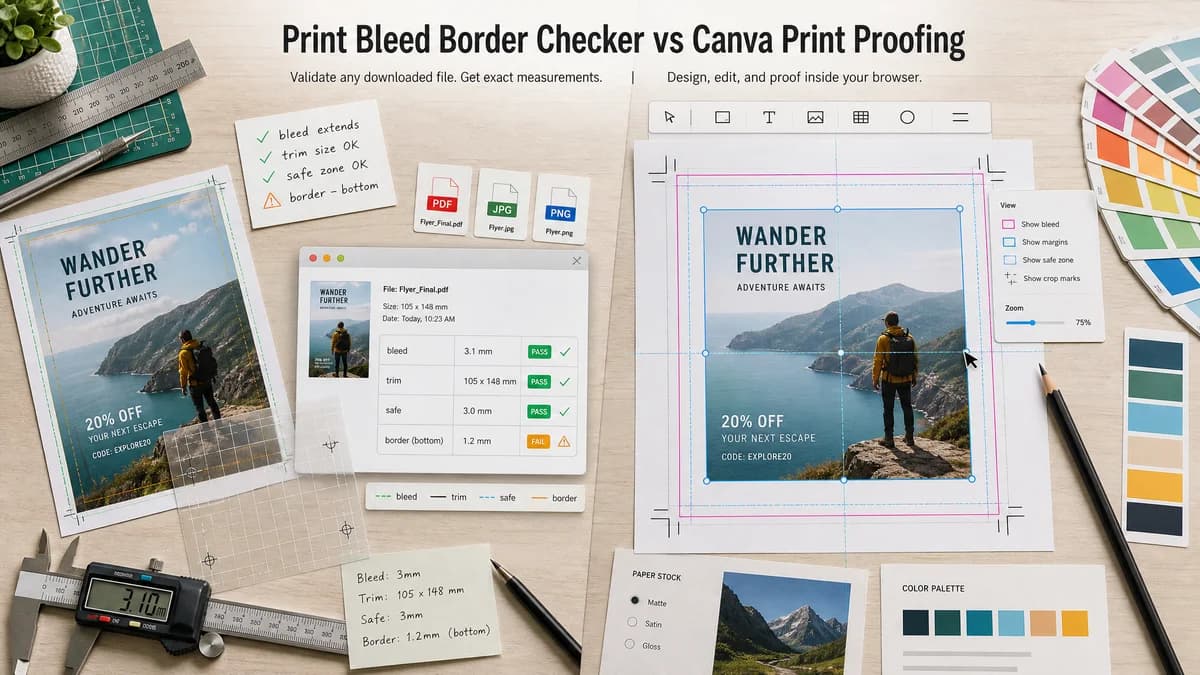
Quick verdict
Canva is stronger for authoring; TextFaker can be stronger for quick independent validation of a downloaded PNG, JPG, or PDF with deterministic pass/fail outputs.
How Print Bleed Border Checker fits
Print Bleed Border Checker is designed to focus on measuring an existing image or print file locally and returning testable bleed, trim, safe-zone, and border status values without requiring a design account or cloud project.
How Canva Print Proofing fits
Canva is best when the user is creating or editing the artwork in Canva and wants built-in visual guides before export or ordering prints.
Side-by-side comparison
| Decision point | Print Bleed Border Checker | Canva Print Proofing | Takeaway |
|---|---|---|---|
| Primary job | Our workflowValidate an existing file against chosen print dimensions and bleed rules. | Competitor workflowDesign artwork and preview print guides inside Canva. | Use TextFaker after export or when the artwork came from another app. |
| Local processing | Our workflowShould run measurement and raster checks in the browser without upload. | Competitor workflowCanva projects are managed in Canva's online editor. | TextFaker can provide a privacy-focused check for files users do not want to upload. |
| Deterministic outputs | Our workflowReturns pixel dimensions, inches/mm at DPI, expected bleed size, crop box, safe-zone box, border sizes, and validation messages. | Competitor workflowPrimarily provides visual guide overlays and export options. | TextFaker is easier to cover with automated tests. |
| Input workflow | Our workflowUpload or drop an exported image or PDF and select target specs. | Competitor workflowOpen or create a design in Canva and enable print proofing settings. | TextFaker fits post-design QA; Canva fits design creation. |
| Border risk | Our workflowCan measure uniform edge bands and warn when a visible border is too close to trim. | Competitor workflowCan show margins, but border thickness evaluation remains mostly visual. | TextFaker can turn a common print concern into numeric warnings. |
| Printer neutrality | Our workflowCan expose presets for generic 0.125 inch bleed, metric bleed, and custom printer specs. | Competitor workflowOptimized around Canva's design and export model. | TextFaker can support users comparing requirements from multiple print vendors. |
Use Print Bleed Border Checker when
- Checking exported artwork before uploading it to any printer
- Getting numeric full-bleed, trim, safe-zone, and border measurements
- Running browser-local validation without a design account
- Automated tests that assert dimensions and status messages
Use Canva Print Proofing when
- Creating print designs from templates
- Turning on visual margin and bleed guides while editing
- Exporting print PDFs with crop marks and bleed
- Ordering prints from the same design environment
Detailed comparison
Demand Signal
Public Canva discussions show users are confused by safe zone, bleed zone, and cut line terminology. Official Canva help also tells users to turn on bleed and margins to prevent white edges and keep design elements within safe zones.
- User problem: people can see guide lines but still need to know whether their exported file is safe to print.
- A numeric checker would help after a Canva PDF or image has already been downloaded.
Product Gap
Canva is a capable design environment, but it is not a vendor-neutral checker for files produced by many tools. A small TextFaker utility can avoid template editing and focus on measurement.
- No account-centered workflow required.
- No need to recreate the design just to inspect margins.
Implementation Fit
The local browser implementation can decode images with Canvas and inspect PDFs through an existing PDF rendering path if the project already supports it. The tool should not try to judge design quality; it should report boxes, margins, and measurable risk bands.
- Test with synthetic 300 DPI fixtures.
- Assert crop and safe-zone coordinates exactly.
- Assert pass/fail labels for known border widths.
SEO Angle
Search intent is practical and problem-driven: users ask whether a print file has enough bleed, whether text is inside the safe zone, and why borders get cut unevenly.
- Target phrases include bleed checker, safe zone checker, print border checker, and check image for print bleed.
Research notes
- Canva official help confirms bleed and margins are part of print proofing workflows.
- The Reddit Canva thread demonstrates real user confusion around safe zone versus bleed zone.
- Recommended TextFaker scope: validate exported files, not replace Canva's editor.
Official source
The only outbound competitor link on this page is placed here for source checking after the comparison.
Official Canva Print Proofing source