
Print Bleed Border Checker vs OnlineLabels Maestro Label Designer
Print Bleed Border Checker is the baseline in this comparison: Check image trim size, bleed, safe zone, borders, and print dimensions locally before sending artwork to a printer.
OnlineLabels explains how to show bleed and safe-zone guide tools in Maestro Label Designer so users can extend designs to bleed and keep key content safe.
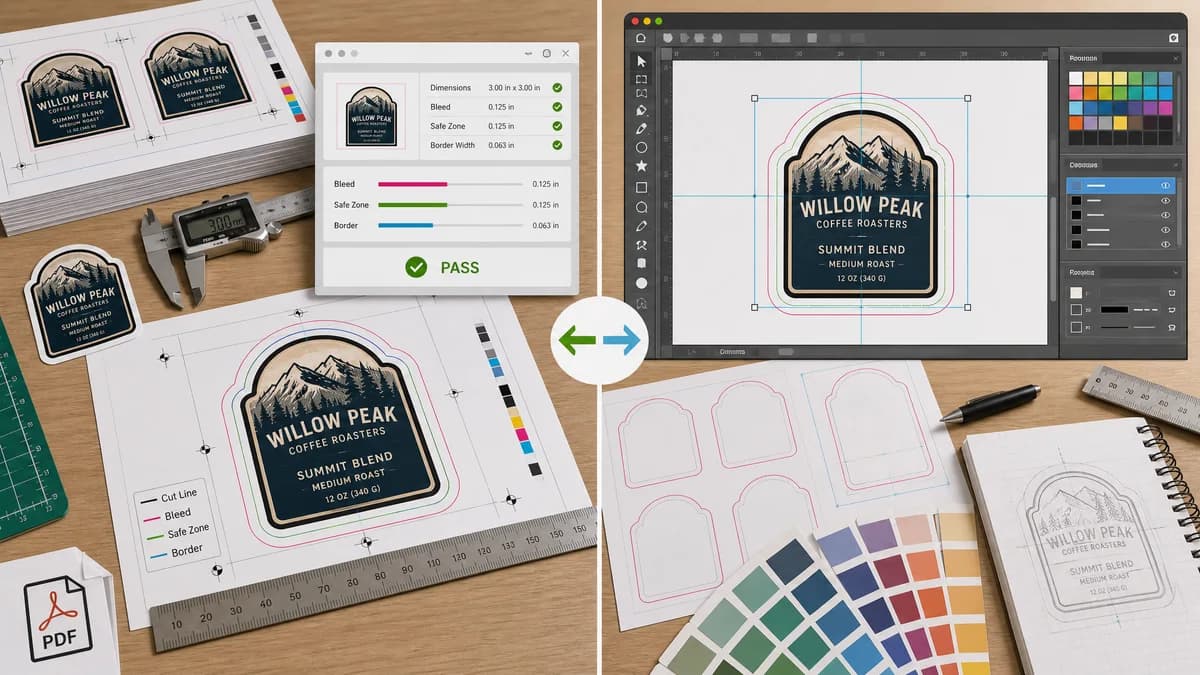
Quick verdict
Maestro is best for creating labels; TextFaker is best for checking finished label artwork from any source before printing or uploading.
How Print Bleed Border Checker fits
Print Bleed Border Checker is designed to validate exported label or sticker artwork locally, reporting whether the file's dimensions, bleed, safe zone, and border widths satisfy the selected label spec.
How OnlineLabels Maestro Label Designer fits
Maestro Label Designer is useful for creating labels within OnlineLabels' label-design workflow and viewing bleed and safe-zone guides while editing.
Side-by-side comparison
| Decision point | Print Bleed Border Checker | OnlineLabels Maestro Label Designer | Takeaway |
|---|---|---|---|
| Workflow stage | Our workflowAfter export or before upload/print. | Competitor workflowDuring label design. | TextFaker complements editor guide tools. |
| File independence | Our workflowWorks with exported files from many design apps. | Competitor workflowCentered on Maestro Label Designer projects and templates. | TextFaker is more vendor-neutral. |
| Output detail | Our workflowExact required vs actual dimensions and per-edge bleed/border status. | Competitor workflowVisual guide lines in the editor. | TextFaker provides measurable proof. |
| Label-specific use | Our workflowCan include custom presets for circular, rectangular, and sticker-style safe areas if supported by the implementation. | Competitor workflowUses OnlineLabels product templates and guide tools. | Maestro is stronger for product-specific templates. |
| Privacy | Our workflowLocal file processing in the browser. | Competitor workflowOnline editor workflow. | TextFaker can be used as a private pre-check. |
| Automated validation | Our workflowDesigned around deterministic pass/fail messages and dimensions. | Competitor workflowPrimarily interactive visual design guidance. | TextFaker fits automated TextFaker tool tests better. |
Use Print Bleed Border Checker when
- Checking label and sticker images made outside Maestro
- Validating custom label bleed and safe-zone settings
- Finding border and edge issues before printing sheets
- Local browser checks without account-centered editing
Use OnlineLabels Maestro Label Designer when
- Designing labels from OnlineLabels templates
- Showing bleed and safe-zone overlays while editing
- Working directly with OnlineLabels label products
- Users who need a label-design environment
Detailed comparison
Demand Signal
OnlineLabels has a dedicated article explaining bleed and safe-zone tools, which indicates label customers need help preventing cut-off content and edge problems. LabelValue and other print guidance similarly call missing bleed and incorrect sizing common and costly mistakes.
- Labels and stickers are especially sensitive because small trim shifts are obvious.
- Users often design labels in general tools and need a final check.
Product Gap
A label designer helps during creation, but users may receive a flattened image or PDF from a marketplace, designer, or template seller. TextFaker can validate that final asset without recreating it.
- Useful for product packaging, event stickers, jar labels, and address labels.
- Useful for checking custom die-cut margins when approximated by a rectangular safe zone.
Implementation Fit
The first implementation should handle rectangular trim and safe-zone math reliably. If non-rectangular labels are added later, the deterministic output can include bounding boxes and mask-based safe-zone distances.
- Start with rectangular geometry for reliable tests.
- Add circular/rounded presets only when mask math is implemented.
Positioning
The comparison should say TextFaker validates the file, not that it replaces a label template editor. This keeps the claim precise and useful.
Research notes
- OnlineLabels official article documents showing bleed and safe-zone tools in Maestro Label Designer.
- Label-related printer guidance repeatedly mentions avoiding white edges and cut-off text as the reason for bleed and safety margins.
- TextFaker can be useful for finished label files from any editor.
Official source
The only outbound competitor link on this page is placed here for source checking after the comparison.
Official OnlineLabels Maestro Label Designer source