
Open Source Alternatives to Adobe Illustrator
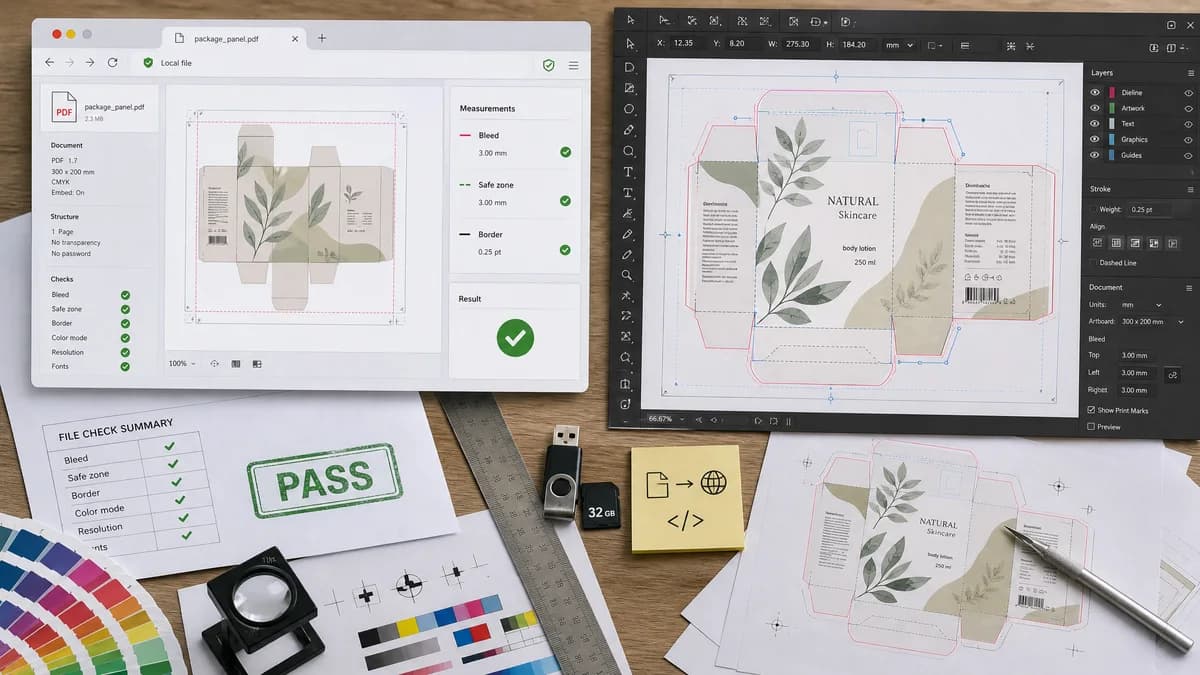
Print Bleed Border Checker is a browser-based alternative for users who need this focused result without installing a proprietary desktop app or entering a larger hosted workflow.
This research compares that workflow with Adobe Illustrator while keeping the outbound source link at the bottom after the analysis.
Why Print Bleed Border Checker fits
TextFaker can inspect exported artwork from any vector tool and answer whether the final file meets print bleed, safe-zone, and border expectations. It does focus on measurable exported-file properties rather than vector editing.
What Adobe Illustrator offers
Adobe Illustrator is a commercial vector design application. Official documentation covers printer marks, trim marks, and bleed settings, including entering top, left, bottom, and right bleed values.
Open alternative signals
Runs locally in browser
Print Bleed Border CheckerYes, validates final files locally.
Adobe IllustratorCommercial desktop design software.
Vector editing
Print Bleed Border CheckerNo, checker only.
Adobe IllustratorYes, full vector editing and export.
Result type
Print Bleed Border CheckerPass/fail measurements and annotated outputs.
Adobe IllustratorArtboards, marks, bleed settings, and exported artwork.
Border focus
Print Bleed Border CheckerCan estimate uneven border risk after trim shift.
Adobe IllustratorDesigner manually places guides and objects.
Decision guide
Checking exported logo cards, stickers, invitations, flyers, and labels before print submission.
Creating and editing vector artwork, artboards, and professional print-ready exports.
Side-by-side open source alternative comparison
| Decision point | Print Bleed Border Checker | Adobe Illustrator | Takeaway |
|---|---|---|---|
| Export verification | Our workflowChecks whether exported file includes expected bleed dimensions. | Proprietary workflowProvides bleed controls during print/export setup. | TextFaker catches mistakes after export. |
| Large-format bleed | Our workflowAllows custom physical bleed values and scale-aware validation. | Proprietary workflowOfficial docs define app-level bleed settings and limits. | Custom presets are important for posters, banners, and scaled artwork. |
| Safe-zone explanation | Our workflowShows inner safe-zone box and exact margin values. | Proprietary workflowUsers must configure guides or templates. | A checker can make safety margins obvious in the final file. |
| Edge coverage | Our workflowSamples edge strips for white/transparent gaps when edge-to-edge printing is expected. | Proprietary workflowDesign app does not necessarily validate exported edge coverage automatically. | Automated edge sampling is valuable for non-experts. |
| Testing | Our workflowKnown SVG/PDF/raster fixtures can assert exact boxes and warnings. | Proprietary workflowManual export settings drive output. | TextFaker's core engine should be fixture-driven. |
| Audience | Our workflowDesigners and customers validating final assets. | Proprietary workflowDesigners creating artwork. | Comparison page should say it is not a vector editor replacement. |
Detailed research
Demand Signals
Illustrator-related support threads reveal that even users of professional tools can export files without the intended bleed. General print discussions reinforce that users confuse crop marks, trim, safe zone, and bleed.
- Exported JPG or PNG may not include expected bleed.
- Large-format jobs can need nonstandard bleed values.
- Thin borders remain risky even when dimensions are correct.
Implementation Fit
Support uploaded SVG, PDF, PNG, JPG, and WebP where browser-safe. For SVG, parse dimensions and render to canvas for edge sampling; for PDF, inspect boxes and render pages.
- Return source dimensions and rendered dimensions separately.
- Detect transparent edge strips for formats with alpha.
- Warn when crop marks inflate canvas size and confuse final trim assumptions.
Validation Outputs
The UI and tests should use the same structured report.
- fileSize, mime, widthPx, heightPx
- trimBoxPx, bleedBoxPx, safeZoneBoxPx
- edgeCoveragePercent per side
Positioning
The alternative angle is an open-source-powered print QA utility for exported files, not a vector creation suite.
Research notes
- Official Illustrator documentation explains marks and bleed settings and notes bleed values can be specified per side.
- Public Adobe Illustrator discussions show users asking why exported JPGs did not include bleed or why bleed limits affect large-format work.
- Reddit design discussions show practical confusion about whether crop marks, bleed, and safe zones should be included in final files.
Official source
The proprietary product link is included once here for source checking after the alternative analysis.
Official Adobe Illustrator source