
Scan Border Cropper vs AutoSplitter
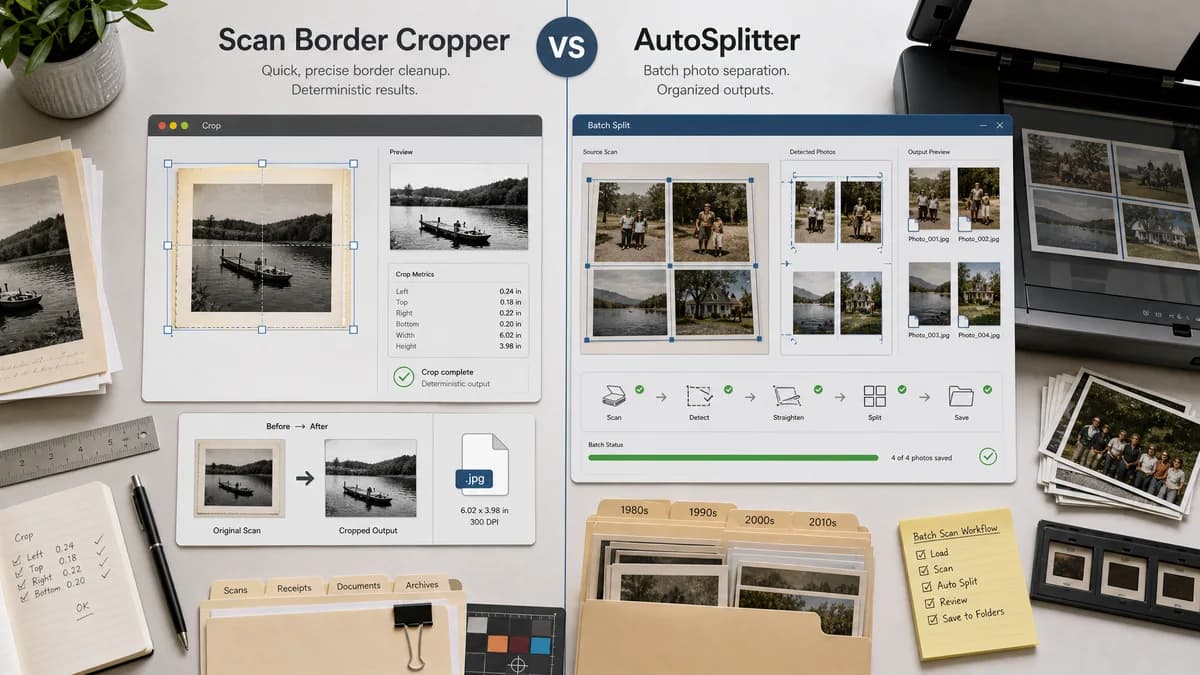
Scan Border Cropper is the baseline in this comparison: Auto-detect scanner borders, review exact crop dimensions, and download a clean cropped copy from your browser.
AutoSplitter automatically detects, crops, straightens, and saves separate photo files from scans, including pre-scanned image batches.
Quick verdict
AutoSplitter is a better fit for dedicated Windows photo-digitization projects; TextFaker fits quick cross-platform scan-border cleanup with deterministic outputs.
How Scan Border Cropper fits
Scan Border Cropper should provide a platform-neutral browser utility for trimming borders and reporting crop metrics, not a Windows-only photo scanning suite.
How AutoSplitter fits
AutoSplitter targets photo collection digitization on Windows, including scanner workflows and automatic separation of multiple photos from one scan.
Side-by-side comparison
| Decision point | Scan Border Cropper | AutoSplitter | Takeaway |
|---|---|---|---|
| Platform | Our workflowBrowser-based and device-flexible. | Competitor workflowWindows desktop utility. | TextFaker has broader casual access. |
| Workflow breadth | Our workflowFocused border crop and validation. | Competitor workflowFull photo scanning, splitting, straightening, and saving workflow. | AutoSplitter is broader for photo archives. |
| Existing scans | Our workflowDesigned around uploaded existing files. | Competitor workflowAlso advertises processing pre-scanned photos in batches. | There is direct overlap for existing scan cleanup. |
| Multi-photo detection | Our workflowCan warn on multiple content regions unless future multi-crop is added. | Competitor workflowAutomatically detects individual photos in multi-photo scans. | AutoSplitter wins multi-object extraction. |
| Privacy | Our workflowLocal browser processing with no file upload should be emphasized. | Competitor workflowDesktop processing is local by nature. | Both can be privacy-friendly; TextFaker should make browser locality explicit. |
| Deterministic report | Our workflowCrop boxes, border sizes, dimensions, and status messages are first-class outputs. | Competitor workflowMain visible promise is automatic saved separate images. | TextFaker's measurable report is the implementation advantage. |
Use Scan Border Cropper when
- Cross-platform browser users
- Single scanned image, screenshot, or document border cleanup
- Users needing validation messages and exact crop dimensions
Use AutoSplitter when
- Windows users scanning many physical photos
- Automatic separation of multiple photos from one scanner-bed image
- Workflows that combine scanning, cropping, straightening, and saving
Detailed comparison
Demand Signal
The market for AutoSplitter and similar tools exists because users want to digitize many photos without scanning and cropping each one separately.
- Pre-scanned batch processing is important.
- Automatic crop plus straighten is a common expectation in photo workflows.
Differentiation
TextFaker should not compete as a scanner replacement. It should compete as a precise browser tool for scan edges, borders, and dimensions.
- Useful for screenshots, documents, and artwork as well as photos.
- Useful when installing Windows software is not possible.
Implementation Notes
The tool can expose both auto detection and manual numeric crop fields so users can reproduce a crop exactly across files.
- Crop box fields: x, y, width, height.
- Border report fields: top, right, bottom, left.
- Status fields: unchanged, cropped, ambiguous, too small, decode failed.
Testing Path
Automated tests can use synthetic images with known border colors and content rectangles. The crop report should be serializable for snapshot tests.
- Test Windows-independent browser behavior.
- Test exact output dimensions.
- Test ambiguous multi-photo warning.
Research notes
- Official competitor source used: AutoSplitter home page.
- Demand source used: public family-photo scanning discussions.
- User problem summary: users need automation after scanning because manual crop operations multiply quickly across large collections.
Official source
The only outbound competitor link on this page is placed here for source checking after the comparison.
Official AutoSplitter source