
Scan Border Cropper vs BatchCrop
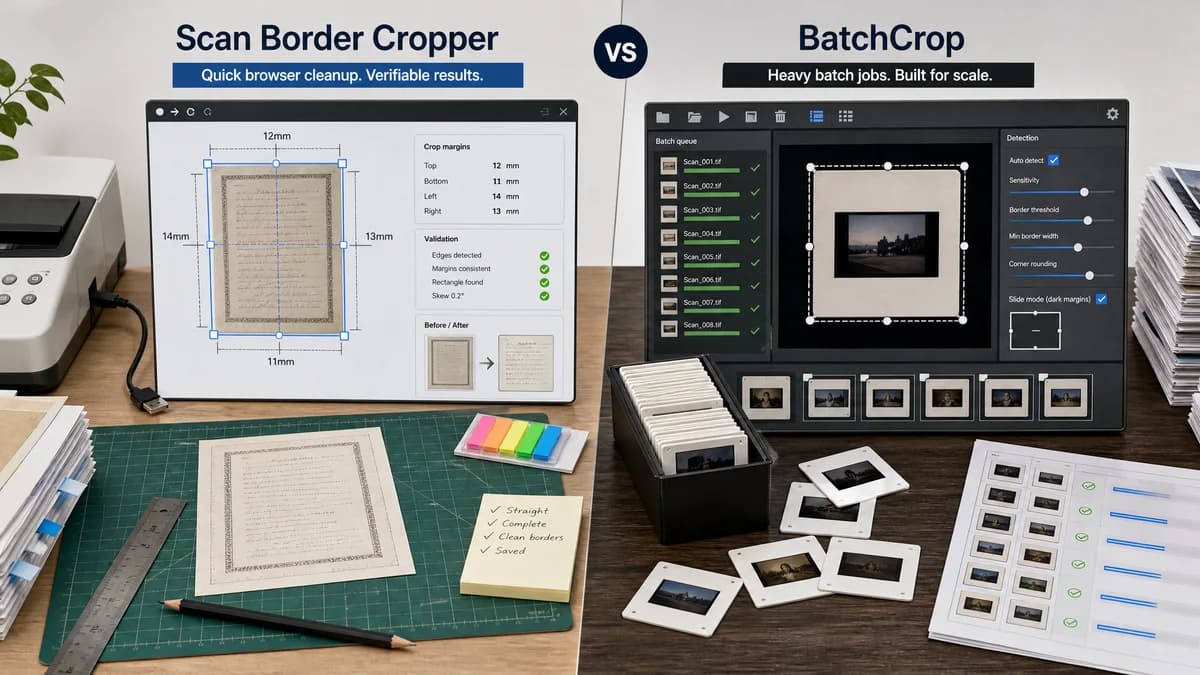
Scan Border Cropper is the baseline in this comparison: Auto-detect scanner borders, review exact crop dimensions, and download a clean cropped copy from your browser.
BatchCrop provides automatic crop detection with adjustment controls and a slide mode for dark margins on scanned slides.
Quick verdict
BatchCrop is stronger for heavy desktop batch jobs; TextFaker can serve quick local browser cleanup and verifiable scan-border measurements.
How Scan Border Cropper fits
Scan Border Cropper should offer a lighter browser-local alternative for users who do not want desktop software, while still exposing measurable crop data and deterministic validation.
How BatchCrop fits
BatchCrop is specialized desktop software for batch cropping, including scanned slides and difficult margins. Its auto-detect page describes adjustable detection and slide mode for dark margins.
Side-by-side comparison
| Decision point | Scan Border Cropper | BatchCrop | Takeaway |
|---|---|---|---|
| Installation | Our workflowRuns in the browser with no desktop install. | Competitor workflowDesktop software with dedicated batch cropping interface. | TextFaker is easier to access; BatchCrop may be better for power users. |
| Slide borders | Our workflowCan support black-border and high-contrast border modes with pixel reports. | Competitor workflowOffers a slide mode developed for dark margins. | Slide support is a known demand area and should be included in test fixtures. |
| Adjustment controls | Our workflowTolerance, preserve padding, and manual numeric crop overrides should be available. | Competitor workflowAuto-detect includes inward/outward adjustment after detection. | TextFaker should provide both automatic and numeric override paths. |
| Batch depth | Our workflowBest positioned for modest browser batches with per-file validation. | Competitor workflowDesigned for batch processing many files on desktop. | Do not compete primarily on very large batch throughput. |
| Output reporting | Our workflowMust show exact crop box and output dimensions for every image. | Competitor workflowFocused on visual crop workflow and batch execution. | The report layer can make TextFaker distinct. |
| Platform reach | Our workflowWorks wherever browser decoding and canvas export are supported. | Competitor workflowDesktop app availability depends on supported operating systems and licensing. | Browser availability is a practical advantage for casual users. |
Use Scan Border Cropper when
- Quick cleanup on shared or mobile devices without installing software
- Single-file and small-batch scan border measurement
- Users who need copyable crop data for records or support tickets
Use BatchCrop when
- Large desktop batch cropping sessions
- Scanned slide workflows with dark margins
- Users who want mature crop adjustment tools installed locally
Detailed comparison
Demand Signal
The slide-scanning forum source describes a user expecting thousands of images with black borders and wanting automatic detection because cropping one by one is unacceptable.
- Black slide borders are a specific recurring use case.
- Users need batch speed but also need to avoid cutting real image content.
Product Gap
Desktop batch tools can be powerful, but casual users often need one-off cleanup from a phone, Chromebook, or locked-down work computer.
- No install should be central to TextFaker positioning.
- Show repeatable crop settings so users can reuse them across files.
Implementation Notes
Include border color modes for light, dark, transparent, and auto-sampled. For slide scans, use luminance-based edge detection rather than exact RGB matching only.
- Support asymmetric borders.
- Report if the detected content touches an edge.
- Allow manual padding restoration after auto crop.
Testing Path
Build fixtures with black borders of known width and noisy dark edges. Assert that tolerance changes produce predictable crop boxes.
- Test light and dark modes separately.
- Test inward and outward padding adjustments.
- Test batch report rows for every file.
Research notes
- Official competitor source used: BatchCrop Auto Detect page.
- Demand source used: PTE AV Studio slide-scan discussion.
- User problem summary: slide and scan users need automated dark-border detection for large collections.
Official source
The only outbound competitor link on this page is placed here for source checking after the comparison.
Official BatchCrop source