
Scan Border Cropper vs CamScanner
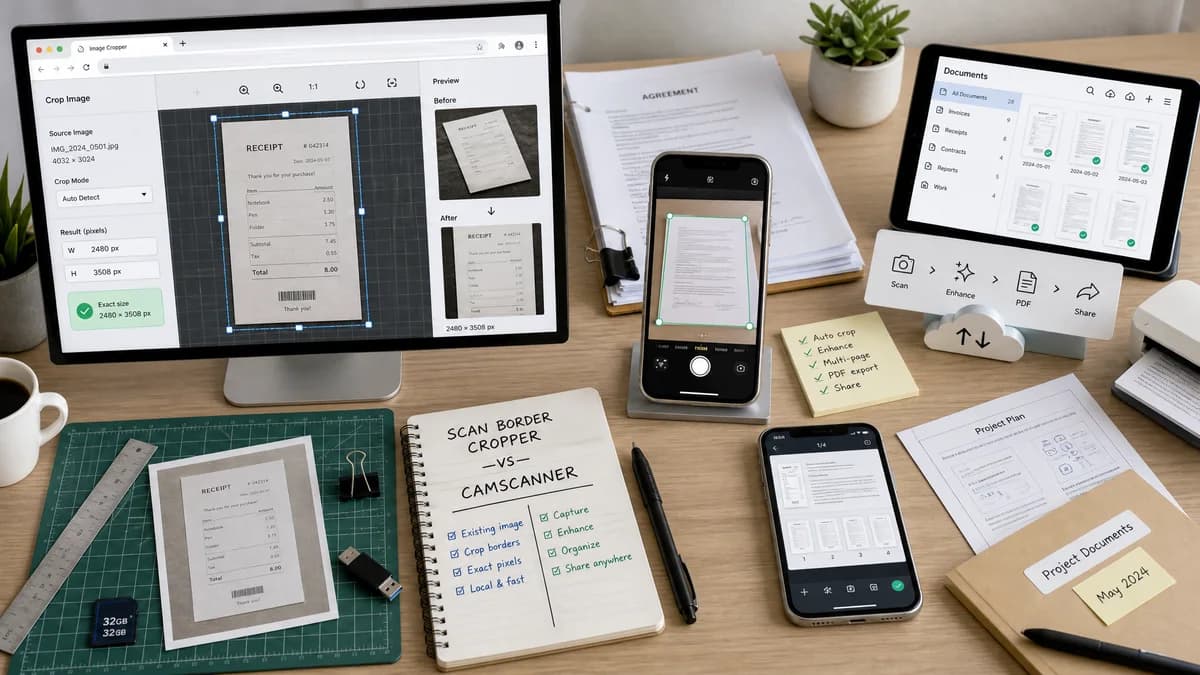
Scan Border Cropper is the baseline in this comparison: Auto-detect scanner borders, review exact crop dimensions, and download a clean cropped copy from your browser.
CamScanner scans, crops, enhances, manages, and shares documents, including automatically cropping scans to generate PDFs.
Quick verdict
CamScanner is better for capturing and managing documents from the camera; TextFaker is better for quickly checking and cropping an existing image border with exact pixel results.
How Scan Border Cropper fits
Scan Border Cropper should be a lightweight browser utility for existing image files, not a full mobile scanner app. Its edge is local deterministic image analysis and measurable outputs.
How CamScanner fits
CamScanner is a full mobile scanning and document management product with automatic crop, enhancement, PDF generation, sharing, and cross-device management.
Side-by-side comparison
| Decision point | Scan Border Cropper | CamScanner | Takeaway |
|---|---|---|---|
| Capture | Our workflowWorks after the image exists; no camera capture workflow required beyond file upload. | Competitor workflowBuilt around scanning with phone, tablet, and document workflows. | CamScanner owns capture; TextFaker owns post-capture measurement. |
| Auto crop | Our workflowDetects borders from uploaded raster images and reports exact crop data. | Competitor workflowAdvertises automatic crop and enhancement for high-quality PDFs. | Both crop, but TextFaker should expose the numbers. |
| Enhancement | Our workflowAvoids subjective filters unless deterministic and testable. | Competitor workflowIncludes filters and document appearance enhancement. | TextFaker should remain utility-first. |
| Privacy and locality | Our workflowDesigned for local browser processing. | Competitor workflowCloud and cross-device management are part of the product positioning. | Local-only processing is a meaningful distinction. |
| Output | Our workflowDownloadable cropped image with verified dimensions and validation status. | Competitor workflowHigh-quality PDFs and document sharing. | Output format differs by workflow. |
| Mobile friendliness | Our workflowResponsive web controls for upload, tolerance, preview, and result metrics. | Competitor workflowNative mobile app experience. | Native apps can be smoother for capture; web is easier for one-off use. |
Use Scan Border Cropper when
- Existing image files that already came from a scanner or camera
- Users who do not want a scanner app account or document-management workflow
- Measurable crop, border, and output dimension reporting
Use CamScanner when
- Capturing documents with a phone camera
- Generating and managing PDFs from scans
- Users who need OCR, sharing, and scan enhancement workflows
Detailed comparison
Demand Signal
Canon and Adobe Scan community discussions show that scanner-app auto-crop behavior itself can create questions: users want it enabled, disabled, or made consistent across devices.
- Users notice when auto crop behaves differently by platform.
- Users may need to clean up files after capture.
Product Gap
A browser-local post-processing tool can serve users who already have images from CamScanner, a printer app, or a flatbed scanner and just need border cleanup.
- No document library required.
- No cloud sync required.
- No subjective enhancement required.
Implementation Notes
Keep the UI simple: upload, choose border mode, inspect crop report, download. A mobile camera-roll upload should work without installing an app.
- Use responsive preview scaling.
- Keep numeric controls accessible on small screens.
- Do not hide crop metrics behind hover-only UI.
Testing Path
Use phone-photo fixtures with visible document borders and flatbed-scan fixtures with solid borders. Assert detection outputs and validation warnings.
- Test portrait mobile viewport.
- Test large image decode handling.
- Test exact crop box display.
Research notes
- Official competitor source used: CamScanner home page.
- Demand sources used: Canon Community and Adobe Scan Community discussions.
- User problem summary: mobile scan users rely on auto-crop but still need control, consistency, and cleanup for existing files.
Official source
The only outbound competitor link on this page is placed here for source checking after the comparison.
Official CamScanner source