
Open Source Alternatives to iScanner
Scan Border Cropper is a browser-based alternative for users who need this focused result without installing a proprietary desktop app or entering a larger hosted workflow.
This research compares that workflow with iScanner while keeping the outbound source link at the bottom after the analysis.
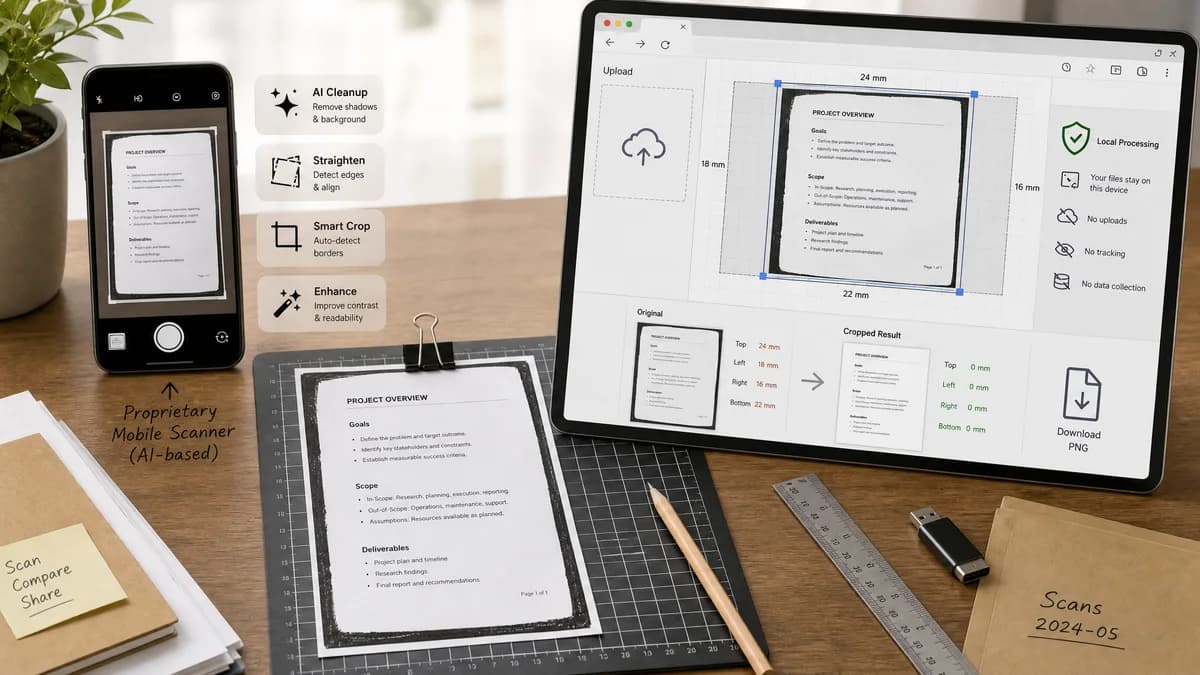
Why Scan Border Cropper fits
TextFaker can be a privacy-first, open-source-powered alternative for the measurable part of scan cleanup: detecting and removing borders, not AI-restoring missing document edges.
What iScanner offers
iScanner is a mobile scanner and PDF app that promotes AI features such as edge repair, scan straightening, cropping, and document cleanup.
Open alternative signals
AI restoration
Scan Border CropperShould not synthesize missing edges; should crop and warn deterministically.
iScannerPromotes AI Edge Repair for damaged or cropped document edges.
Processing model
Scan Border CropperBrowser-local image crop and validation.
iScannerMobile app with AI document tools.
Output auditability
Scan Border CropperExact dimensions, crop boxes, border sizes, and status messages.
iScannerProfessional-looking document output after app processing.
Best workflow
Scan Border CropperExisting scan cleanup and export.
iScannerCapture, enhance, repair, and manage documents.
Decision guide
Best for users with complete scan images who need border removal, crop validation, and clean exports from the browser.
Best for users who want AI edge repair, scan capture, PDF workflows, and mobile document management in one app.
Side-by-side open source alternative comparison
| Decision point | Scan Border Cropper | iScanner | Takeaway |
|---|---|---|---|
| Problem framing | Our workflowRemove visible borders and warn about unsafe or missing edges. | Proprietary workflowFix cropped or damaged document edges with AI tools. | TextFaker should be honest about deterministic cropping instead of generative repair. |
| Output | Our workflowCropped PNG/JPEG plus crop metadata. | Proprietary workflowCleaned document or PDF within scanner app workflow. | Metadata makes TextFaker suitable for repeatable validation. |
| Privacy | Our workflowLocal browser operation for supported files. | Proprietary workflowMobile app product with AI features and document workflow. | Privacy-conscious users may prefer local crop-only processing. |
| Mobile UX | Our workflowNeeds touch-friendly crop handles and camera upload. | Proprietary workflowNative mobile scanning experience. | The browser UI must be genuinely mobile-friendly to compete. |
| Failure mode | Our workflowShow warnings such as no border found, low contrast edge, or likely content clipped. | Proprietary workflowOffers app-specific correction and AI enhancement options. | Clear warnings are better than pretending all scans are repairable. |
| Scope control | Our workflowFocus on crop, bleed, safe zone, dimensions, and download. | Proprietary workflowBroader scanner, PDF, OCR, and AI cleanup suite. | Keep TextFaker narrow and testable. |
Detailed research
Product Angle
iScanner is useful evidence that ordinary users care about cropped scan edges. TextFaker should target the non-generative cleanup path: determine what border can be safely removed and produce a clean output file.
- Add safe-zone detection around detected content.
- Report likely clipped edges instead of repairing them.
- Use labels that distinguish crop from restore.
Implementation Notes
Compute edge statistics for each side and compare against interior content contrast. If the scan appears cut off at the edge, flag it instead of cropping aggressively.
- Status values should include safeCrop, possibleContentAtEdge, and noBorderDetected.
- Expose a tolerance slider and preview-independent numeric output.
- Validate generated Blob dimensions after export.
Demand Evidence
iScanner's own educational content identifies desk corners, white margins, staple damage, and cropped edges as common scan quality issues. Public scanner discussions echo those pain points.
- The demand is general-user document cleanup.
- AI repair is adjacent but not required for a useful cropper.
- A deterministic alternative can be safer for forms, IDs, and receipts.
SEO Fit
Comparison copy should use scan edge cropper and iScanner alternative while avoiding claims that TextFaker performs AI repair.
Research notes
- iScanner's official articles frame cropped edges, desk corners, white margins, and unprofessional scan borders as common user problems.
- Its Edge Repair feature is not the same as deterministic cropping; TextFaker should avoid claiming AI restoration and instead report when content appears cut off.
- A strong validation path is to flag possible missing edges or unsafe crop zones rather than inventing repaired pixels.
Official source
The proprietary product link is included once here for source checking after the alternative analysis.
Official iScanner source