
WebP to JPG Converter vs Adobe Express
WebP to JPG Converter is the baseline in this comparison: Convert a WebP image to JPG in your browser, choose JPEG quality and matte color for transparent pixels, then confirm image/jpeg MIME, .jpg filename, dimensions, file size, and Blob status before download.
Adobe Express offers a free WebP to JPG converter as part of a broader creative editing suite.
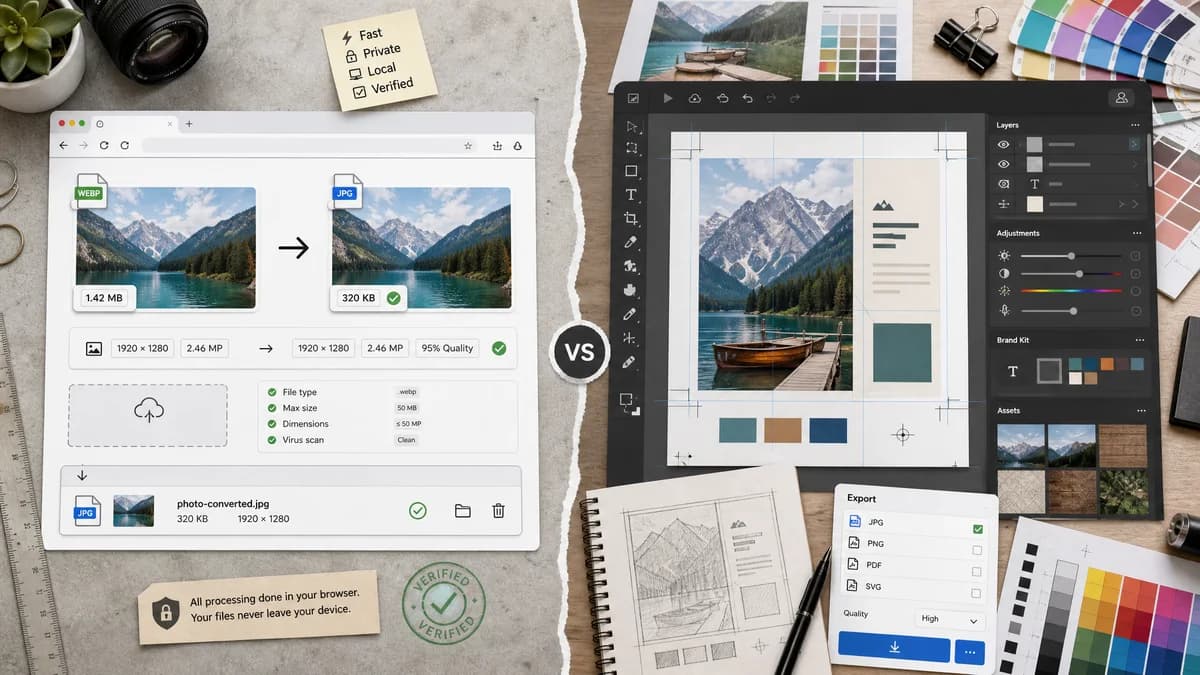
Quick verdict
TextFaker should avoid design-suite complexity and compete on fast browser-local conversion with exact output details.
How WebP to JPG Converter fits
TextFaker should be a utilitarian converter for users who want a quick local file transformation, not a design-editor session.
How Adobe Express fits
Adobe Express is strong when conversion is part of editing, branding, or design workflows. It is less focused on local privacy and technical output verification.
Side-by-side comparison
| Decision point | WebP to JPG Converter | Adobe Express | Takeaway |
|---|---|---|---|
| Workflow | Our workflowConvert and download locally. | Competitor workflowUpload, convert, and potentially continue in Adobe Express. | TextFaker should be more direct. |
| Privacy | Our workflowBrowser-local conversion. | Competitor workflowAdobe Express uses a hosted creative platform flow. | TextFaker should be chosen before uploading private images. |
| Editing | Our workflowNo design editing, only conversion controls. | Competitor workflowConnected to Adobe's creative editing environment. | Adobe wins when editing matters. |
| Output validation | Our workflowShow image/jpeg, .jpg, dimensions, and Blob. | Competitor workflowFocuses on instantly downloading a new JPG image. | TextFaker can be more transparent. |
| Quality | Our workflowJPEG quality slider with size feedback. | Competitor workflowOfficial page emphasizes fast, high-quality JPGs. | TextFaker should provide user-controlled quality. |
| Transparency | Our workflowMatte/background control for transparent WebP. | Competitor workflowTransparency behavior is not prominent in researched page text. | TextFaker should include an explicit alpha-loss warning. |
Use WebP to JPG Converter when
- Users who only need a JPG output file
- Privacy-sensitive conversion before upload or sharing
- Technical QA of MIME, extension, dimensions, and Blob
Use Adobe Express when
- Users who want to edit after conversion
- Adobe account or template workflows
- Creative assets that need design-suite polish
Detailed comparison
Suite Fit
Adobe Express competes as a creative suite, not just a converter. TextFaker should remain a focused utility.
Speed
The page should load directly into the converter experience and avoid marketing-heavy layout.
Technical Proof
Result details should be visible immediately after conversion so users know the output is a real JPEG.
Generated Image
Use generated social-preview WebP artwork to show the difference between a design-suite export path and a direct JPG conversion.
Research notes
- Official page says users can upload a WebP file and instantly download a JPG.
- Official page positions the converter as free, fast, and easy to use.
- Adobe Express also supports PNG and WebP conversion to JPG according to the researched page.
Official source
The only outbound competitor link on this page is placed here for source checking after the comparison.
Official Adobe Express source