
WebP to JPG Converter vs Pixelied
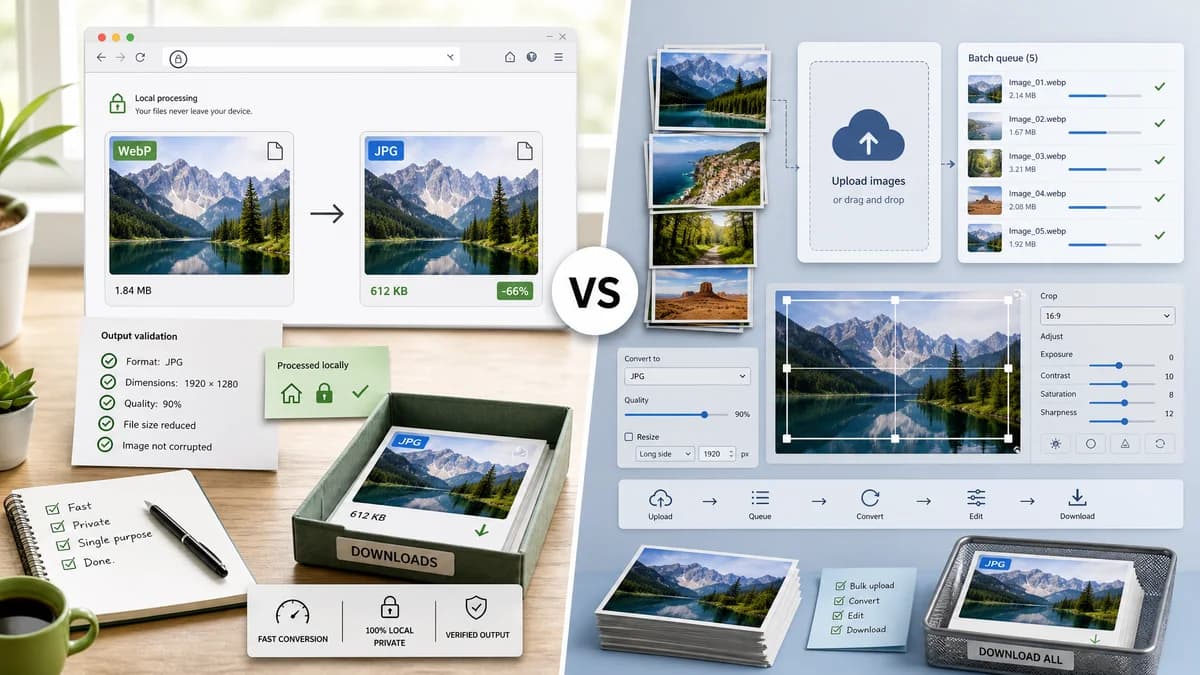
WebP to JPG Converter is the baseline in this comparison: Convert a WebP image to JPG in your browser, choose JPEG quality and matte color for transparent pixels, then confirm image/jpeg MIME, .jpg filename, dimensions, file size, and Blob status before download.
Pixelied converts WebP to JPG online, supports bulk conversion, and connects results to its photo editing toolkit.
Quick verdict
TextFaker should compete with local privacy and result proof; Pixelied fits users who want hosted bulk conversion plus editing.
How WebP to JPG Converter fits
TextFaker should match the direct conversion need while keeping files local and making output validation visible.
How Pixelied fits
Pixelied is strong for bulk conversion and editing after conversion. It is hosted and broader than the single TextFaker tool.
Side-by-side comparison
| Decision point | WebP to JPG Converter | Pixelied | Takeaway |
|---|---|---|---|
| Bulk | Our workflowLocal batch support should be included only if the adapter supports it. | Competitor workflowPixelied describes bulk conversion and ZIP download. | Batch support is a relevant competitor expectation. |
| Quality | Our workflowJPEG quality slider with deterministic labels. | Competitor workflowPixelied mentions setting image quality to 100 for minimal compression. | TextFaker should provide clear quality control. |
| Editing | Our workflowNo editing beyond conversion settings. | Competitor workflowPixelied offers photo editing toolkit access after conversion. | Pixelied wins for design edits; TextFaker wins for focused conversion. |
| Privacy | Our workflowBrowser-local conversion. | Competitor workflowHosted upload workflow. | TextFaker should lead with local privacy. |
| Output | Our workflowimage/jpeg, .jpg, dimensions, and Blob checks. | Competitor workflowDownload converted JPG files after processing. | TextFaker should surface technical proof. |
| Transparency | Our workflowExplicit matte/background setting. | Competitor workflowTransparency behavior is not central in researched page text. | Alpha handling is a priority differentiator. |
Use WebP to JPG Converter when
- Local conversion without upload
- Transparent alpha flattening control
- Verified JPEG output details
Use Pixelied when
- Bulk hosted conversion
- Editing converted JPGs
- Users who want a broader photo toolkit
Detailed comparison
Bulk
Pixelied makes bulk conversion part of its WebP to JPG promise. TextFaker should be honest and test-backed about single versus multi-file support.
Editing
Avoid adding editing controls unless they directly serve JPEG conversion. The shared image-format converter adapter should stay focused.
Quality
Quality 100 should not be described as lossless because JPEG remains lossy. Use accurate copy around high quality versus file size.
Generated Image
Use generated marketing-card WebP art with transparency and gradients to test JPEG flattening and quality artifacts.
Research notes
- Official FAQ describes choosing files, starting conversion, and downloading JPG images.
- Official FAQ describes bulk conversion and ZIP download.
- Official FAQ says users can set image quality to 100.
Official source
The only outbound competitor link on this page is placed here for source checking after the comparison.
Official Pixelied source