
Open Source Alternatives to Ezgif
WebP to JPG Converter is a browser-based alternative for users who need this focused result without installing a proprietary desktop app or entering a larger hosted workflow.
This research compares that workflow with Ezgif while keeping the outbound source link at the bottom after the analysis.
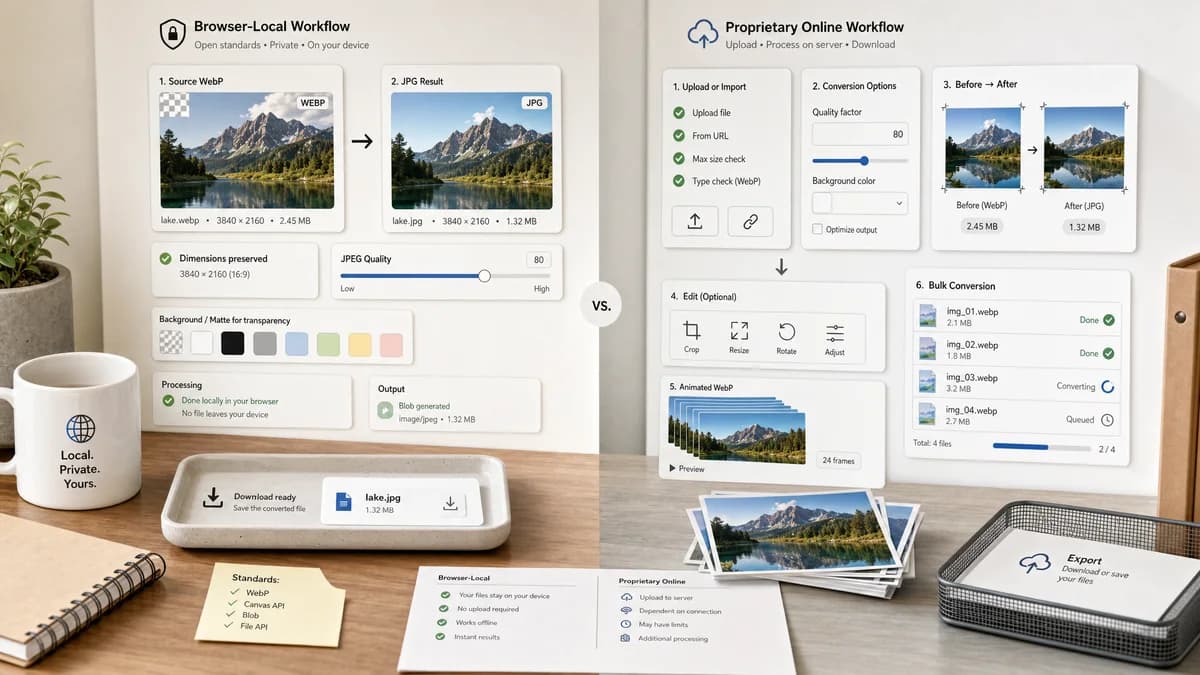
Why WebP to JPG Converter fits
TextFaker should provide a focused browser-local WebP to JPG path with JPEG quality, matte selection, generated Blob status, .jpg download naming, and preserved-dimension checks.
What Ezgif offers
Ezgif offers a WebP to JPG converter with quality factor, background color for transparent images, URL upload, editing handoff, animated WebP support, and bulk conversion options.
Open alternative signals
Transparency controls
WebP to JPG ConverterExplicit matte/background behavior for JPEG flattening
EzgifBackground color setting for transparent images
Animated files
WebP to JPG ConverterNeeds exact local support statement based on adapter behavior
EzgifAnimated WebP and bulk converter are advertised
Input sources
WebP to JPG ConverterLocal file selection
EzgifFile upload and direct image URL options
Generated images
WebP to JPG ConverterCanvas-generated JPG preview and Blob download
EzgifServer or browser generated converted images depending on Ezgif tool path
Decision guide
Private static WebP conversion where the user wants a local generated JPG and objective output details.
Animated WebP conversion, URL-based imports, bulk conversion, and follow-up editing in a broad online image utility.
Side-by-side open source alternative comparison
| Decision point | WebP to JPG Converter | Ezgif | Takeaway |
|---|---|---|---|
| Feature breadth | Our workflowDedicated WebP to JPG conversion only | Proprietary workflowConverter plus editing ecosystem | Ezgif is broader; TextFaker should be clearer. |
| Alpha handling | Our workflowMatte selection is central | Proprietary workflowBackground color option is documented | This is a direct parity requirement. |
| Privacy model | Our workflowBrowser-local target workflow | Proprietary workflowStandard page supports upload and URL workflows | TextFaker can be the privacy-first choice. |
| Quality | Our workflowJPEG quality slider with generated Blob feedback | Proprietary workflowQuality factor 0 to 100 | Both support quality; TextFaker should expose output size and MIME. |
| Bulk conversion | Our workflowNot required for this dedicated page unless implemented | Proprietary workflowBulk conversion is advertised | Ezgif may be better for many files. |
| Generated preview | Our workflowPreview and assertions can be integrated in one result panel | Proprietary workflowConversion can continue into other editing tools | TextFaker should prioritize confidence over editing breadth. |
Detailed research
Why users compare them
Ezgif is a strong functional benchmark because it already names the two important JPEG-specific controls: quality and transparent background color.
- Mirror the clarity around quality and background.
- State local conversion boundaries.
- Avoid claiming bulk or animation support unless tests prove it.
Implementation note
The adapter should flatten transparent WebP pixels onto the selected matte before calling JPEG export.
- Use a default matte such as white but make it visible.
- Preserve width and height.
- Fail gracefully when the browser cannot decode WebP.
Testing angle
Ezgif's visible settings provide a useful checklist for TextFaker's validation tests.
- Quality slider changes output.
- Transparent WebP becomes opaque JPEG.
- Generated file uses image/jpeg and .jpg.
Generated image behavior
The local result should show a generated image preview so users can inspect the matte before download.
- Preview should be the encoded JPEG result when possible.
- Copy/download labels should be stable.
Research notes
- Ezgif's official page specifically mentions JPG quality from 0 to 100 and background color for transparent WebP images.
- Ezgif is not presented as open-source; compare it as proprietary software or a closed online service when discussing alternatives.
- Because Ezgif documents transparency handling, TextFaker must be equally explicit about matte behavior.
Official source
The proprietary product link is included once here for source checking after the alternative analysis.
Official Ezgif source